


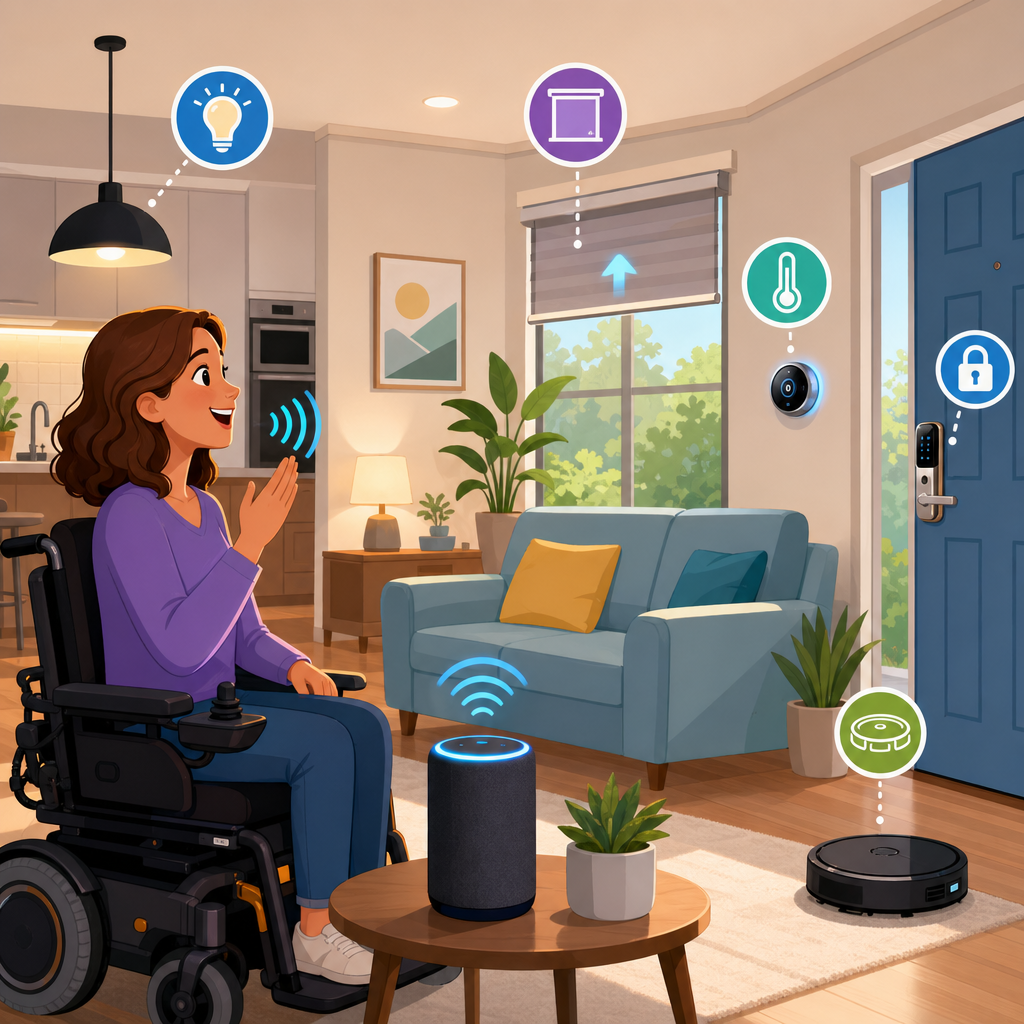
A fully voice-controlled accessible home combines connected devices, automation routines, and inclusive design so people can operate lighting, climate, entertainment, safety systems, communication tools, and daily living equipment through spoken commands. In practical terms, that means reducing dependence on switches, remotes, touchscreens, and physical movement that may be difficult because of disability, aging, injury, fatigue, or temporary limitation. I have worked with families adapting homes after stroke, spinal cord injury, Parkinson’s progression, and low-vision diagnoses, and the same lesson appears every time: voice control is most effective when it is planned as an accessibility system, not installed as a collection of gadgets.
Smart home integration is the process of making devices work together through a shared platform such as Amazon Alexa, Google Home, Apple Home, or a more advanced hub like Home Assistant. Accessibility in this context means more than convenience. It involves reliability, low-effort control, predictable routines, backup methods, privacy protections, and compatibility with assistive technology. A voice command that turns on a lamp is useful; a command that unlocks the door, disarms an alarm, activates hallway lighting, and announces who is outside can restore meaningful independence. That is why this topic matters within accessibility and mobility solutions. The right setup can reduce caregiver load, support safer transfers, simplify medication and meal routines, and help users manage their environment with dignity. The wrong setup creates friction, latency, and failure points exactly where consistency is needed most.
Building an accessible voice-controlled home starts with a clear assessment of needs, spaces, and tasks. Which activities require hands-free control? Which commands must work every time? Which users have speech differences, cognitive fatigue, hearing loss, or limited internet tolerance? Once those questions are answered, the home can be designed around core categories: entry and security, lighting, climate, appliances, communication, emergency response, and entertainment. This hub article explains how to create that foundation, which devices matter most, how platforms compare, what automation patterns deliver real accessibility gains, and where the limitations are. It also helps you identify the next articles you should explore within smart home integration, from accessible lighting and locks to voice assistants, sensors, and whole-home automation planning.
Start with an accessibility-first home assessment
The best voice-controlled accessible home begins with task mapping, not product shopping. I usually break planning into daily moments: waking up, toileting, bathing, dressing, meal preparation, transfers, medication reminders, answering the door, leaving the home, returning home, and going to bed. For each moment, identify the physical action that is hardest, the consequence if it cannot be completed, and whether voice is the primary control method or a backup. This approach prevents expensive mistakes such as installing smart bulbs where a smart switch would be more dependable, or choosing a door lock that works with an app but not with routines and spoken confirmations.
Assessment should include speech recognition conditions. Background television, HVAC noise, dysarthria, accented speech, and low speaking volume all affect performance. Device placement matters. A bedside smart speaker may hear perfectly in a quiet room but fail from a power wheelchair near a running bathroom fan. Wi-Fi coverage also matters because many consumer devices depend on cloud processing. A mesh network using Wi-Fi 6 or Wi-Fi 6E routers can improve coverage, but critical functions such as locks, smoke alerts, and local automations should not rely entirely on internet uptime. This is one reason many advanced users choose Matter-compatible devices, Thread border routers, or local hubs such as Home Assistant or Hubitat for essential routines.
During assessment, define accessibility outcomes in measurable terms. Examples include turning on bedroom and bathroom lights without reaching a switch, adjusting thermostat setpoints from bed, opening video doorbell feeds on a display by voice, controlling blinds independently, and receiving spoken reminders for hydration or medication. If a feature does not improve safety, independence, comfort, or communication, it is secondary.
Choose a voice platform that matches the user, not the marketing
The major platforms can all support an accessible smart home, but they differ in ecosystem breadth, privacy model, routine flexibility, and device compatibility. Amazon Alexa typically offers the broadest consumer device support and strong routine options, making it a practical choice for many accessible homes. Google Home often performs well for natural-language queries and integrates naturally with Android services. Apple Home works especially well for households already using iPhone, Apple Watch, and HomePod, with strong privacy controls and a clean interface. Home Assistant, while more technical, is the most powerful option for local control, custom automations, and combining diverse brands into one accessible system.
In real homes, mixed ecosystems are common. A user may prefer Siri on Apple Watch for personal commands, Alexa speakers in rooms for far-field voice pickup, and Home Assistant in the background handling automations and device bridging. That said, too many platforms can create confusion for users with cognitive load issues. If the household needs one wake word, one app, and one predictable command set, simplify aggressively. Consistency beats novelty in accessibility design.
| Platform | Best For | Key Strength | Main Limitation |
|---|---|---|---|
| Amazon Alexa | Broad consumer accessibility setups | Large device ecosystem and flexible routines | Many features rely on cloud connectivity |
| Google Home | Android-centered households | Strong natural-language understanding | Fewer advanced automation options than dedicated hubs |
| Apple Home | Apple users prioritizing privacy | Polished interface and secure ecosystem | Accessory selection can be narrower |
| Home Assistant | Complex or high-reliability accessible homes | Local control and deep customization | Steeper setup and maintenance requirements |
When choosing, test wake-word detection, confirmation prompts, and command phrasing with the actual user. Do not assume a platform is accessible because it is popular. The right platform is the one the user can operate consistently with the least effort.
Build the core control layers: lighting, climate, entry, and communication
Most accessible smart home projects should begin with four systems because they deliver the fastest practical benefit. First is lighting. Smart switches from Lutron Caseta, Leviton, or Inovelli are often better than smart bulbs because they preserve wall-switch function and are more stable for whole-room control. Voice scenes such as “good morning,” “transfer mode,” or “night path” can activate multiple lights at once. Motion sensors in hallways and bathrooms add another layer, especially for nighttime fall prevention.
Second is climate control. A smart thermostat such as ecobee or Google Nest allows voice-based temperature changes and scheduled comfort profiles. For users with limited mobility, being able to say “set bedroom to 72 degrees” can remove a daily frustration. In homes with hot and cold spots, room sensors improve accuracy and comfort. Third is entry and security. Smart locks from Yale, Schlage, or August, paired with video doorbells and smart displays, allow users to ask who is at the door, view the camera feed, and unlock remotely. This is especially valuable for wheelchair users, people with chronic pain, and anyone who cannot reach the door quickly.
Fourth is communication and alerts. Smart speakers can announce visitors, calendar events, package motion, appliance completion, water leak detection, and medication reminders. These spoken notifications help users who may not feel vibrations, notice phone alerts, or move quickly to check devices. In more advanced homes, intercom functions and caregiver notifications can be integrated into routines. A common example is a spoken phrase such as “I need help in the bathroom” triggering lights, an audible chime, and a message to a family member. Accessibility improves most when these systems work together instead of existing as isolated tools.
Design automations around routines, fatigue, and failure recovery
Voice control is only half the story. Automations reduce the number of commands a user must remember and speak each day. The most effective routines are event-based and low-friction. A bedtime routine can lock doors, turn off shared lights, lower the thermostat, close blinds, start white noise, and leave pathway lights active at 20 percent brightness. A morning routine can raise blinds, announce weather, warm a bathroom, and start a preferred news briefing. For someone managing fatigue, these bundled actions preserve energy that would otherwise be spent repeating commands or waiting for each action to complete.
Failure recovery is essential. Every critical function should have a backup method: a physical button, a caregiver app, a scheduled automation, or a sensor trigger. If internet service fails, can the user still turn on the bedroom lights? If speech recognition misses a command, is there a bedside switch, wearable button, or timed routine? In accessible homes, redundancy is not wasteful; it is responsible design. This is especially true for medical equipment zones, ramps, lifts, and safe egress lighting.
Clear naming conventions also matter. Devices should be labeled in plain language that matches how the user naturally speaks. “Bed lamp” is better than “east bedside luminaire.” Rooms, scenes, and routines should be distinguishable enough to avoid accidental triggers. I have seen households improve success rates simply by renaming devices to match the user’s own words and reducing command overlap. That is a small adjustment with a large usability payoff.
Account for privacy, security, and the limits of voice control
A voice-controlled accessible home should never trade independence for avoidable risk. Start with account security: unique passwords, password manager use, multi-factor authentication, and controlled household permissions. Review which family members, aides, or installers have access to locks, cameras, and routines. Segment smart devices on a guest or IoT network where possible. Keep firmware updated. For door access and cameras, choose vendors with a clear update history and a reputation for long-term support rather than only low price.
Privacy requires honest discussion. Smart speakers may process requests in the cloud, store voice interactions, or share data across services depending on settings. Cameras in bedrooms or bathrooms are usually inappropriate unless there is a clear clinical reason, informed consent, and strict access control. Microphones in private spaces should be considered carefully, particularly in homes with paid caregivers, guests, or shared living arrangements. Accessibility technology must support autonomy without creating a feeling of constant surveillance.
Voice control also has technical limits. People with progressive neurological conditions, aphasia, severe stuttering, or very low-volume speech may need alternative access methods. Environmental noise can degrade performance. Some commands may take too long when immediate response is needed. That is why the best accessible smart home uses multimodal control: voice, automation, physical switches, apps, wearables, and sensors. Voice is powerful, but it is one layer in a resilient system, not the entire system.
Plan the home as a long-term accessibility hub
Smart home integration works best when the system can evolve with changing needs. A household may begin with lights and a thermostat, then add locks, blinds, leak sensors, robot vacuums, adjustable beds, smart plugs for small appliances, and occupancy-based routines. Future-proofing means choosing widely supported standards like Matter where practical, documenting device names and account credentials, and keeping a simple map of what each routine does. That documentation becomes invaluable when a caregiver changes, a device fails, or the user’s mobility shifts.
This hub should guide your next steps across the broader smart home integration topic. From here, the most useful deeper dives usually include accessible lighting design, voice assistant comparison, smart locks and entry systems, fall-prevention sensors, accessible kitchen automation, emergency alert setups, and local-control home hubs. Each of those subtopics deserves its own detailed implementation guide because the right choice depends on home layout, disability profile, internet reliability, budget, and comfort with technology.
The main benefit of a fully voice-controlled accessible home is not novelty. It is reduced effort in essential daily tasks, greater safety, and more control over one’s environment. Start with the tasks that matter most, choose a platform the user can operate consistently, build reliable routines, and add backups for every critical action. If you are planning an accessible home upgrade, audit one room today, list the three hardest tasks performed there, and use that list to build your first smart home integration plan.
Frequently Asked Questions
What does a fully voice-controlled accessible home actually include?
A fully voice-controlled accessible home is much more than a smart speaker in the kitchen. It is a coordinated system of devices, automations, and room-by-room design choices that let someone operate key parts of daily life through spoken commands. In most homes, that includes lighting, thermostats, blinds or curtains, televisions, music, door locks, video doorbells, cameras, appliances, medication reminders, intercom features, phones, and emergency communication tools. In more advanced setups, voice control can also support adjustable beds, lift chairs, ceiling fans, robotic vacuums, air purifiers, and accessibility-focused equipment that reduces the need for reaching, pressing buttons, or moving across the room.
The real goal is not just convenience. It is independence, consistency, and safety. For someone living with limited mobility, chronic pain, fatigue, low vision, dexterity challenges, or a temporary injury, being able to say “turn off all downstairs lights,” “unlock the front door,” or “call my daughter” can remove a major barrier. A well-planned system also uses routines, so one phrase can trigger several actions at once. For example, a “good morning” routine might raise the thermostat, turn on hallway lights, read out the day’s appointments, and start coffee. That kind of integration is what turns individual gadgets into a genuinely accessible home environment.
How do I start building a voice-controlled accessible home without making it too complicated?
The best approach is to start with the tasks that matter most to the person living in the home. Begin by identifying daily friction points. Ask simple questions such as: What is hardest to reach? What requires repeated movement? What creates the most frustration or risk? In many cases, the first priorities are lighting, climate control, communication, and entry access because those affect comfort and safety every day. Voice-enabled smart bulbs or switches, a connected thermostat, a smart lock, and a video doorbell are often practical first steps because they deliver immediate benefit without requiring a full-home overhaul.
It also helps to choose one voice platform and one compatible ecosystem whenever possible. Keeping devices in the same system reduces setup problems and makes voice commands more reliable. From there, build in layers. Start with one or two rooms, test command wording, and make sure the person using the system can comfortably remember and repeat the phrases. After the basics are stable, add automations such as bedtime routines, medication reminders, or TV and speaker controls. The simplest systems are often the most successful because they are easier to learn, easier to troubleshoot, and more likely to be used every day. A good accessible setup should feel predictable, not overwhelming.
What are the most important accessibility and safety features to prioritize?
Safety should always come before novelty. In a voice-controlled accessible home, the most important features are the ones that reduce fall risk, improve emergency response, and support communication. Voice-controlled lighting is a major priority because it helps people avoid navigating dark rooms or reaching for switches at night. Smart locks and video doorbells can make it easier to verify visitors and manage entry without rushing to the door. Thermostat control matters as well, especially for people who cannot easily adjust settings manually or who are medically sensitive to heat and cold.
Emergency communication is another essential area. A strong setup should make it easy to call a trusted family member, caregiver, neighbor, or emergency service by voice. Announcements, reminders, and alert notifications can also support daily safety, especially for medication schedules, appointments, or open-door notifications. In some homes, leak detectors, smoke and carbon monoxide alerts, and camera-based monitoring add another valuable layer. Just as important is planning for failure. Internet outages, power interruptions, and speech-recognition errors do happen, so critical functions should still have backup methods. Accessible wall controls, physical remotes, caregiver access, battery backups, and manual overrides all help ensure the home remains safe and usable even when technology is not perfect.
How can I make voice control work well for someone with speech differences, hearing loss, or cognitive challenges?
This is where thoughtful customization makes a big difference. Voice control is not one-size-fits-all, and the best systems are adapted to the user rather than expecting the user to adapt to the technology. For someone with speech differences, it helps to test devices from more than one brand because speech recognition quality varies. Short, natural commands tend to work better than complicated phrases, and assigning clear names to devices is extremely important. For example, “bed lamp” is easier and more reliable than “left-side accent lighting.” In many homes, routines are especially valuable because one simple phrase can replace a chain of individual commands.
For people with hearing loss, visual confirmations and connected notifications can improve usability. Smart displays, mobile apps, flashing light alerts, and text-based confirmations help reinforce what the system is doing. For cognitive challenges, consistency matters more than complexity. Commands should be easy to remember, routines should follow the same naming pattern, and devices should not be given confusing or similar labels. It can also help to reduce clutter in the voice environment by limiting unnecessary skills, announcements, or duplicate devices. In family homes, everyone should understand the basic command structure so they can support the user without creating conflicting habits. The most successful accessible homes are usually the ones that have been personalized, simplified, and tested in real-life routines over time.
Is a fully voice-controlled accessible home expensive, and is it worth the investment?
The cost can range from very modest to highly customized depending on the home, the user’s needs, and how many systems are being connected. A basic setup with a voice assistant, smart plugs, a few smart bulbs, and a connected thermostat can be relatively affordable. A more advanced installation with smart locks, motorized shades, whole-home audio, integrated security, environmental sensors, and specialty accessibility equipment will cost more, especially if professional installation is involved. The key is to focus on value rather than trying to automate everything at once.
In many cases, the investment is well worth it because it supports independence, reduces caregiver burden, and improves everyday quality of life. A person who can control lights, temperature, doors, reminders, and communication by voice may need less physical assistance throughout the day. That can save time, reduce stress, and make the home feel far more usable and dignified. Families I have worked with often find that the greatest return is not just in convenience, but in confidence. When someone can manage more of their environment on their own, even small tasks become less exhausting and less dependent on another person being present. If budget is a concern, start with the highest-impact areas first, then expand gradually as needs and resources allow.