


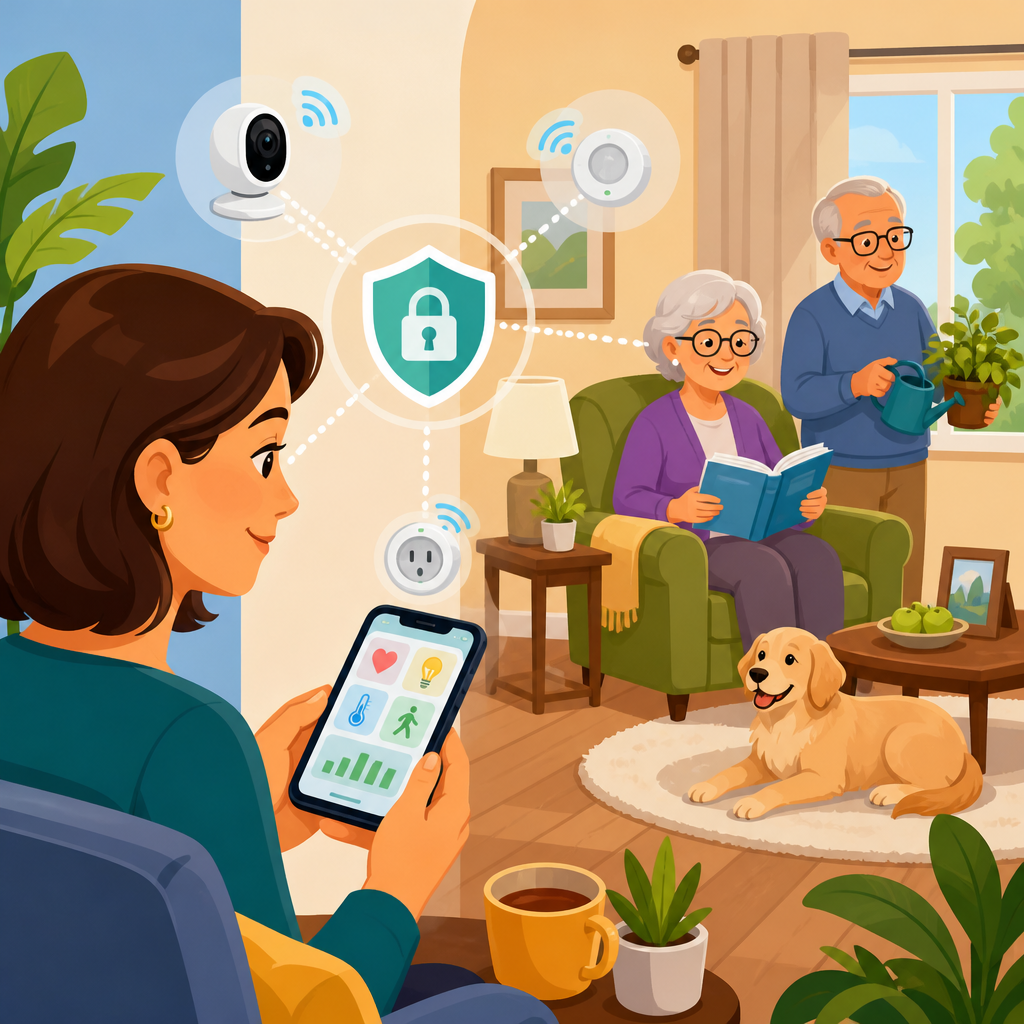
Remote monitoring for aging parents has moved from a niche concern to a practical part of modern caregiving, especially for families trying to balance safety, independence, and dignity. In plain terms, remote monitoring means using connected devices, sensors, alerts, and shared dashboards to understand how an older adult is doing at home without requiring constant in-person supervision or intrusive camera coverage. Smart home integration adds another layer: instead of relying on isolated gadgets, it links motion sensors, voice assistants, smart locks, lighting, medication reminders, and emergency notifications into one coordinated system. I have helped families set up these systems in apartments, suburban homes, and assisted living transitions, and the same question comes up every time: how can we know Mom or Dad is okay without turning their home into a surveillance zone?
That question matters because most older adults want to remain in their own homes as long as possible. According to AARP surveys, aging in place is the preference for a large majority of adults over fifty. At the same time, adult children often live hours away, work full time, or share caregiving responsibilities across siblings. A missed medication, a nighttime fall, a wandering incident, or a home left unlocked can quickly become a crisis. Privacy-friendly smart home options address that gap by focusing on signals of wellbeing rather than continuous observation. Instead of streaming video twenty-four hours a day, a well-designed system can note that the kitchen door opened at breakfast time, the hallway motion sensor detected activity after waking, and the pill dispenser was used on schedule.
For this Accessibility & Mobility Solutions hub, smart home integration is the key idea to understand. It combines devices, software, automations, and caregiver permissions so information flows to the right person at the right time. It also requires tradeoffs. The best setup is not the one with the most sensors; it is the one your parent will actually accept, understand, and keep using. This guide explains the essential device categories, how to compare privacy-friendly options, how to connect them into a reliable home system, and where smart home monitoring helps most in daily life.
What privacy-friendly remote monitoring really looks like
Privacy-friendly remote monitoring begins with data minimization. In practice, that means collecting only the information needed to support safety and routines. Passive infrared motion sensors, contact sensors on doors, smart plugs that show appliance use, bed occupancy sensors, water leak detectors, and voice-activated emergency calls often provide enough context without recording private conversations or intimate routines on video. When I assess a home, I start by mapping daily activities: wake-up time, bathroom trips, meal preparation, medication windows, entrances and exits, and overnight movement. Those activity markers usually reveal which non-camera devices will give caregivers the clearest picture.
A common example is a father with mild mobility issues who lives alone and values his privacy. Rather than installing indoor cameras, a family can place a motion sensor in the bedroom hallway, a contact sensor on the front door, a smart bulb routine that turns on pathway lighting at night, and a smart speaker configured for hands-free calls. If morning activity does not occur by a chosen time, one caregiver receives a notification. If the door opens between midnight and five in the morning, another alert is triggered in case of wandering or confusion. That setup monitors risk events, not every moment.
Good privacy practice also includes local control where possible, strong account security, and clear consent. Reputable platforms support two-factor authentication, role-based sharing, and event histories that can be reviewed without handing every family member administrative access. Some systems process automations locally on a hub, reducing dependence on cloud services. Matter, Thread, Zigbee, and Z-Wave are relevant standards because they improve interoperability and often let families mix devices instead of locking into one brand. Privacy is not just about avoiding cameras. It is about limiting data collection, securing what is collected, and making sure the older adult understands the purpose of each device.
Core smart home devices for aging in place
The strongest smart home integration plans for aging parents are built from a small set of dependable devices. Motion sensors show whether normal movement is happening in expected areas. Contact sensors monitor doors, cabinets, refrigerators, or medicine drawers. Smart locks allow remote verification that an entry is secured and provide temporary codes for aides, neighbors, or visiting nurses. Smart lighting reduces fall risk by automatically illuminating hallways, bathrooms, and stairs. Voice assistants can place calls, answer simple questions, set reminders, and control connected devices without requiring small buttons or complex apps.
Medication support deserves special attention because missed or duplicate doses are among the most common reasons families seek monitoring. A connected pill dispenser can issue audible reminders, unlock the correct compartment, and notify a caregiver if a dose is missed. For households that do not need a dedicated dispenser, a sensor on a medication box combined with timed reminders may be enough. Environmental devices are equally important. Smart smoke and carbon monoxide alarms, leak detectors near sinks or water heaters, and thermostats that flag unusual temperature swings address risks that have nothing to do with mobility but can be just as dangerous.
Wearables sit in a middle category. Devices such as the Apple Watch, medical alert pendants, and fall-detection wearables can be life-saving, but adherence is the challenge. If a parent forgets to charge the watch or dislikes wearing a pendant, passive home sensors often become the more reliable safety net. The best systems combine both: wearable help for emergencies and ambient sensors for routine reassurance.
| Device type | Primary benefit | Privacy impact | Best use case |
|---|---|---|---|
| Motion sensor | Confirms activity patterns | Low | Morning check-ins, nighttime movement |
| Door/contact sensor | Tracks entries, exits, and cabinet use | Low | Wandering risk, medicine access, fridge checks |
| Smart lock | Remote access and status verification | Moderate | Caregiver visits, emergency access |
| Voice assistant | Hands-free help and reminders | Moderate | Calling family, controlling lights, routines |
| Connected pill dispenser | Improves medication adherence | Low to moderate | Multiple daily medications |
| Indoor camera | Visual verification | High | Limited exceptions, short-term recovery periods |
How to design a monitoring system around risks, not gadgets
The right way to plan remote monitoring for aging parents is to start with specific risks and routines, then match technology to them. I usually group concerns into six categories: falls, medication adherence, wandering, missed meals, home hazards, and communication breakdowns. A person with Parkinsonian gait may need nighttime lighting, bathroom pathway sensors, and a wearable alert. A parent with early dementia may need door alerts, stove shutoff support, simplified voice calling, and lock management. Someone recovering from surgery might temporarily benefit from more active check-ins, then scale back after mobility improves.
This risk-based design prevents overspending and reduces abandonment. Families often buy a popular smart display, a bundle of cameras, and a smartwatch, then discover none of it solves the main problem. If the issue is that your mother forgets to eat lunch and sometimes leaves the back door open, the better answer is a fridge sensor, midday routine alert, and contact sensor on the exterior door. If your father is hard of hearing and rarely carries a phone, smart speakers with announced reminders and one-touch calling may matter more than a mobile app.
Reliability must be part of the design. Battery-powered sensors need a maintenance plan. Internet outages can break cloud-dependent automations. Power failures can disable routers, hubs, and smart locks unless battery backup is included. In better installations, I use a checklist that covers Wi-Fi strength, cellular backup options, battery replacement schedules, and who receives which alert. Caregiving systems fail less often when one person is responsible for setup and another person is the secondary contact if the first alert goes unanswered.
Smart home platforms, interoperability, and setup strategy
Smart home integration works best when devices can communicate consistently across brands. Today, Amazon Alexa, Google Home, Apple Home, Samsung SmartThings, and dedicated aging-in-place platforms all play a role, but they differ in privacy controls, automation depth, and ease of use. Apple Home is often chosen by privacy-conscious households because of its security posture and local processing features, though its device compatibility can be narrower. Alexa has broad device support and useful routines, especially for reminders and voice control. SmartThings is flexible for mixed-device environments and can bridge Zigbee and Z-Wave products effectively.
The new Matter standard improves compatibility among major ecosystems, while Thread offers a low-power mesh networking approach that can make sensors more responsive and resilient. Still, standards do not eliminate all setup issues. Before buying devices, check whether each product supports the same platform, whether advanced features require the manufacturer’s own app, and whether caregiver notifications can be shared easily. Some door locks expose lock and unlock events in one ecosystem but limit guest code management to another app. Those details matter when an emergency happens.
A practical setup strategy is to phase the rollout. Start with one platform, one caregiver dashboard, and three to five essential devices. Test alerts for two weeks, then add medication support, smart lighting, or environmental sensors. This staged approach reduces confusion for older adults and reveals friction points early. It also respects consent. Many parents accept a motion sensor in the hallway long before they accept location tracking or microphones in multiple rooms.
Privacy, consent, and family communication policies
No smart home monitoring plan is ethical or sustainable without explicit conversations about consent, boundaries, and data access. The older adult should know what is being monitored, who can see alerts, when live access is possible, and how to pause or adjust the system. In my experience, resistance drops when families frame technology as support for independence rather than control. “We want to know if you are up and about by ten” lands much better than “We need to watch what you do.”
It also helps to create a simple monitoring policy. Decide which events trigger alerts, who responds first, when emergency services should be called, and which devices are acceptable in private spaces. Bedrooms and bathrooms are the most sensitive locations. In most cases, motion or occupancy sensors are preferable to cameras there. Audio recording should be avoided unless a device is being actively used for a call or voice command, and parents should understand how wake words and stored recordings work on smart speakers.
Security hygiene is nonnegotiable. Use unique passwords, turn on two-factor authentication, update firmware, and remove access when paid caregivers leave. If a platform offers activity logs, review them occasionally. Older adults are increasingly targeted by scams, and a compromised account tied to locks or cameras creates real physical risk. Privacy-friendly remote monitoring protects against both family overreach and external intrusion.
Real-world scenarios where smart home monitoring helps most
The value of remote monitoring becomes clearest in real situations. After one client’s mother began skipping breakfast due to early cognitive decline, a simple fridge contact sensor and kitchen motion pattern solved the mystery. When neither event occurred by eleven in the morning, a daughter called and prompted a meal. In another home, nighttime bathroom trips led to two near falls. Motion-triggered floor lighting and a bed-exit sensor reduced risk immediately without adding surveillance. For a widowed father who sometimes forgot his keys, a smart lock with scheduled notifications confirmed the house was secured each night and allowed a trusted neighbor to enter during one minor emergency.
Smart home integration is also useful during transitions. After hospital discharge, families can temporarily increase alerts, add a video doorbell for delivery awareness, and use smart plugs to confirm that a kettle or microwave is in normal use. As recovery progresses, the system can be simplified. That flexibility is one reason smart home monitoring has become central to aging in place planning rather than a tech luxury.
Costs vary widely, but a solid starter setup can be assembled for far less than one month of private in-home care. The savings, however, should not be the main message. The real benefit is better judgment. When caregivers have timely, limited, relevant information, they can intervene sooner, visit more purposefully, and preserve autonomy longer.
Privacy-friendly remote monitoring for aging parents works when smart home integration is planned around dignity, routine, and real risk. The most effective systems rely on low-intrusion tools such as motion sensors, door contacts, smart lighting, medication reminders, environmental alerts, and voice assistance rather than blanket surveillance. They are built on clear consent, strong account security, dependable connectivity, and a practical response plan shared by family members. Cameras may have a place in narrow situations, but they should be the exception, not the default.
As the hub for Smart Home Integration within Accessibility & Mobility Solutions, this topic connects directly to medication management, fall prevention, emergency response, home modifications, caregiver coordination, and accessible communication tools. The central lesson is simple: choose devices that answer a defined caregiving need, integrate them on a stable platform, and collect the least personal data necessary to keep an older adult safe. That approach supports both independence and trust.
If you are evaluating options for your own family, begin with a room-by-room risk review and one weekly routine that worries you most. Then build a small, privacy-respecting system around that need, test it, and expand only when the benefits are clear.
Frequently Asked Questions
What does privacy-friendly remote monitoring actually look like for aging parents?
Privacy-friendly remote monitoring focuses on understanding patterns, safety, and daily well-being without making an older adult feel watched. In practice, that usually means choosing smart home tools such as door and window sensors, motion sensors placed in common areas, bed occupancy sensors, medication reminders, smart plugs, water leak detectors, and emergency buttons instead of always-on cameras or microphones. These devices can quietly track whether normal routines are happening, such as getting out of bed, opening the refrigerator, moving between rooms, or locking the front door at night.
The goal is not surveillance. The goal is reassurance and early warning. For example, if a parent usually enters the kitchen by 8 a.m. and no activity is detected by late morning, a caregiver can receive an alert and check in. If a bathroom motion sensor shows unusually frequent overnight trips, that may point to a health issue worth discussing. If a smart lock or contact sensor shows the front door opened at an unusual hour, family members can be notified quickly.
What makes this approach privacy-friendly is that it emphasizes event-based information and household patterns rather than constant visual monitoring. Many families find that this preserves dignity while still supporting safety and independence. It also helps to choose systems that allow adjustable alert settings, user permissions, and clear data controls so parents know exactly what is being monitored, who can see it, and when alerts are triggered.
Are cameras necessary for effective remote monitoring, or are there good non-camera alternatives?
Cameras are not necessary for many remote caregiving situations, and in privacy-sensitive households they are often the last tool to consider rather than the first. A well-designed non-camera setup can provide a surprisingly strong picture of day-to-day activity. Motion sensors can show room-to-room movement, entry sensors can confirm door use, bed sensors can indicate nighttime rest and morning wake-up patterns, and smart appliances or plugs can reveal whether key routines are taking place. Combined in one dashboard, those signals can offer meaningful insight without recording private moments.
Non-camera alternatives are especially useful in bedrooms, bathrooms, and other personal spaces where visual monitoring may feel intrusive or unacceptable. For many families, passive sensors are enough to identify concerns such as falls, wandering, prolonged inactivity, missed medication routines, or changes in sleep habits. Some systems can also detect unusual environmental conditions, including smoke, carbon monoxide, water leaks, or extreme indoor temperatures, which are just as important as activity monitoring in supporting safe aging at home.
That said, there are cases where limited camera use may still be helpful, such as monitoring a front porch for deliveries, checking whether a caregiver arrived, or confirming a specific safety event in a common area. Even then, it is best to use cameras sparingly, with clear consent, restricted placement, and transparent rules. For most families exploring remote monitoring for aging parents, starting with non-camera smart home options is often the best balance between visibility, comfort, and respect.
Which smart home devices are most useful for balancing safety, independence, and dignity?
The most useful devices are usually the ones that support normal living quietly in the background rather than demanding constant interaction. Motion sensors are a strong starting point because they can establish baseline daily routines and trigger alerts when something is out of the ordinary. Door sensors are also highly valuable, especially for exterior doors, medicine cabinets, or refrigerators, because they help caregivers understand whether common activities are happening and can flag late-night wandering or missed meals.
Bed sensors and chair occupancy sensors can be important for older adults with mobility issues, sleep concerns, or fall risk. These devices can show whether someone got up in the morning, returned to bed at night, or remained inactive for too long. Smart lighting can improve safety by automating pathways to the bathroom or kitchen at night, reducing fall risk without requiring the person to remember switches. Smart locks and video doorbells at entry points can also support both security and convenience, although for privacy reasons many families prefer using them only at doors rather than inside living spaces.
Medication reminder devices, voice assistants for hands-free help, leak detectors, smoke and carbon monoxide alarms, and smart thermostats all contribute to a safer home environment. The best setup depends on the parent’s health, cognitive status, routines, and comfort with technology. In general, the strongest systems combine a few simple devices that work together reliably, instead of overwhelming the household with too many disconnected gadgets. A smaller, thoughtfully chosen system is often more effective and far easier to maintain.
How can families talk about remote monitoring without making aging parents feel controlled?
The conversation goes better when remote monitoring is framed as a tool for independence, not oversight. Many older adults resist technology because they fear losing autonomy or being treated like they cannot manage their own lives. Families can reduce that tension by leading with practical benefits: fewer unnecessary check-in calls, faster help in an emergency, better support for staying at home longer, and less reliance on invasive options. It helps to emphasize that the purpose is to create peace of mind for everyone, including the parent.
Consent and collaboration matter. Instead of arriving with a complete system already chosen, invite the parent into the decision-making process. Ask what kind of help would feel useful, what areas of the home should remain private, and what kinds of alerts seem reasonable. For example, a parent may be comfortable with front door sensors and medication reminders but not indoor cameras. That distinction should be respected. When older adults have a real voice in the setup, they are much more likely to accept and use it.
Families should also be transparent about what data is collected, where it goes, and who can access it. Explain whether siblings, adult children, professional caregivers, or care managers will receive alerts or view dashboards. Make sure everyone agrees on how the information will be used. The healthiest approach is to create shared expectations from the start: what counts as an emergency, when to call first, when to visit in person, and when to adjust the system. Respectful communication turns remote monitoring from a source of conflict into a partnership that protects dignity while strengthening support.
What should families look for when choosing a privacy-friendly remote monitoring system?
Start with simplicity, reliability, and transparency. A good system should be easy for caregivers to understand and easy for the older adult to live with. Look for devices that integrate into one app or dashboard so family members do not have to manage multiple disconnected platforms. Reliable alerts are critical, especially for inactivity, unusual overnight movement, door openings, environmental hazards, and emergency calls. Battery life, backup power options, and cellular failover can also make a major difference if the home internet goes down.
From a privacy standpoint, review exactly what information is being collected and how long it is stored. Choose products that allow families to limit data sharing, assign user permissions, and disable features they do not need. It is also wise to check whether data is encrypted, whether the company sells or shares personal information, and whether the system allows a parent or legal decision-maker to control account access. These details matter because remote monitoring is not just about convenience; it involves sensitive personal habits and household routines.
Families should also consider how adaptable the system is over time. Needs can change gradually or suddenly. A parent who only needs medication reminders today may later benefit from bed sensors, voice assistance, or additional safety alerts. The best smart home options support that kind of scaling without requiring a complete replacement. Finally, think beyond the technology itself. A strong remote monitoring setup includes clear family roles, response plans for alerts, and regular check-ins to review whether the system still feels useful, respectful, and aligned with the parent’s wishes.