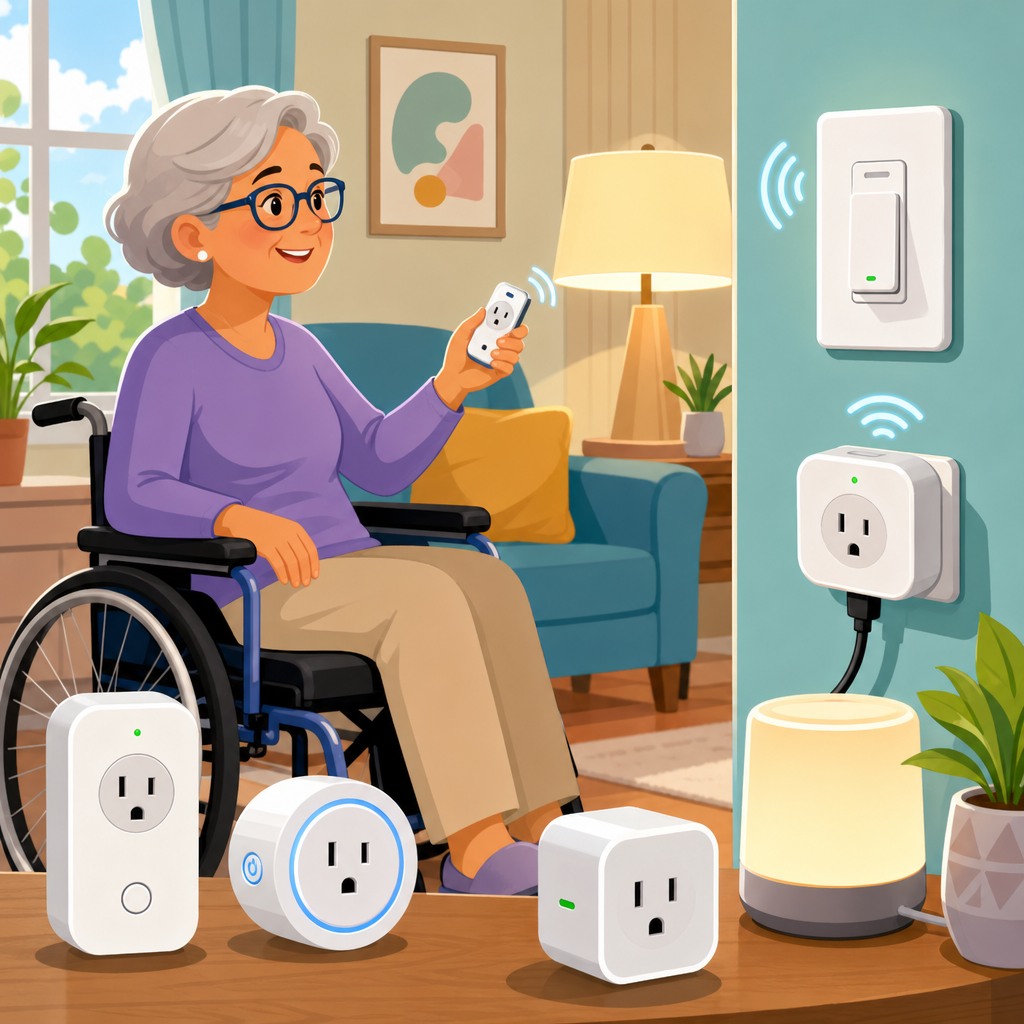
Smart plugs and smart switches can remove one of the most frustrating barriers in daily life: the need to reach, bend, grip, or walk across a room just to turn something on or off. For people with arthritis, balance limitations, wheelchair use, chronic pain, post-surgery restrictions, or age-related mobility changes, these small devices are not gadgets first; they are practical accessibility tools. In a smart home integration plan, a smart plug connects between a wall outlet and an appliance, while a smart switch replaces or works with a wall switch to control lights, fans, or fixtures through voice, an app, schedules, sensors, or automation routines. The best smart plugs and switches for low-mobility use combine reliable remote control, simple setup, strong voice assistant support, and fail-safe manual operation. This matters because accessibility at home is often about reducing repeated physical effort. I have seen households get the biggest improvement not from major renovations, but from replacing a bedside lamp switch, automating an entry light, or making a kettle and air purifier controllable without standing up.
As the hub page for smart home integration within accessibility and mobility solutions, this article explains what to buy, what features matter most, how the leading options compare, and where each type fits in a broader low-mobility home setup. It also points naturally toward related topics such as voice assistants, motion sensors, accessible lighting, emergency response routines, and home automation planning. If you are choosing between a plug and a switch, the short answer is simple: use a smart plug when you need fast, no-tools control of a plug-in device, and choose a smart switch when you want a permanent, wall-controlled solution for hardwired lighting or fans.
What makes a smart plug or switch good for low-mobility use
The most important criterion is not raw feature count. It is ease of use under real physical constraints. In practice, that means large app controls, dependable voice commands, straightforward schedules, and a device that keeps working even if the internet is temporarily unavailable. For many users, pressing a tiny recessed power button or wrestling with a crowded duplex outlet is harder than operating the appliance itself, so physical design matters. The best models are compact, leave room for a second outlet, and include a clear on-device button with tactile feedback. If hand strength is limited, avoid stiff housings and products that require excessive force to pair or reset.
Compatibility is the next filter. Alexa, Google Home, Apple Home, and Samsung SmartThings all support strong accessibility routines, but support is not equal across brands. Matter support has improved cross-platform setup, and Thread can improve responsiveness for certain devices, but Wi-Fi models remain common and often easiest to buy. I usually advise households to start with the voice platform they already use on a phone, speaker, or display, because a fragmented setup increases cognitive load. If a person can say “turn on bedroom lamp” from bed and the command works every time, that is better accessibility than a more advanced ecosystem with unreliable naming or confusing rooms.
Safety is essential. Smart plugs should be UL or ETL listed and used only within their rated load. Resistive loads such as lamps are straightforward; heaters, medical devices, and some high-draw appliances need careful review of wattage, startup current, and manufacturer guidance. Smart switches also need the right wiring conditions. Some require a neutral wire, some do not, and fan control switches are different from light dimmers. A low-mobility home should prioritize devices with predictable behavior after a power outage, local control options, and simple household-wide routines, such as an “All Off” scene for bedtime and an “Arrival Home” scene that turns on key pathways automatically.
Best smart plugs for lamps, small appliances, and quick accessibility upgrades
Smart plugs are the fastest win because they do not require electrical work. In testing and client setups, they are ideal for bedside lamps, living room lighting, coffee makers with physical rocker switches, fans, wax warmers, and seasonal lights. The best overall choices tend to be the TP-Link Kasa Smart Plug Mini line, Amazon Smart Plug, Eve Energy, and Tapo P-series options. TP-Link Kasa remains popular because setup is simple, reliability is high, and app controls are clear. Amazon Smart Plug is even easier for households already centered on Alexa, especially for users who need minimal app interaction. Eve Energy stands out in Apple-focused homes because it supports strong privacy controls and integrates cleanly with Apple Home, especially in Matter-enabled environments.
For low-mobility users, the best plug is often the one that reduces setup friction the most. A person with limited endurance may not want to troubleshoot a hub, rename devices repeatedly, or move between rooms during pairing. That is where Kasa and Amazon devices perform well. If energy monitoring matters, look at Eve Energy or specific Kasa and Tapo models that report power draw. Energy data is not just a nice bonus; it can confirm whether a device actually turned on, help identify a fan left running, or support a routine that sends an alert when a washer cycle drops below a certain wattage threshold. In an accessible smart home, confirmation reduces unnecessary trips and guesswork.
There are limits. A smart plug will not help much if the connected device defaults to off after losing power or if it relies on a touch panel that must be pressed each time. Before buying, check whether the lamp, humidifier, or coffee maker returns to its last state when power is restored. Old-fashioned mechanical controls often work best with smart plugs because they remain in the on position. For users who need easy access with the least installation effort, that compatibility check is the difference between a seamless daily aid and a frustrating dead end.
Best smart switches for accessible lighting, entryways, and permanent control
Smart switches solve a different problem: they make built-in lights and fans accessible without relying on the lamp itself. They are often the better option for hallways, bathrooms, kitchens, stair landings, exterior lights, and any location where everyone in the home still expects a wall switch to work. Leading choices include Lutron Caseta, Leviton Decora Smart, TP-Link Kasa smart switches, and selected Inovelli models for advanced users. If I had to recommend one system most often for low-mobility households, it would be Lutron Caseta. Its reliability is excellent, response time is fast, and the Pico remote is a major accessibility feature because it can be mounted at an easier height, kept bedside, or placed where reaching the original switch is awkward.
Lutron also avoids some Wi-Fi congestion issues by using its own wireless protocol through a bridge, which improves consistency in larger homes. Leviton Decora Smart is a strong choice for users who want familiar paddle-style controls and broad ecosystem support. TP-Link Kasa switches provide good value and are easier for budget-conscious upgrades in a few key rooms. Inovelli is powerful for enthusiasts because it offers advanced scene control and notification LEDs, but it may be more complexity than many mobility-focused households need. The right smart switch should keep manual control intuitive, support voice and scheduled automation, and avoid requiring someone to stand in a dark room troubleshooting why a scene failed.
Switch selection also depends on wiring and fixture type. Dimmers need dimmable bulbs, fan controls need motor-compatible hardware, and some homes without neutral wires must use specific models. This is one reason smart home integration should start with a room-by-room audit rather than impulse buying. In real homes, the highest-value switch upgrades are usually the front entry, bedroom overhead light, bathroom vanity, hallway path lighting, and porch light. These locations directly affect safe transfers, nighttime navigation, and whether someone can enter or leave the home without unnecessary physical strain.
How the top options compare for accessibility, setup, and ecosystem fit
A direct comparison helps because the best product depends on whether the user values easier setup, stronger Apple support, a portable remote, or lower cost. The table below summarizes the most practical options for this smart home integration hub.
| Product | Type | Best for | Key accessibility advantage | Main limitation |
|---|---|---|---|---|
| TP-Link Kasa Smart Plug Mini | Smart plug | General lamp and small appliance control | Simple app, reliable schedules, broad voice support | No benefit if appliance must be manually restarted |
| Amazon Smart Plug | Smart plug | Alexa-centered homes | Very easy setup and voice-first use | Less appealing outside Alexa households |
| Eve Energy | Smart plug | Apple Home users | Strong privacy and energy monitoring | Higher price than basic Wi-Fi plugs |
| Lutron Caseta | Smart switch | Accessible lighting and dependable control | Pico remote adds flexible low-reach control | Bridge adds cost |
| Leviton Decora Smart | Smart switch | Familiar wall-switch experience | Clear paddle design and solid app support | Model compatibility varies by wiring |
| TP-Link Kasa Switch | Smart switch | Budget room-by-room upgrades | Good value with easy scheduling | Wi-Fi dependence can matter in weaker networks |
For most households, one brand does not need to do everything. A practical mix is common: Lutron Caseta for critical lighting, Kasa plugs for lamps and fans, and a voice assistant for routines. What matters is consistent naming, predictable behavior, and reducing the number of steps needed to complete daily tasks.
Smart home integration: building routines that actually reduce physical effort
The best smart plugs and switches deliver their value through routines, not just remote buttons. A smart home integration plan for low-mobility use should focus on repeated pain points. Bedtime is the classic example. A single command such as “good night” can turn off living room lamps, switch on a dim hallway path light for five minutes, set the bedroom light to warm low brightness, and power down a fan later on a timer. In the morning, “start day” can turn on a bedside lamp gradually, power a coffee maker, and switch on bathroom lighting before the user stands up. These small automations save steps, preserve energy, and reduce fall risk.
Another strong use case is arrival and departure. Entry lights can turn on at sunset, porch lights can respond to schedules, and indoor lamps can activate when a trusted person arrives home. Voice assistants, geofencing, occupancy sensors, and contact sensors can all support this, though geofencing is less reliable in apartment buildings and multi-user households. I generally prefer scheduled lighting plus manual voice backup over complex presence detection for users who need certainty. The most accessible automations are the ones that work quietly in the background and still offer a simple, obvious override.
This hub article connects directly to adjacent smart home topics worth exploring next: voice assistants for hands-free control, motion sensors for path lighting, smart bulbs for adjustable color temperature, video doorbells for safer answering, and emergency routines that alert family if a key light or switch pattern does not occur. Smart plugs and switches are often the foundation layer because they create immediate control over the environment without requiring a full-house renovation.
Installation, safety, and buying mistakes to avoid
The most common mistake is buying based on price alone. Cheap no-name plugs may work initially, but inconsistent apps, weak firmware support, and vague safety certifications are not acceptable in accessibility use cases. Stick to established brands with UL or ETL listing, active software support, and clear compatibility documentation. Check amperage, wattage, wireless requirements, and whether the product supports the ecosystem you already use. For switches, verify neutral wire requirements and, if needed, hire a licensed electrician. A one-hour professional install is often worth far more than the frustration or risk of a failed DIY attempt.
Avoid controlling space heaters, air conditioners, or medical equipment unless the manufacturer explicitly permits smart plug use and the load is within spec. This point is nonnegotiable. For lighting, also think about power restoration behavior. After an outage, some users need lights to remain off; others need key safety lights to return on automatically. Set these preferences deliberately. Name devices clearly, using phrases a person will naturally speak, such as “bed lamp,” “porch light,” and “hall light,” not vague labels like “device one.” In homes shared with caregivers, create documented routines so everyone knows what each automation does and how to override it manually.
The best buying strategy is to start small. Upgrade one lamp, one bedroom light, and one entry light first. Measure whether the user actually saves effort, sleeps better, or feels safer moving around. Then expand. Accessibility technology works best when it is tailored to the person’s real routines, not when it is deployed as a generic bundle. Choose dependable products, keep automations simple, and build a smart home that reduces strain every single day.
Smart plugs and smart switches are among the most cost-effective accessibility upgrades available because they replace repeated physical effort with reliable, low-friction control. For low-mobility users, the best smart plugs are compact, voice-friendly, safe, and compatible with devices that can restart automatically. The best smart switches deliver permanent control for built-in lighting, preserve easy wall access, and support routines that improve safety in bedrooms, hallways, bathrooms, and entry points. Across most homes, TP-Link Kasa, Amazon Smart Plug, Eve Energy, Lutron Caseta, Leviton Decora Smart, and selected Kasa switches stand out because they balance reliability, ecosystem support, and everyday usability.
As the central smart home integration hub within accessibility and mobility solutions, this page should help you make confident first decisions and map the next steps. Start with the tasks that require the most reaching, bending, or nighttime walking. Add one or two devices in the highest-impact rooms. Then connect them to simple voice commands and routines that save energy and movement. If you are building a more accessible home, smart plugs and switches are often the fastest place to begin, so choose one practical upgrade today and expand from there.
Frequently Asked Questions
1. How do smart plugs and smart switches help people with low mobility in everyday life?
Smart plugs and smart switches reduce the need to perform movements that can be painful, tiring, or unsafe. Instead of walking across a room, reaching behind furniture, bending toward a low outlet, or gripping a stiff switch, a user can control lights, fans, coffee makers, space heaters with appropriate safety ratings, or other compatible devices through a phone app, voice assistant, scheduled routine, or wireless button. For people with arthritis, chronic pain, balance limitations, wheelchair use, post-surgery restrictions, or age-related mobility changes, that convenience often translates directly into greater independence and less physical strain.
The biggest benefit is consistency. A lamp that turns on with a voice command or at a scheduled time can make it easier to enter a room safely. A bedside smart plug can prevent the need to get up again after lying down. A smart switch can control the main room lighting without requiring precise hand movement on a small toggle. In practical terms, these devices help remove repeated “micro-barriers” throughout the day, which can add up to significant fatigue or frustration. They are often most helpful when used in places where movement is difficult, such as bedrooms, hallways, entryways, kitchens, and bathrooms, while always following manufacturer safety guidance and avoiding unsupported uses.
2. What features should matter most when choosing smart plugs or switches for low-mobility use?
The best models for low-mobility use are not necessarily the ones with the most advanced features; they are the ones that are easiest to control reliably and comfortably. Look first for voice assistant compatibility with platforms such as Alexa, Google Home, or Siri if hands-free use is important. Strong app design also matters. The app should have clear labeling, large buttons, simple room organization, and dependable remote access. If tapping tiny icons or navigating multiple screens is difficult, even a technically good device may not be a good accessibility fit.
Physical design is also important. A smart plug should not block neighboring outlets unless that tradeoff is acceptable. On-device buttons should be easy to locate and press without requiring a strong grip. For smart switches, consider whether a paddle-style switch, touch-sensitive control, or dimmer slider will be easiest to use. Some users benefit from motion-activated lighting or routines that automatically turn devices on and off, reducing the need for manual control altogether. Wi-Fi reliability, power-outage recovery, and simple setup are equally important. A device that frequently disconnects or requires repeated troubleshooting creates a new barrier instead of solving one. For many households, the ideal choice combines easy voice control, intuitive scheduling, clear app accessibility, and dependable performance over flashy extras.
3. Are smart plugs or smart switches better for accessibility?
It depends on what needs to be controlled and how permanent the solution should be. Smart plugs are usually the easiest starting point because they are simple to install: plug the device into the outlet, then plug in the lamp or appliance. They are especially useful for table lamps, fans, and small household electronics that already turn on automatically when power is supplied. For renters, temporary living situations, or anyone who wants a low-effort setup, smart plugs are often the most practical choice. They can quickly make a room more accessible without rewiring or modifying the wall.
Smart switches, however, are often better for primary room lighting because they control the actual wall switch. That means anyone can still use the light normally at the wall, while the smart features add voice, app, and automation control. This can be especially helpful in shared households, hallways, bathrooms, and kitchens where overhead lighting matters most for safety and visibility. A smart switch also avoids the common issue of someone turning off a lamp manually and breaking the “smart” function of a smart plug. In general, smart plugs are ideal for portable, appliance-based control, while smart switches are better for built-in lighting and long-term accessibility planning. Many of the best low-mobility setups use both: switches for core lighting and plugs for task lamps and convenience devices.
4. Can smart plugs and switches be used safely by older adults or people with medical and mobility limitations?
Yes, when chosen carefully and used according to manufacturer instructions, smart plugs and smart switches can be a safe and effective accessibility upgrade. In fact, they can improve safety by reducing unnecessary walking in the dark, limiting repeated bending and reaching, and making it easier to turn devices off without rushing across a room. Scheduled lighting can support safer nighttime movement, and voice control can be especially valuable during pain flare-ups, recovery periods, or times when standing is difficult. That said, safety depends on matching the device to the job. Users should always check wattage and load limits, use indoor or outdoor models appropriately, and avoid plugging high-draw equipment into devices not rated for it.
For people with health or cognitive concerns, reliability and simplicity are especially important. It is wise to choose products with clear status indicators, stable app support, and straightforward manual override options. If internet outages are common, local control features or easy physical operation become even more important. In households where caregivers assist with setup or daily use, shared access through the app can make support easier. It is also smart to think through backup habits: for example, knowing how to operate a light manually if Wi-Fi fails. The safest smart home products for low-mobility users are the ones that reduce effort without adding confusion, maintenance burden, or electrical misuse.
5. What is the best way to set up smart plugs and switches for someone with limited strength, range of motion, or endurance?
Start with the highest-impact locations rather than trying to automate the whole home at once. The most effective first upgrades are usually bedside lamps, living room lighting, entryway lights, and any device that regularly requires uncomfortable reaching or extra walking. A bedside smart plug, for example, can allow a user to turn a lamp, fan, or white-noise machine on and off without getting back up. In a living room, a smart switch on the main light can reduce the need to navigate around furniture or reach an awkward wall plate. In an entryway or hallway, scheduled or motion-responsive lighting can improve visibility and reduce fall risk.
It also helps to organize controls around routines instead of individual devices. Morning, evening, and bedtime automations are often more useful than complex custom scenes. Large, clearly named controls in the app, easy voice command phrases, and optional wireless buttons placed within comfortable reach can make the system much easier to use day after day. If dexterity is limited, avoid setups that depend on tiny controls, frequent battery changes, or complicated troubleshooting. If fatigue is a major issue, prioritize automations that remove repeated tasks completely. The best setup is one that feels predictable and effortless: lights come on when needed, devices can be shut off from bed or a chair, and the user does not have to think about the technology just to make the room work for them.