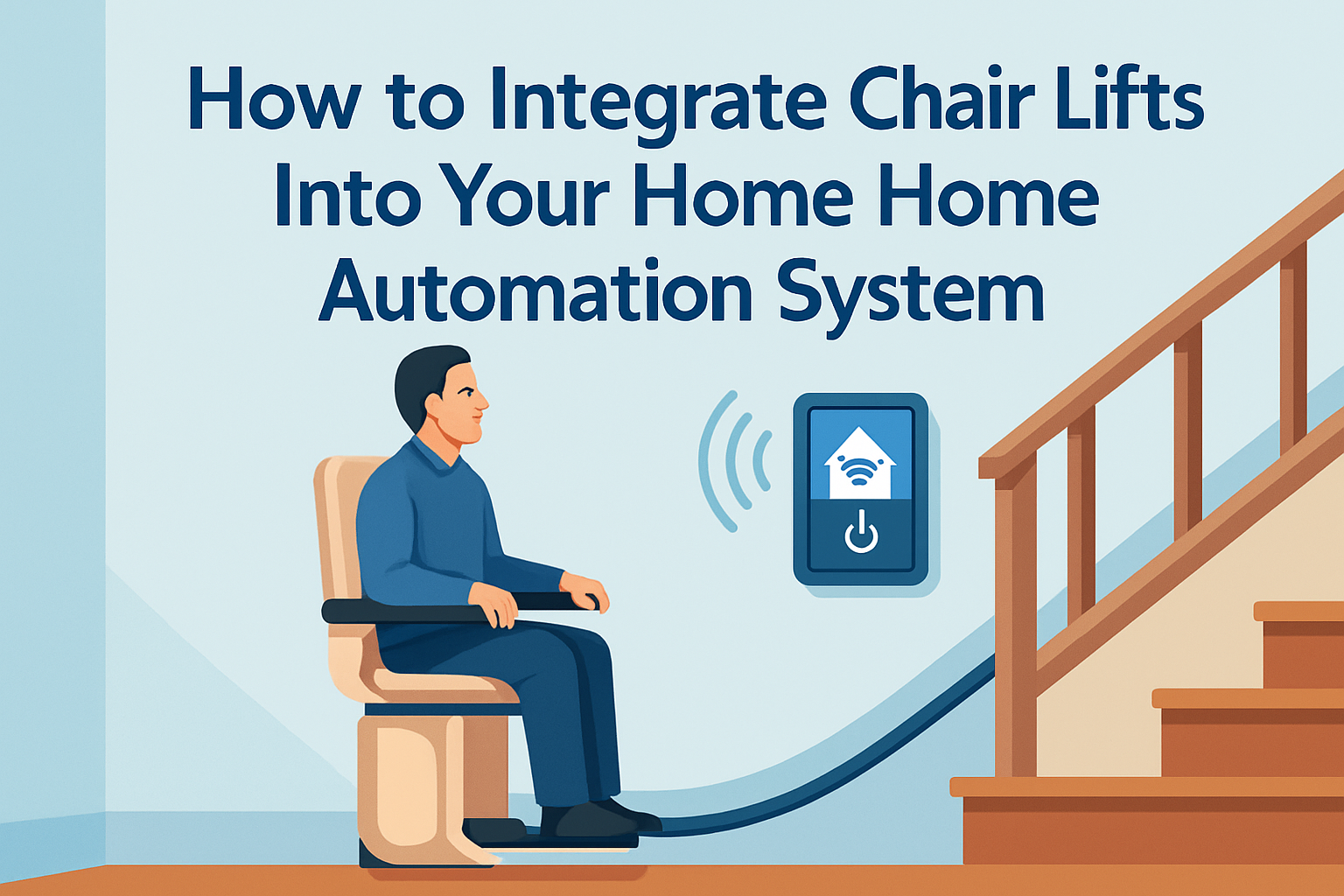
Integrating chair lifts into a home automation system turns a single mobility device into part of a coordinated accessibility strategy, allowing safer transfers, simpler daily routines, and more reliable control for people who need consistent access between floors. In practical terms, a chair lift is a motorized seat that travels along a rail mounted to a staircase, while home automation is the network of controllers, sensors, apps, and rules that manage devices such as lighting, locks, thermostats, cameras, and voice assistants. When these systems work together, the result is not just convenience. It is predictable movement, reduced caregiver burden, and a home that responds to mobility needs without repeated manual adjustments.
I have worked on smart home retrofits where the stair lift began as a standalone installation and later became the device that shaped the entire automation plan. Families usually start with one problem: a user can ride upstairs, but the hallway light is off, the bedroom temperature is wrong, or a caregiver downstairs has no confirmation that the trip ended safely. Integration addresses those gaps. It can trigger lighting scenes when the lift starts moving, send notifications when a trip is complete, align door and lock status with movement, and make emergency response procedures clearer.
This topic matters because the people who benefit from chair lifts often rely on predictable environments more than flashy technology. Older adults, people recovering from surgery, and users with long term mobility impairments may have slower reaction times, reduced dexterity, or balance concerns. A disconnected device can still help, but a connected accessibility environment does more. It lowers friction at every step, reduces avoidable risks, and supports independent living for longer. It also makes life easier for caregivers, occupational therapists, and installers who need reliable routines rather than one off fixes.
Good integration starts with the right definition of “smart.” A smart chair lift does not mean every model has Wi-Fi built in. In many projects, the lift remains electrically isolated and is integrated through approved accessories, dry contact interfaces, relay modules, occupancy sensors, button emulation hardware, or monitored power states. That distinction matters because stair lifts are safety critical equipment. Any plan must respect manufacturer instructions, local electrical code, and the device’s certified operating limits. The goal is coordinated control around the lift, and only approved control of the lift itself.
Why Smart Home Integration Improves Chair Lift Safety and Independence
The strongest reason to integrate a chair lift into a smart home system is safety. Stair lifts already include core protective features such as seat belts, obstruction sensors, battery backup on many models, swivel seats, and call send controls at each landing. Automation adds context around those features. For example, motion activated lighting can illuminate both landings before travel begins, reducing trip hazards when the user gets on or off. A smart contact sensor on a nearby gate or door can confirm that the route is clear before a scheduled transfer time. A push notification can alert a family member if a lift has not reached the expected floor within a set period.
Independence also improves when routine actions are bundled together. In one retrofit, we linked a stair lift arrival event to a “bedtime upstairs” scene: hall lights turned on at 70 percent, the bedroom mini split adjusted to the user’s preferred temperature, and a bedside smart speaker announced medication reminders. None of those actions changed the lift’s certified behavior, but together they reduced the number of decisions and physical tasks required after the ride. For a user with arthritis and limited hand strength, eliminating extra switches and remotes made the upstairs level meaningfully more accessible.
There is also a caregiver benefit that often gets overlooked. Remote status updates reduce uncertainty. If a spouse hears the chair lift start but not stop, they may worry, especially in larger homes. Integrating occupancy or power monitoring can provide a simple “trip complete” message. In homes with paid caregivers, event logs can help confirm routines without intrusive camera placement inside private spaces. That balance between support and dignity is one of the practical reasons smart home integration matters in accessibility planning.
What You Need Before Connecting a Chair Lift to a Smart Home Platform
Before choosing apps or devices, verify the lift’s make, model, age, warranty status, and approved accessory options. Major manufacturers such as Bruno, Stannah, Harmar, Handicare, and Savaria offer different control architectures, and not every stair lift is designed for third party integration. Some lifts provide low voltage call send stations, key switches, or service interfaces that a professional can assess. Others should not be interfaced with beyond external environmental automation. I always start by reading the installation manual and service documentation, then confirming with the manufacturer or authorized dealer what can be monitored or triggered without affecting compliance or warranty.
Next, map the user journey rather than the hardware list. Identify the exact sequence: approach the staircase, turn on light, verify seat position, travel, exit safely, and transition to the destination room. This exercise reveals what should be automated around the lift. In many homes, the highest value devices are not advanced at all. They are smart light switches, presence sensors, smart plugs for auxiliary lamps, door sensors, and a dependable voice assistant. If internet access is inconsistent, prioritize systems that support local control, such as Home Assistant, certain Hubitat deployments, or professionally configured Control4 systems with local automations.
Power and connectivity planning are equally important. Battery powered stair lifts still need charging points and dependable mains supply. Network gear should be stable at both landings if you are using Wi-Fi sensors or cameras. If the home has thick plaster walls or a split level layout, Zigbee, Z-Wave, or Thread coverage may need repeaters. I have seen excellent lift installations undermined by weak wireless links that delayed announcements or failed to trigger lights. Accessibility automation should behave predictably every time, so test signal strength, backup power, and fail safe behavior before relying on the system daily.
Best Ways to Integrate Chair Lifts With Lighting, Alerts, and Access Control
The most effective integrations are usually indirect, simple, and robust. Lighting is first. Smart switches from Lutron Caseta, Leviton, or Zooz can trigger stairway and landing lights on a schedule, by motion, or through a scene button near the lift. If the user travels during the night, set gradual brightness levels to reduce glare while still revealing edges and obstacles. Pairing the lift area with illuminated handrails or low level path lights can improve orientation, particularly for users with reduced vision.
Alerts and notifications are next. A home automation platform can send a caregiver text or app alert when a ride starts or ends, usually based on a monitored relay state, smart button press, vibration sensor, or power pattern recognized by an energy monitor. Whole home audio can announce “chair lift arriving downstairs” to prevent others from blocking the landing. In homes with hearing impairment, visual notifications through smart bulbs or display panels are more useful than chimes alone.
Access control should be handled carefully. The goal is not to lock users into unsafe routines. Instead, smart locks and door sensors can support safe movement by ensuring a hallway or exterior door is secured after the user reaches a new level, or by unlocking an internal door before a transfer if the user has limited grip strength. Always provide manual overrides, and never create an automation that traps someone on a level because a cloud service, battery, or app fails.
| Integration area | Typical devices | Primary benefit | Key caution |
|---|---|---|---|
| Lighting | Smart switches, motion sensors, dimmers | Safer boarding and dismounting | Avoid sudden brightness changes |
| Notifications | Apps, speakers, display hubs, SMS gateways | Confirms travel status for caregivers | Do not depend on internet-only alerts |
| Environmental control | Thermostats, smart plugs, scene controllers | Prepares destination room automatically | Keep controls simple for users |
| Access support | Smart locks, door sensors, powered openers | Easier transitions between spaces | Manual egress must remain available |
Choosing Control Methods: Voice, App, Wall Station, or Automation Rules
Control method selection should match the user’s abilities, not the installer’s favorite platform. Voice assistants such as Alexa, Google Assistant, or Apple Home can be helpful for adjacent tasks like “turn on upstairs hall lights” or “start evening routine.” They are less reliable as the only method for critical actions because speech recognition can fail with soft voices, accents, or background noise. For users with respiratory conditions, Parkinsonian speech changes, or post stroke communication issues, tactile controls are often faster and less frustrating.
Wall mounted scene controllers are excellent because they offer fixed placement and repeatable behavior. A clearly labeled button near each landing can trigger a sequence: lights on, room temperature adjusted, notification sent, and reminder audio played. Smartphone apps are useful for caregivers and family members, but they should not be the only interface unless the primary user is comfortable with touchscreens and notifications. Large button remotes and occupational therapy approved adaptive switches can bridge the gap for users with limited dexterity.
Automation rules should handle repetitive tasks in the background. For example, if motion is detected near the lower landing between 9 p.m. and 6 a.m., stair lights can pre illuminate for ten minutes. If the lift reaches the upper landing, the bathroom light can turn on for five minutes. These rules reduce mental load. The best systems feel unsurprising: the environment reacts in ways the user can learn and trust. Overcomplicated automations create confusion, especially when multiple family members move through the same spaces and trigger conflicting scenes.
Safety, Compliance, and Cybersecurity Considerations
Any automation involving accessibility equipment must begin with safety hierarchy. The chair lift’s onboard controls, emergency stop functions, obstruction sensors, seat interlocks, and battery backup remain primary. Home automation must never override them. Follow manufacturer guidance, use licensed electricians where required, and document every integration point. In the United States, stair lift installations typically intersect with National Electrical Code requirements, while product design and lift features may align with standards such as ASME A18.1 for platform and stairway chairlifts. Local code adoption varies, so verify the applicable edition in your jurisdiction.
Cybersecurity matters because connected homes can expose sensitive patterns about a vulnerable person’s routines. If an app shows when the lift is used, that data can imply when someone is alone, asleep, or moving between floors slowly. Use strong passwords, multifactor authentication where available, and devices from vendors with a history of security updates. Segmenting smart home devices on a separate network or VLAN is a best practice in larger deployments. If remote access is needed for caregivers, limit permissions so they can view status or trigger scenes without changing core system settings.
Reliability planning is just as important as digital security. Ask what happens during an internet outage, power loss, or hub failure. Can lights still turn on manually? Can the user still operate the lift without the automation layer? Does a local scene controller continue working if the cloud service is down? In accessibility projects, resilience is not optional. Every automated convenience should degrade gracefully to a safe manual fallback.
Building a Scalable Accessibility Hub for the Whole Home
Because this page serves as a hub for smart home integration within accessibility and mobility solutions, it helps to think beyond the chair lift itself. The same automation backbone can support bed sensors, fall detection wearables, smart medication reminders, video doorbells, automated shades, transfer friendly lighting scenes, and door operators. Designing the chair lift integration as part of a broader accessibility hub prevents isolated purchases that later conflict. Choose platforms with strong device support, local automations where possible, and clear permission settings for family, installers, and clinicians.
In practice, the most successful projects start small, prove reliability, and then expand. First automate the route to and from the lift. Next add destination room comfort controls and caregiver notifications. Then consider related mobility supports such as entry ramps with weather aware lighting or bathroom occupancy scenes. Document device names, battery replacement schedules, and fallback procedures in plain language. A one page guide near the main control hub often helps more than a sophisticated dashboard.
Integrating chair lifts into your home automation system works best when the technology supports real movement patterns, not abstract smart home goals. Start with safety, verify what the manufacturer permits, and automate the surrounding environment before attempting deeper device control. Focus on lighting, alerts, access support, and simple interfaces the user can trust every day. When done well, integration reduces friction, supports independence, and gives caregivers clearer visibility without sacrificing dignity.
The main benefit is consistency. A chair lift can already solve the challenge of stairs, but a connected accessibility plan solves the smaller problems that make movement tiring or risky. Review your current lift, map the user journey, and talk with an authorized dealer or experienced integrator about approved options. Then build a smart home system that makes every trip between floors safer, easier, and more predictable.
Frequently Asked Questions
1. What does it actually mean to integrate a chair lift into a home automation system?
Integrating a chair lift into a home automation system means connecting it, directly or indirectly, to the broader network of smart devices and controls used throughout the home. Instead of treating the lift as a completely standalone mobility device, integration allows it to work alongside lighting, door locks, thermostats, voice assistants, occupancy sensors, cameras, and mobile apps. The goal is not just convenience. It is to create a coordinated accessibility setup that supports safer movement between floors, reduces the number of manual steps required during a transfer, and gives caregivers or family members better visibility into what is happening in the home.
In practice, integration can look different depending on the chair lift model and the smart home platform. Some setups use manufacturer-approved interfaces, relay modules, or dry-contact triggers to connect the lift to automation routines. Others rely on adjacent automation rather than direct lift control. For example, a smart home system can automatically turn on stairway lighting when the lift is called, unlock a nearby door, adjust the thermostat upstairs before the rider arrives, or send a notification to a caregiver when the lift reaches a landing. This kind of layered automation is often the most realistic and safest approach because it supports the chair lift without interfering with the core safety controls built into the lift itself.
It is also important to understand that a chair lift is a life-safety-related mobility device, so integration should never bypass manufacturer safeguards, seat sensors, obstruction detection, keyed controls, or emergency stop functions. A well-designed smart home setup complements these systems rather than replacing them. Done correctly, integration helps make everyday travel more predictable, more comfortable, and easier to manage for users with mobility limitations.
2. Can any chair lift be connected to a smart home platform like Alexa, Google Home, or Apple Home?
Not every chair lift can be connected to a consumer smart home platform in the same way, and this is one of the most important points homeowners should understand before planning an installation. Many chair lifts are designed as self-contained systems with proprietary controls and strict safety requirements. Unlike smart lights or thermostats, they are not usually built with open wireless protocols or direct app integrations. That means compatibility depends heavily on the lift manufacturer, model, control board design, and whether approved external interfaces are available.
Some newer or commercial-grade accessibility systems may support limited integration through dry contacts, low-voltage triggers, or specialized modules installed by qualified technicians. In these cases, a home automation controller may be able to trigger approved functions such as calling the chair to a landing, checking position status, or tying lift activity into related smart routines. However, direct voice control through platforms such as Alexa or Google Home is not always recommended for primary operation, especially if it could create accidental activation or confuse the user experience. Apple Home and other ecosystems may also require additional hubs, custom programming, or a third-party bridge to interpret lift-related inputs safely.
For many homes, the better question is not whether the chair lift itself can become a standard smart device, but how the environment around it can be automated. That includes smart lighting on both landings, illuminated pathways, motorized doors, security cameras, intercoms, motion sensors, scheduled comfort settings, and caregiver alerts. These features often deliver most of the practical benefit without introducing unnecessary complexity into the chair lift’s primary controls. Before purchasing equipment, homeowners should speak with both the chair lift manufacturer and a smart home integrator familiar with accessibility technology so they can confirm what is officially supported and what should remain manual for safety and reliability.
3. What are the biggest safety considerations when automating or remotely controlling a chair lift?
The biggest safety consideration is that a chair lift is not just another motorized appliance. It transports a person on a staircase, so every automation decision must protect reliability, predictability, and user control. Any integration should preserve all factory-installed safeguards, including seat belt reminders, swivel-seat interlocks, obstruction sensors, limit switches, keyed access, armrest controls, emergency stop functions, and battery backup behavior. If a proposed automation setup would bypass, override, or weaken those protections, it should not be used.
Remote control also introduces risk if it allows the lift to move when the user is not prepared, when something is on the stairs, or when another person is assisting with a transfer. For that reason, many professionals recommend limiting smart automation to low-risk actions such as calling the unoccupied chair to a floor, activating pathway lighting, or sending status notifications rather than fully automating occupied travel. Voice assistants can be useful for some users, but they can also mishear commands, respond to television audio, or create confusion in multi-user households. If voice control is part of the plan, it should include intentional command phrasing, device-specific permissions, and confirmation steps where appropriate.
Power and connectivity are also major concerns. A chair lift must remain dependable even if Wi-Fi drops, a smart hub fails, or an app is unavailable. The lift’s essential operation should always work independently of the home automation system. In addition, installation should be handled by qualified professionals who understand both mobility equipment and smart home controls. They can verify safe wiring methods, code compliance, and fail-safe behavior. Finally, households should create a simple backup plan: manual call/send controls should remain accessible, caregivers should know how to operate the lift without the app, and everyone should understand what happens during a power outage or emergency. The safest smart home setup is one that enhances accessibility while remaining understandable and dependable under real-world conditions.
4. What smart home features work best alongside a chair lift to improve daily accessibility?
The most effective smart home features are often the ones that support the full travel routine before, during, and after a chair lift trip. Smart lighting is one of the best examples. Motion-activated or scheduled lights at the top and bottom landings, along hallways, and near switches can dramatically improve visibility and reduce fall risk, especially at night. Smart plugs or in-wall controls can also power lamps or pathway lighting automatically when the lift is called or when occupancy is detected near the staircase.
Smart locks and door automation are also highly valuable in multi-level homes. If the user needs to move between a bedroom floor and an entry level, the system can coordinate door access, reduce the need to manage keys, and help ensure that the path is clear before and after using the lift. Video doorbells, indoor cameras aimed at landings, and two-way audio devices can be useful for caregivers who need to check whether a transfer has been completed safely. For households supporting an older adult or someone with limited mobility, notifications sent to a phone or caregiver dashboard can add peace of mind without feeling intrusive when configured thoughtfully.
Environmental controls matter as well. Smart thermostats can pre-condition the destination floor so the user is not moving into a room that feels too hot or too cold. Motorized blinds, voice-controlled entertainment systems, and bedside or recliner-based control tablets can reduce the number of physical movements required before or after using the lift. Sensors on doors, chairs, beds, or occupancy zones can also be used to create routines that simplify transitions between spaces. For example, a “goodnight” scene might ensure lights are on low along the route, doors are secured, and climate settings are adjusted appropriately. The best companion technologies are the ones that reduce physical effort, support confidence, and fit naturally into the user’s day rather than forcing them to learn a complicated new system.
5. How should homeowners plan a chair lift and home automation project to make sure it is reliable long term?
Long-term reliability starts with planning the project as an accessibility system rather than a collection of gadgets. Homeowners should begin by identifying the user’s real daily routines: when the chair lift is used, what obstacles occur during transfers, whether caregivers are involved, and which actions are difficult to perform consistently. That information helps determine whether the home needs direct chair lift integration, environmental automation around the lift, or both. It also helps avoid expensive features that sound impressive but do not improve everyday safety or independence.
Next, choose equipment in the right order. The chair lift itself should be selected first based on staircase layout, user needs, weight capacity, power requirements, rail configuration, folding features, and manufacturer support. After that, confirm whether the model offers any approved integration options. Homeowners should then select a smart home platform that is stable, well-supported, and appropriate for accessibility use cases. In many cases, a professionally installed system with local control and backup options is preferable to a purely DIY setup that depends heavily on cloud services. Ask specifically about battery backup, offline operation, maintenance alerts, and how automations behave if one component fails.
It is also wise to involve the right professionals early. A chair lift dealer or installer, a licensed electrician if electrical upgrades are needed, and a smart home integrator with experience in aging-in-place or disability-focused design can help prevent compatibility and safety issues. Request documentation for every device, make sure automations are simple enough for other household members to understand, and label key controls clearly. Finally, think beyond installation day. Test routines regularly, keep apps and firmware updated only when it is safe to do so, review alert settings with caregivers, and schedule maintenance for the chair lift itself. A reliable setup is one that continues to work well months and years later, even as the user’s needs, mobility level, or caregiving