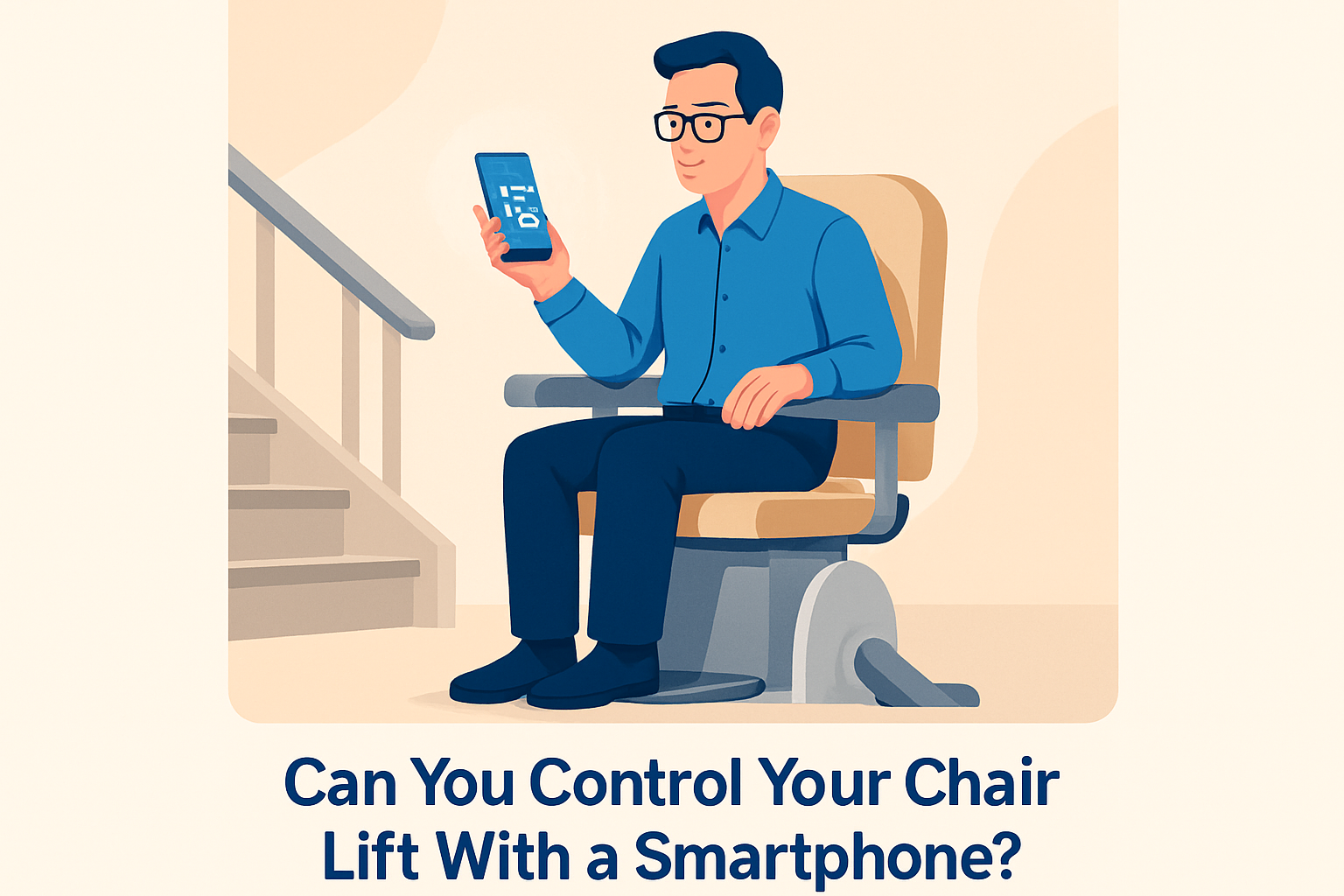
Can you control your chair lift with a smartphone? In many cases, yes, but the real answer depends on the type of lift, the drive and control system installed, the manufacturer’s safety design, and how deeply the unit can connect with a broader smart home platform. A chair lift, also called a stair lift or stair chair, is a motorized seat that travels along a rail fixed to a staircase, helping people with limited mobility move safely between floors. Smartphone control usually means using an app, mobile web dashboard, Bluetooth pairing, or a cloud-connected hub to send approved commands such as call, send, park, lock, unlock, or view status. It does not usually mean overriding core onboard safety controls.
This topic matters because accessibility technology is shifting from stand-alone equipment to connected mobility solutions. I have worked with homeowners who wanted one-touch routines that turned on hallway lights, unlocked doors, adjusted thermostats, and moved a stair lift to the correct floor before a transfer. Those requests are practical, not futuristic. For an older adult aging in place, a caregiver across town, or a wheelchair user coordinating several devices at once, smart home integration can reduce friction and improve independence. It can also support monitoring, maintenance, and safer daily use when designed correctly.
Still, smartphone control is not standard across all chair lifts. Many legacy models rely on simple wired controls, infrared remotes, or RF call stations with no network capability. Even newer units often limit remote actions for safety. A compliant system must respect obstruction sensors, seat swivel interlocks, footrest switches, battery condition thresholds, and emergency stop behavior. In other words, connected convenience is valuable only when it operates inside the lift’s approved control logic.
As a hub page for smart home integration within accessibility and mobility solutions, this article explains what is possible today, what is not, how integrations usually work, which questions to ask before buying, and where connected chair lifts fit within a larger accessible home strategy.
What Smartphone Control Actually Means for a Chair Lift
When people ask whether a stair lift can be controlled by phone, they usually picture opening an app and pressing a button. That is one valid scenario, but there are several technical versions. The simplest is app-based remote control through the manufacturer’s own software. In that setup, the phone communicates with a local hub over Wi-Fi or Bluetooth, and the hub sends approved commands to the lift. Another model uses a smart relay or home automation controller that interfaces with the lift’s call/send circuit. A third uses a caregiver platform that exposes status alerts but limits motion commands.
In practice, the most common smartphone-enabled functions are call to landing, send away from landing, park at a charging point, change user permissions, check battery level, receive maintenance reminders, and trigger automations around the lift rather than direct movement. For example, a phone can start a routine that turns on stair lighting, disarms a hallway camera privacy mode, and prepositions the chair if the system allows it. Direct ride control while someone is seated is less common because manufacturers generally require the armrest joystick, rocker switch, or constant-pressure onboard control to remain the primary operating method.
That distinction is important. Safety standards and product liability concerns make fully remote operation sensitive. If a smartphone command could move the chair while a pet, child, cane, or laundry basket obstructed the track, risk would increase. The best systems therefore treat the smartphone as an extension of the call/send function, not a replacement for onboard user control.
How Smart Home Integration Works Behind the Scenes
Most connected chair lifts use one of three integration paths: native manufacturer connectivity, accessory gateway integration, or custom smart home bridging. Native connectivity is the cleanest option. The lift manufacturer or authorized installer provides hardware and firmware designed for the exact control board, with defined commands, event logs, and support boundaries. This approach usually preserves warranty coverage and follows the lift’s safety logic.
Accessory gateway integration sits in the middle. A gateway translates between the lift and platforms such as Apple Home, Google Home, Amazon Alexa ecosystems, or professional automation systems like Control4, Crestron, or Savant. Here, the chair lift itself may not be fully “smart,” but the gateway can expose specific actions and status indicators to the rest of the home. I have seen this work well in custom accessibility projects where the goal was to keep routines centralized without modifying the lift’s internal electronics.
Custom bridging is the most flexible and the riskiest. Integrators may use dry-contact interfaces, relay modules, low-voltage controllers, or secure I/O hardware to mimic wall call stations. This can be effective when done by a specialist who understands mobility equipment and electrical isolation, but it is never a casual DIY project. If the integration bypasses intended controls, causes nuisance faults, or interferes with charging behavior, it can create reliability and safety problems quickly.
Connectivity also depends on local conditions. Stair lifts often travel through stairwells with weak Wi-Fi, thick walls, or dead spots near landings. Battery-powered lifts must protect standby consumption. Good system design includes network coverage testing, backup power planning, local fail-safe behavior, and clear rules for what happens if the internet goes down.
Which Chair Lifts Are Most Likely to Support Smartphone Features
Straight stair lifts are generally easier to integrate than curved stair lifts because their control systems tend to be simpler, their rails are less customized, and there are fewer parking and charging configurations to manage. Popular manufacturers in North America and Europe, including Bruno, Handicare, Stannah, Acorn, and Harmar, differ in how much smart functionality they offer directly, through dealers, or through third-party interfaces. Availability can vary by region, installer, and model year, so a feature listed in one market may not appear in another.
Newer premium installations are more likely to support connected features than older units. If a chair lift has a digital diagnostic board, service logging, or advanced call/send controls, it may be a stronger candidate for smartphone integration. By contrast, an older analog system with only basic rocker controls and standard remotes may need substantial add-on hardware, if it can be integrated at all.
| Lift setup | Typical smartphone options | Common limitations |
|---|---|---|
| New straight lift with factory electronics | App control, status alerts, routines via gateway | Usually limited to call/send, not full ride control |
| Curved lift with custom rail | Status monitoring, selective remote commands | More complex parking, charging, and positioning logic |
| Legacy lift with RF remotes only | Possible relay-based integration | May void warranty or reduce reliability |
| Commercial platform or inclined lift | BMS or access control integration in some cases | Different code requirements and heavier-duty controls |
If you are shopping for a new unit, ask for the exact controller model, available APIs or gateway modules, supported voice assistants, and whether remote commands are event logged. Those details reveal far more than a simple “works with smartphone” sales statement.
Safety, Privacy, and Code Considerations
Any discussion of smartphone chair lift control has to start with safety. A stair lift is a mobility device that moves a person on a staircase, so it must default to safe behavior under all conditions. Core protections include seat belt use, obstruction sensors on the carriage and footrest, overspeed governors where applicable, final limit switches, keyed access controls, and charging contacts. A connected system should never disable or bypass those protections.
Remote use creates additional questions. Who is allowed to send the chair? Can a family member move it accidentally while someone is transferring? What happens if two people issue commands at once? Strong systems answer those questions with permissions, lock states, occupancy sensing where available, and command priority rules. In homes with cognitive impairment concerns, caregiver controls and access logs become especially important.
Privacy also matters. If the app records usage patterns, location status, or maintenance data, that information should be encrypted in transit and protected at rest. Reputable vendors document authentication methods, password standards, update policies, and data retention practices. I advise clients to treat a connected lift like any other health-adjacent device: secure the home network, enable multifactor authentication when offered, and change default credentials immediately.
Building code and product standard issues vary by jurisdiction. Residential stair lifts are often evaluated under standards such as ASME A18.1 in the United States and relevant European requirements elsewhere, but installers must also consider electrical code, emergency egress, and manufacturer instructions. If an integration changes intended operation, approval can become complicated. Always confirm that any smart home work is authorized by the lift manufacturer and performed by a qualified technician.
Best Use Cases for Smartphone Control in Daily Life
The strongest use cases focus on convenience, coordination, and caregiving rather than novelty. One common example is prepositioning. In a two-person household, the chair may often be left on the opposite floor. A smartphone app can call it before the user reaches the stairs, reducing wait time and avoiding a second trip. Another example is discreet parking. After use, the chair can be sent to a charging point away from the main hallway so the staircase feels less visually intrusive.
Caregiver workflows are another major benefit. An adult child can confirm that the lift is parked and charging after a parent goes to bed, or receive an alert if the unit reports repeated obstruction faults. In one project, a family paired stair lift notifications with smart lighting and contact sensors so evening movement through the home triggered a safer path from bedroom to bathroom to kitchen. The lift was only one component, but smartphone visibility made the whole system more useful.
Integration also helps users with limited hand strength or reach. If holding a small RF remote is difficult, a smartphone with accessibility features such as larger buttons, Voice Control, Switch Control, or screen reader support can be easier to operate. That said, the phone should complement, not replace, reachable physical controls. A dead battery, app failure, or network outage should never leave the user without a usable way to call the lift.
How to Evaluate a Smart Chair Lift Before You Buy
Start with the mobility need, not the app. Confirm that the chair lift fits the staircase, body type, transfer method, and long-term health plan. Then assess smart home integration. Ask the dealer whether smartphone control is factory supported, dealer installed, or third-party only. Request a live demonstration of every remote command. Verify whether the system works locally without cloud dependence, whether app access can be shared securely, and whether firmware updates require a service visit.
Next, review failure modes. What does the app show if the lift is off charge, blocked, keyed off, or in fault state? Can the system distinguish between “not connected” and “unsafe to move”? Those details matter in real homes. A vague app that only shows “unavailable” is frustrating and can mislead caregivers.
Finally, think in ecosystems. If this article is your hub page for smart home integration, the chair lift should be considered alongside video doorbells, smart locks, fall detection, whole-home lighting, voice control, and emergency communication. The most successful installations are not the ones with the most features. They are the ones with the fewest points of confusion and the clearest, safest daily routine.
Smartphone control for a chair lift is possible, practical, and increasingly relevant, but it is not universal and it is never the only factor that matters. The right question is not simply “Can I use my phone?” It is “Which functions can my phone control safely, reliably, and with manufacturer support?” For most households, the best answer includes call/send commands, status visibility, caregiver notifications, and integration with lighting, locks, and routines rather than unrestricted remote driving.
If you are planning an accessible home, treat the chair lift as part of a connected mobility system. Choose a model with clear support for smart home integration, insist on approved installation methods, and test every workflow with the people who will use it daily. Done well, smartphone control can reduce effort, improve coordination, and make a mobility device feel like a seamless part of the home instead of a separate piece of equipment. Review your current lift, speak with a qualified dealer or integrator, and map the accessible routines you want before you buy or retrofit.
Frequently Asked Questions
Can you actually control a chair lift with a smartphone?
In many cases, yes, but it depends on the specific chair lift model and the control system built into it. Some modern stair lifts include app-based features or can be connected to a broader smart home setup, while many standard units still rely on traditional wall-mounted controls, armrest buttons, or handheld remotes. When people ask about smartphone control, they are usually referring to using an app to call the lift to a floor, send it away, check status information, or in some cases manage user settings. However, not every chair lift is designed to accept commands from a phone, especially older systems or models built with closed, manufacturer-specific electronics.
It is also important to understand that a chair lift is a mobility and safety device, not just another smart appliance. Because of that, manufacturers often place strict limits on what can be controlled remotely. A lift may allow a user to move the chair to another landing through an app, but still require the rider to use onboard controls while seated during travel. This safety-first design helps prevent misuse, accidental activation, or movement when a person or object is in the way. So the short answer is yes, smartphone control is possible for some chair lifts, but whether it works for yours comes down to compatibility, safety programming, and how the unit was engineered.
What chair lift features can a smartphone app usually control?
When smartphone control is available, the most common functions are basic convenience features rather than full unrestricted operation. Many systems focus on call-and-send commands, which let you bring the chair lift to the top or bottom of the stairs or send it away when it is not in use. This can be especially helpful in multi-user households where one person wants the chair parked upstairs and another needs it downstairs. Some connected systems may also allow users to monitor battery level, receive maintenance alerts, confirm whether the lift is folded or parked, or check if the unit has entered a fault or safety-stop condition.
More advanced integrations may include smartphone notifications, diagnostic reporting for service technicians, or connection to a home automation platform. In those setups, the phone may act as part of a larger control ecosystem rather than as a direct replacement for the lift’s built-in controls. Even then, safety features remain central. Most manufacturers will not permit app-based riding commands that bypass seatbelt checks, armrest controls, swivel-seat position sensors, obstruction sensors, or key-switch security settings. In other words, smartphone apps typically add convenience and visibility, but they do not remove the need for the chair lift’s dedicated safety controls and normal operating procedures.
Are older stair lifts compatible with smartphone control, or do you need a newer model?
In most situations, older stair lifts are less likely to support smartphone control unless they were specifically designed with expansion capability in mind. Many legacy chair lifts use self-contained electronic boards and proprietary remotes that were never intended to communicate with apps, Wi-Fi networks, or smart home hubs. That means there may be no straightforward or manufacturer-approved way to add smartphone functionality later. Even if a technically skilled installer could create a custom workaround, that does not necessarily mean it would be safe, reliable, or compliant with the manufacturer’s recommendations.
Newer models are generally more likely to offer connected features, especially from manufacturers that have started incorporating smart diagnostics, wireless communication, or home integration options. If smartphone operation is important to you, the best approach is to ask the manufacturer or dealer directly whether the lift includes native app support, optional connectivity modules, or compatibility with specific smart home ecosystems. It is also wise to ask whether adding connectivity affects the warranty, service plan, or safety certification. For many homeowners, upgrading to a newer chair lift with built-in smart features is a better long-term solution than trying to retrofit an older system that was never intended to work with a phone.
Is it safe to control a chair lift with a smartphone?
It can be safe, but only when the feature is designed and approved by the chair lift manufacturer and used exactly as intended. Chair lifts are built around layers of safety protection, including obstruction sensors, seatbelt requirements, pressure-sensitive edges, swivel-seat locks, speed governors, and fail-safe stopping systems. Any smartphone control that is legitimately offered should work within those protections rather than around them. For example, an app may let you call the chair to your location, but the lift should still stop automatically if something is blocking the rail or if another required safety condition is not met.
The real safety concern comes when users try to add unofficial smart controls through third-party relays, generic smart switches, or custom automation routines that were never approved for the device. A chair lift is not the same as controlling a lamp, garage door opener, or thermostat. If a homemade setup interferes with the lift’s electronics, overrides built-in controls, or causes unexpected movement, it could create a serious risk for the rider and anyone nearby. That is why professional guidance matters. If you want smartphone control, the safest route is to choose a manufacturer-supported option and have it installed or configured by a qualified technician who understands both the lift and the safety limits built into the system.
How do you find out whether a specific chair lift works with a smartphone or smart home system?
The best way is to start with the product documentation and then confirm details with the manufacturer, dealer, or installer. Look for specific terms such as app control, Wi-Fi connectivity, remote diagnostics, smart home integration, or call/send mobile access. Do not assume that a wireless remote means smartphone compatibility. A chair lift may use radio-frequency remotes or wired landing controls without offering any app-based operation at all. Likewise, some brands may advertise connected service tools for technicians, but that does not mean the homeowner can directly operate the lift from a smartphone.
When speaking with a dealer, ask very practical questions. Can the lift be called and sent by phone? Can it be operated only when unoccupied, or also when seated? Does it connect through Wi-Fi, Bluetooth, or a proprietary bridge? Is it compatible with platforms such as Alexa, Google Home, or other automation systems? Are there restrictions for safety or code compliance? Can the feature be added later, or must it be included at the time of purchase? These questions help separate marketing language from real functionality. In the end, the right answer depends on the exact model, the installed control package, and whether the manufacturer has intentionally built smartphone connectivity into the chair lift rather than leaving it as an improvised add-on.