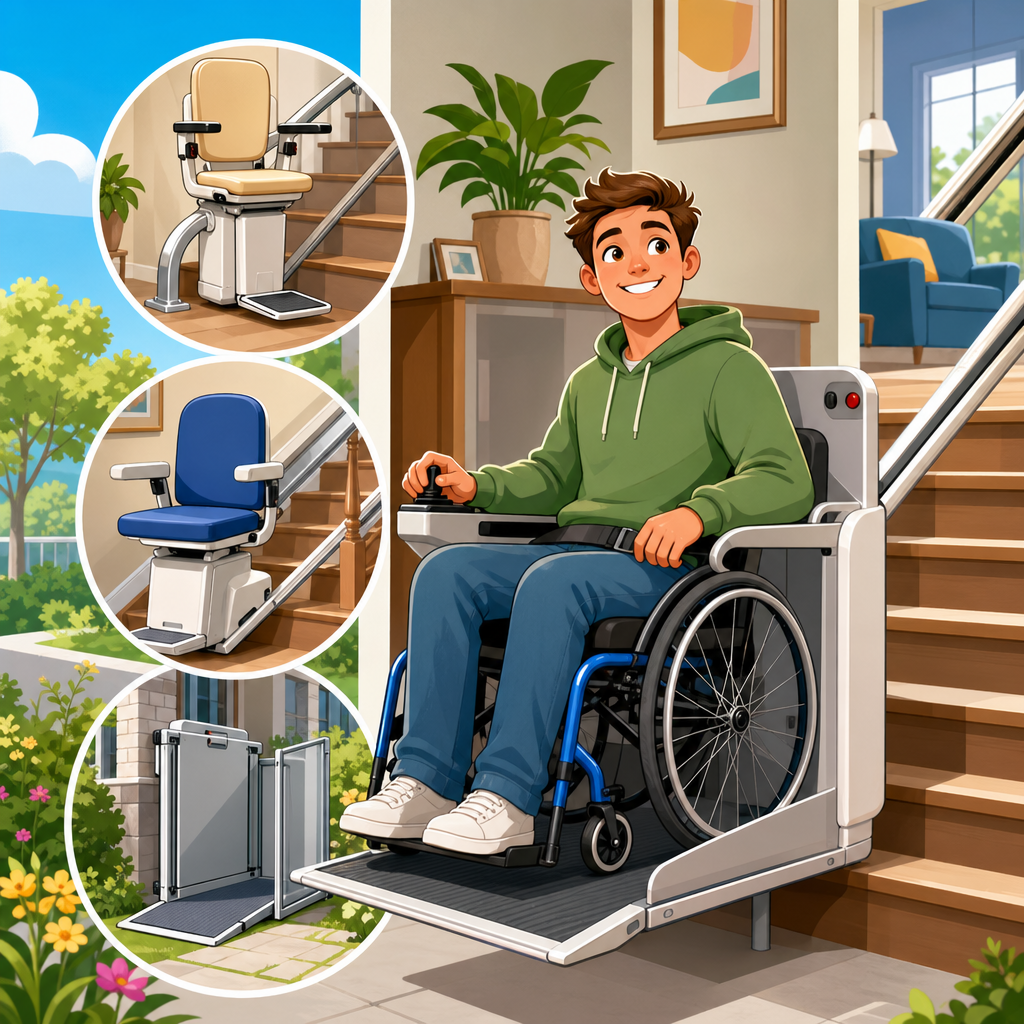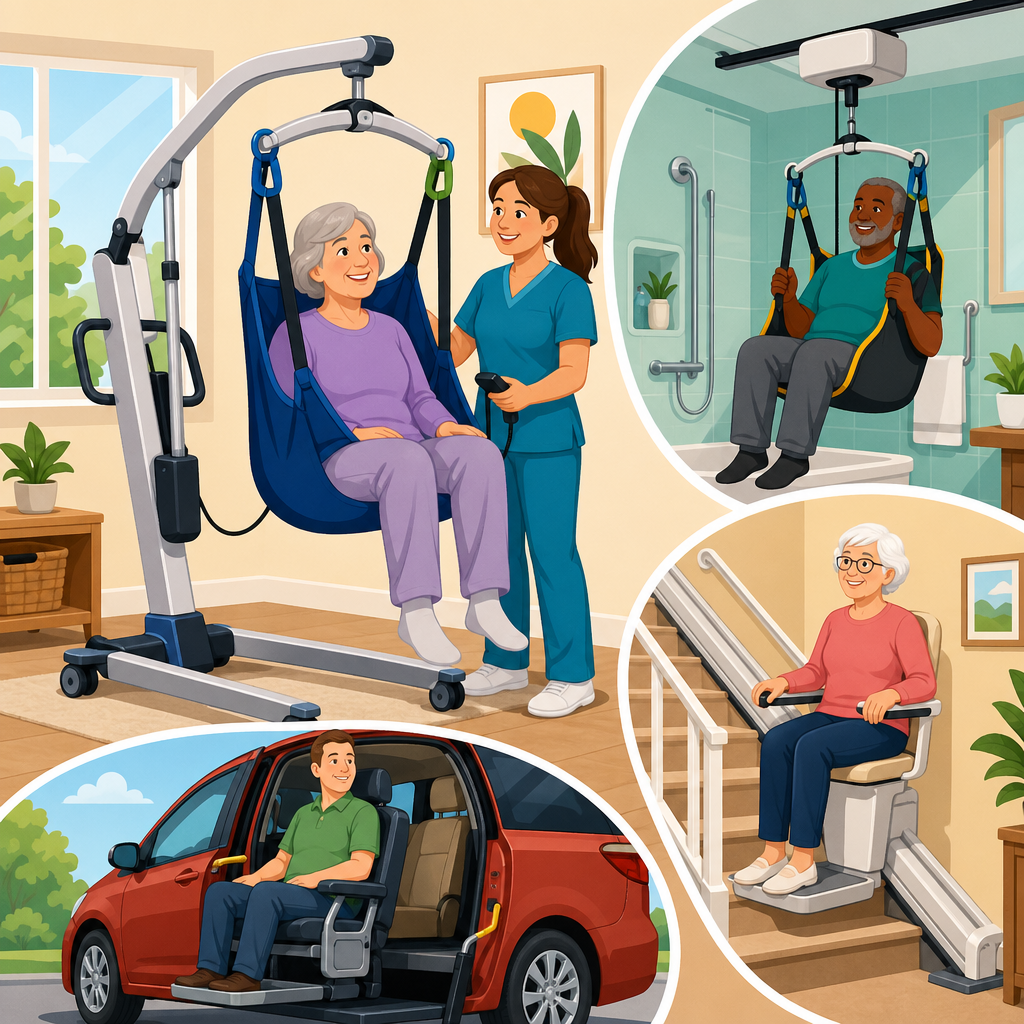
Choosing the best stair lift controls for users with limited arm movement starts with a practical truth: the motor, rail, and seat matter, but the control interface determines whether a stair lift feels liberating or frustrating in daily use. In accessibility planning, “limited arm movement” can describe reduced shoulder range, weak grip strength, tremor, pain from arthritis, one-sided weakness after stroke, neuromuscular fatigue, or coordination challenges that make precise button pressing difficult. “Chair lifts for disabled users” in this guide refers to residential stair lifts with seated carriage systems that travel on a rail fixed to the staircase, including straight, curved, indoor, and outdoor models. The right controls reduce physical effort, improve confidence, and lower the risk of transfer errors on the stairs.
I have evaluated stair lifts in homes where users could not comfortably reach a toggle switch, could not sustain pressure on a rocker, or needed oversized controls they could identify by touch. In nearly every case, families initially focused on lift brand and price, then discovered that usability depended on smaller details: where the joystick sits, how much force a call/send remote requires, whether the seat can swivel with one hand, and whether safety edges stop the lift predictably. That is why this hub article covers both control types and the broader buying context for the best chair lifts for disabled users. If the controls are wrong, even a premium lift becomes harder to use safely.
This topic matters because stairways remain one of the biggest mobility barriers at home, and many users trying to age in place also manage upper-body limitations. A well-matched control system can preserve independence, reduce caregiver assistance, and make transfers less fatiguing. Across leading manufacturers such as Bruno, Harmar, Stannah, Handicare, and Acorn, the best solutions usually share the same traits: low-effort operation, intuitive placement, clear tactile feedback, backup access through remotes, and seating features that reduce reaching and twisting. Understanding those features helps buyers compare models beyond marketing claims and choose a lift that works on day one and still works as needs change.
What makes stair lift controls easier for limited arm movement
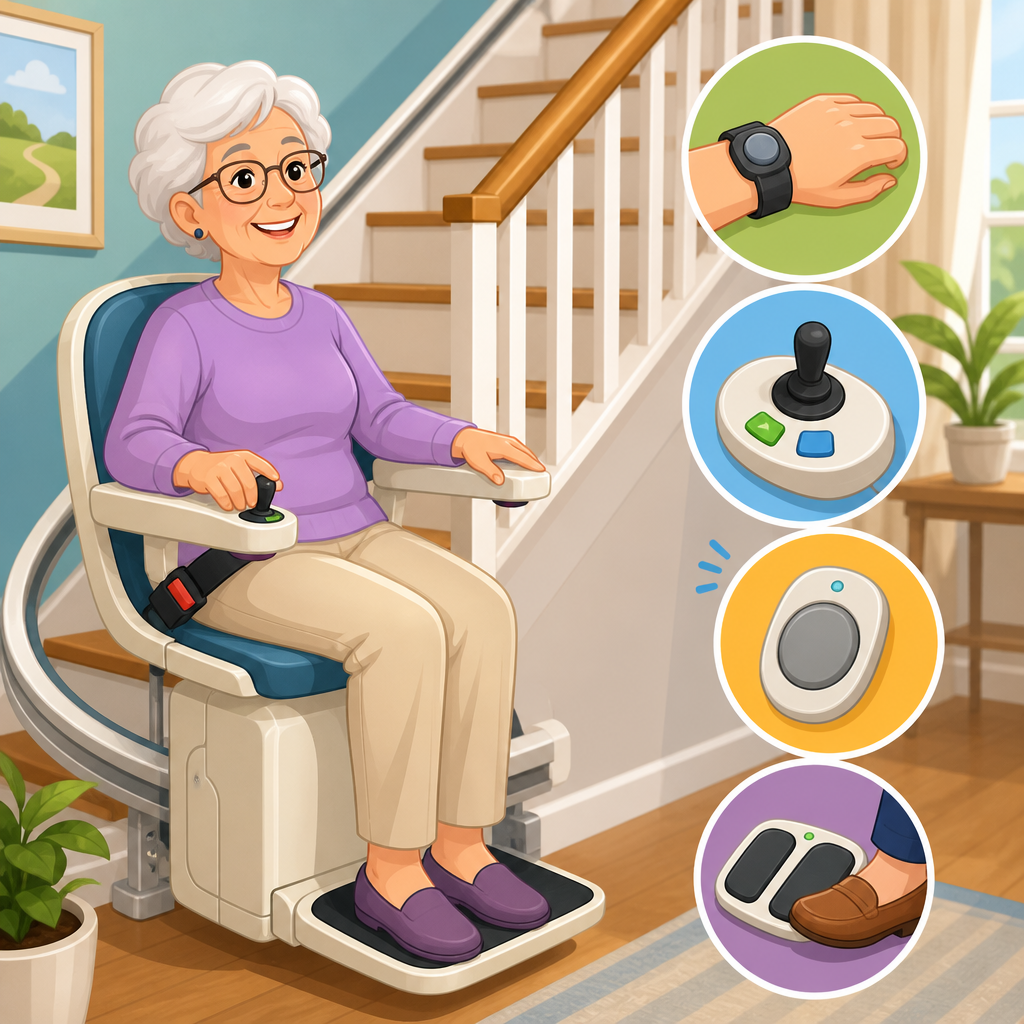
The best stair lift controls for limited arm movement minimize force, range of motion, and precision demands. In plain terms, the user should be able to start, stop, and park the lift without lifting the shoulder high, pinching tightly, or pressing a small target. The easiest interfaces are usually light-touch paddles, oversized rocker switches, or ergonomic joysticks placed at the end of the armrest where the hand naturally rests during seated travel. Some users do better with a broad paddle they can push with the side of the hand or wrist. Others need a joystick that works with minimal thumb movement. There is no universally best control style; the right choice depends on grip strength, joint pain, coordination, and whether one or both arms are affected.
Placement matters as much as the switch type. If the control is too far forward, users with shoulder pain or hemiparesis may have to lean or rotate the trunk, which is unsafe during transfer. If it sits too low or too close to the seat edge, it can be bumped accidentally while sitting down. During home assessments, I look for neutral elbow position, wrist comfort, and whether the user can maintain contact with the armrest while operating the lift. A good setup lets the person transfer, settle into the seat, fasten the belt, and activate travel in one smooth sequence. Anything that requires repositioning the hand repeatedly will feel harder over time.
Consistency is another key feature. Controls should respond predictably, without lag, sticking, or ambiguous travel direction. Stair lifts use constant-pressure operation for safety on most models, meaning the control must be held during movement and the lift stops when released. For some users this is reassuring because it gives immediate control. For others with weakness or tremor, it can be tiring. In those cases, the best stair lift is often the one with the lightest actuation force and the most stable hand support, not the one with the most electronic features.
Best control types and which users they suit
Control design should match functional ability, not just preference. The table below summarizes common stair lift control options and where they tend to work best for disabled users with limited arm movement.
| Control type | How it works | Best for | Potential limitation |
|---|---|---|---|
| Oversized rocker switch | Press and hold one side for up, the other for down | Arthritis, weak grip, users needing a large target | May still require thumb or finger pressure |
| Paddle control | Push gently with hand, palm, or wrist in travel direction | Limited finger dexterity, tremor, painful joints | Not available on every brand or model |
| Joystick | Move lever slightly in desired direction | Users with controlled thumb movement and good positioning | Can be difficult with severe tremor or weak pinch |
| Wireless call/send remote | Calls lift to user or sends it away from landing | Caregiver support, multi-user homes, reduced walking | Small buttons may be hard to use if not adapted |
| Powered swivel and footrest controls | Motorized positioning reduces manual effort at landings | Users with shoulder pain, low trunk rotation, one-arm use | Adds cost and may vary by staircase layout |
Oversized rocker switches remain one of the most broadly usable options because they are simple and familiar. Users can often operate them with the thumb, side of the hand, or even a knuckle if finger flexion is limited. Paddles are excellent when grip is poor because they rely less on fine motor control. I have seen paddle systems help users with rheumatoid arthritis who could not comfortably hold down a narrow toggle. Joysticks can be smooth and precise, but they are less forgiving when tremor causes unintentional movement. For post-stroke users with reliable motion in one thumb, however, a joystick can still be a strong choice if the armrest position is supportive.
Do not overlook remotes. In many homes, the call/send remote becomes essential because the user may not be able to stand at the opposite landing long enough to wait for the chair. Good remotes also help caregivers avoid extra stair trips. The weakness is that many remotes are small. Ask whether wall-mounted call stations, larger handheld transmitters, or accessory holders are available. Sometimes the most useful “control” is not on the chair at all; it is the ability to bring the lift to the correct level with minimal effort.
Features that matter most in the best chair lifts for disabled users
When people search for the best chair lifts for disabled users, they often begin with weight capacity or rail type. Those are important, but for upper-limb limitations, the highest-value features are powered swivel seats, powered footrests, adjustable armrests, and seat geometry that supports stable transfers. A powered swivel lets the seat rotate at the top landing without requiring the user to twist manually. That reduces strain on the shoulder and trunk and can be decisive for users with limited reach or one-sided weakness. A powered footrest eliminates bending and lifting, which indirectly helps users who rely heavily on their arms for balance during sitting and standing.
Seat height and armrest width should also be reviewed carefully. If the seat is too low, the user must push harder through the arms to stand. If the armrests are too wide, the controls may sit outside a comfortable reach envelope. Better lifts allow some fitting during installation. The seat should support the thighs without forcing the user to scoot excessively, and the belt should be easy to fasten one-handed. Many buyers underestimate belt design, yet a stiff buckle can become a daily barrier.
Safety systems are part of control usability. Pressure-sensitive edges on the footrest and carriage stop the lift if it contacts an obstruction. Overspeed governors, seat interlocks, and battery backup are standard on reputable models and should not be treated as premium extras. Battery-powered stair lifts remain operational during many power outages, which is critical for users who cannot manage the stairs manually. In product reviews, look for clear information about charging points, diagnostic indicators, and service access. A control system is only as good as its reliability under routine use.
Leading brands and how their control approaches differ
Several established brands dominate the residential market, and each tends to emphasize different strengths. Bruno is known for robust build quality, clean ride feel, and strong dealer networks in North America. Many Bruno lifts use armrest-mounted controls with straightforward operation and solid ergonomics. Harmar offers a broad portfolio including heavy-duty and specialty options, and its model range can make it easier to match a lift to specific body sizes and staircase conditions. Stannah has a strong reputation for ride comfort, compact folded profiles, and polished fit and finish, with controls that generally feel refined and responsive.
Handicare stands out for modular curved rail capabilities and a variety of seating packages, which can be valuable when transfer posture is as important as travel itself. Acorn is widely recognized for fast installation on compatible staircases and a simple ownership model, though buyers should compare seating comfort and control feel in person rather than relying on broad brand perception. Across all of these manufacturers, the best stair lift controls for limited arm movement are usually found by matching a specific model and seat package to the user’s physical abilities, not by assuming one brand automatically has the best accessibility interface.
In showroom trials and home demos, ask the representative to let the user operate every relevant action: call the chair, sit, buckle, move, stop, swivel, and stand. A brief ride is not enough. The practical winner is the lift that the user can repeat comfortably several times in a row without shoulder hiking, hand fatigue, or uncertainty about what to press. That trial reveals more than a brochure ever will.
How to evaluate a stair lift before you buy
The best buying process starts with a structured assessment. First, identify the user’s limiting factor: weak grip, painful joints, restricted shoulder flexion, tremor, fatigue, or one-arm operation. Second, measure the staircase and note whether it is straight, curved, narrow, or has intermediate landings. Third, test transfer mechanics at both landings, because top-landing clearance often determines whether a powered swivel is necessary. Fourth, review body dimensions, seat comfort, and weight capacity. Finally, verify service coverage, warranty terms, and battery replacement procedures.
If an occupational therapist is involved, ask for recommendations on reach range, transfer setup, and whether the user needs left- or right-side controls based on dominant arm function. A dealer should be able to explain ASME A18.1 compliance concepts, obstruction sensors, charging behavior, and maintenance intervals in plain language. They should also discuss tradeoffs. For example, a very compact seat may help in narrow stairways but feel less stable for larger users. A heavier-duty lift may improve comfort and durability yet require more installation space. Good advice is specific, not generic.
As the hub for this subtopic, this page should lead readers toward deeper comparisons such as straight versus curved stair lifts, powered swivel seat reviews, heavy-duty models, outdoor chair lifts, and stair lift installation costs. Those supporting guides help narrow product categories, but control usability should remain the filter applied to every shortlist. If the user cannot operate the lift comfortably and confidently, no amount of rail engineering compensates for that mismatch.
The best stair lift controls for users with limited arm movement are the ones that reduce force, reduce reach, and simplify every repeated action from calling the chair to swiveling at the landing. In most homes, that means prioritizing oversized or paddle-style armrest controls, dependable remotes, powered swivel seats, and seating dimensions that keep the hand in a natural position. The broader lesson for anyone researching the best chair lifts for disabled users is that accessibility does not come from a brand name alone. It comes from the fit between the user’s body, the staircase, and the control system used every day.
Before buying, insist on an in-home assessment and a hands-on trial of all key functions, not just a quick ride. Compare leading brands on actuation force, control placement, powered options, service support, and how well the lift accommodates changing mobility over time. Review warranties, battery backup, safety sensors, and transfer setup at both landings. Those details determine whether the lift remains easy to use six months from now, not just on installation day.
If you are building a shortlist now, start with models that offer low-effort armrest controls and powered seating features, then use your staircase layout and transfer needs to narrow the field. From there, move into detailed product reviews, curved versus straight comparisons, and installation cost guides so you can choose with confidence. The right stair lift should not simply carry a user upstairs; it should make the entire process feel controlled, safe, and sustainable every single day.
Frequently Asked Questions
What type of stair lift control is usually easiest for someone with limited arm movement?
In most cases, the easiest stair lift control is one that minimizes reach, reduces the need for grip strength, and allows clear, low-effort input. For many users, that means a large rocker switch, paddle-style control, or oversized directional toggle mounted directly on the armrest. These designs are often easier to use than small buttons because they can be pressed with the side of the hand, the palm, or even a forearm if finger dexterity is limited. Users with arthritis, tremor, or weakness often do better with controls that provide a broad surface area and require only gentle pressure.
The best choice depends on the specific movement limitation. Someone with reduced shoulder range may need the control positioned very close to the body so they do not have to reach forward. A user with weak grip may need a control that works without pinching or holding. A person with post-stroke one-sided weakness may benefit from a setup that places all primary controls on the stronger side. For users with fatigue or coordination challenges, simplicity matters just as much as sensitivity. A straightforward up-and-down interface is usually more practical than a control panel with multiple small inputs.
What matters most is not just the style of the control, but how naturally it matches the user’s movement pattern. The ideal stair lift control should feel intuitive on the first try, remain easy to operate at the end of a tiring day, and work reliably without requiring fine motor precision. A hands-on assessment or product demonstration is often the best way to confirm whether a control truly supports independence rather than adding another physical obstacle.
Are remote controls or wireless call/send controls helpful for users who have trouble using the armrest control?
Yes, remote controls and wireless call/send controls can be very helpful, but they work best as a supplement rather than a complete replacement for the main riding control. Their biggest advantage is convenience. If the stair lift is parked at the top or bottom of the stairs, a wireless control lets the user bring it to their location without climbing stairs or relying on another person. For households with more than one user, call/send controls also make it easier to reposition the lift between rides.
That said, not all remote controls are equally accessible. Small handheld remotes can be difficult for users with tremor, weak grip, or poor finger coordination. Tiny buttons, smooth surfaces, and lightweight designs may look sleek, but they can be frustrating in real use. A better option for many users is a wall-mounted call/send station with large, clearly labeled buttons, or a handheld remote with raised, high-contrast controls that do not require precise pressing. Some users also find it easier to use a remote attached to a lanyard, clip, or stable holder so it does not need to be tightly gripped.
It is also important to understand that a remote does not solve the core accessibility issue if the armrest control remains hard to use during travel. The user still needs a comfortable, dependable way to start and maintain movement while seated on the lift. When evaluating a stair lift, it is wise to ask whether the remote is easy to press, easy to locate, and easy to distinguish by touch. The most effective setup usually combines an accessible on-board control with equally simple call/send controls placed where the user naturally needs them.
How do you choose stair lift controls for someone with arthritis, tremor, or weak grip strength?
Choosing controls for arthritis, tremor, or weak grip starts with reducing the physical demands of the action itself. The best controls generally require light pressure, have a large contact area, and do not depend on tight pinching, twisting, or sustained finger force. Users with arthritis often struggle with small, stiff buttons that aggravate joint pain, while users with tremor may accidentally miss narrow targets or trigger the wrong control. For both groups, broad rocker switches or paddle controls are often easier than compact push buttons.
Grip strength is another major factor. If the control requires the user to wrap fingers around a small joystick or repeatedly press with the fingertip, it may become tiring or unreliable. A better design allows activation with the palm, thumb base, side of the hand, or a relaxed finger press. Surface texture matters too. Controls that are slightly raised, textured, or clearly separated can be easier to find and use without visual concentration. This is especially valuable for users who must divide attention between body positioning, balance, and the movement of the lift.
Testing for consistency is critical. A control may feel manageable once, but the right question is whether it still works well after several trips, during pain flare-ups, or late in the day when muscles are tired. It is also helpful to evaluate whether the user can keep the control engaged comfortably throughout travel, since many stair lifts require constant pressure to move. If maintaining that pressure causes strain, ask about models with lower-force switches, better ergonomics, or alternative control shapes. In real-world accessibility planning, comfort over repeated daily use is just as important as basic operability.
Can stair lift controls be customized for one-sided weakness or limited range of motion after a stroke?
In many cases, yes. Stair lift controls can often be configured or selected to better accommodate one-sided weakness, reduced coordination, neglect, or limited range of motion after a stroke. One of the most important considerations is control placement. If one arm is significantly stronger or more reliable, the main operating control should be on that side whenever possible. This can make a major difference in safety and confidence, especially when the user has difficulty crossing the midline, reaching outward, or stabilizing the weaker arm.
Seat setup and transfer mechanics also matter. A control that is technically usable may still be impractical if the user must twist awkwardly to reach it while sitting down or standing up. For some users, a swivel seat, supportive armrest position, and carefully chosen control location work together to create a much smoother transfer process. If the user has limited shoulder elevation or elbow extension, the control should be positioned within a comfortable, repeatable movement zone. Minimizing awkward reach is essential because fatigue and compensation patterns can make movement less reliable over time.
Stroke-related changes can also include slowed reaction time, impaired sensation, visual-perceptual challenges, or reduced fine motor accuracy. Because of that, simple controls with clear directional feedback are usually preferable. Large, distinct interfaces are easier to identify and use than small multifunction panels. During assessment, it helps to observe not only whether the user can press the control, but whether they can do so safely, consistently, and without losing postural stability. The goal of customization is not merely to make the lift operable, but to make it genuinely supportive of daily independence and long-term safe use.
What should you ask during a stair lift demonstration to make sure the controls are truly accessible?
A stair lift demonstration is the best time to move beyond brochure language and test how the controls perform in real life. Start by asking the user to operate the lift exactly as they would at home: call the chair, approach it, sit down, position their body, use the control during travel, and get off at the other end. Watching that full sequence often reveals issues that are easy to miss in a quick showroom test. The key question is not simply, “Can they use it?” but, “Can they use it comfortably, confidently, and repeatedly without strain?”
Specific questions are important. Ask how much force is required to activate and hold the control. Ask whether the control can be placed on the preferred side. Ask whether the user can operate it with a palm, side of the hand, or limited finger motion. Ask what options exist for users with tremor, arthritis, or weak grip. If there is a remote or call/send control, test that too. Check whether buttons are large enough, easy to distinguish by touch, and positioned where the user can reach them naturally. It is also wise to ask whether any accessories or alternative control styles are available for more specialized needs.
Finally, pay close attention to fatigue, pain, and consistency. A control may seem acceptable for one trip, but accessibility depends on repeated daily use over months and years. Ask the user to perform more than one trial. See whether their movement becomes less precise when tired. Notice whether they brace awkwardly, lean excessively, or hesitate before pressing. These are signs that the interface may not be the right match. A strong demonstration focuses on practical usability, not just features. The best stair lift control is the one the user can depend on every single day with the least physical effort and the greatest sense of control.