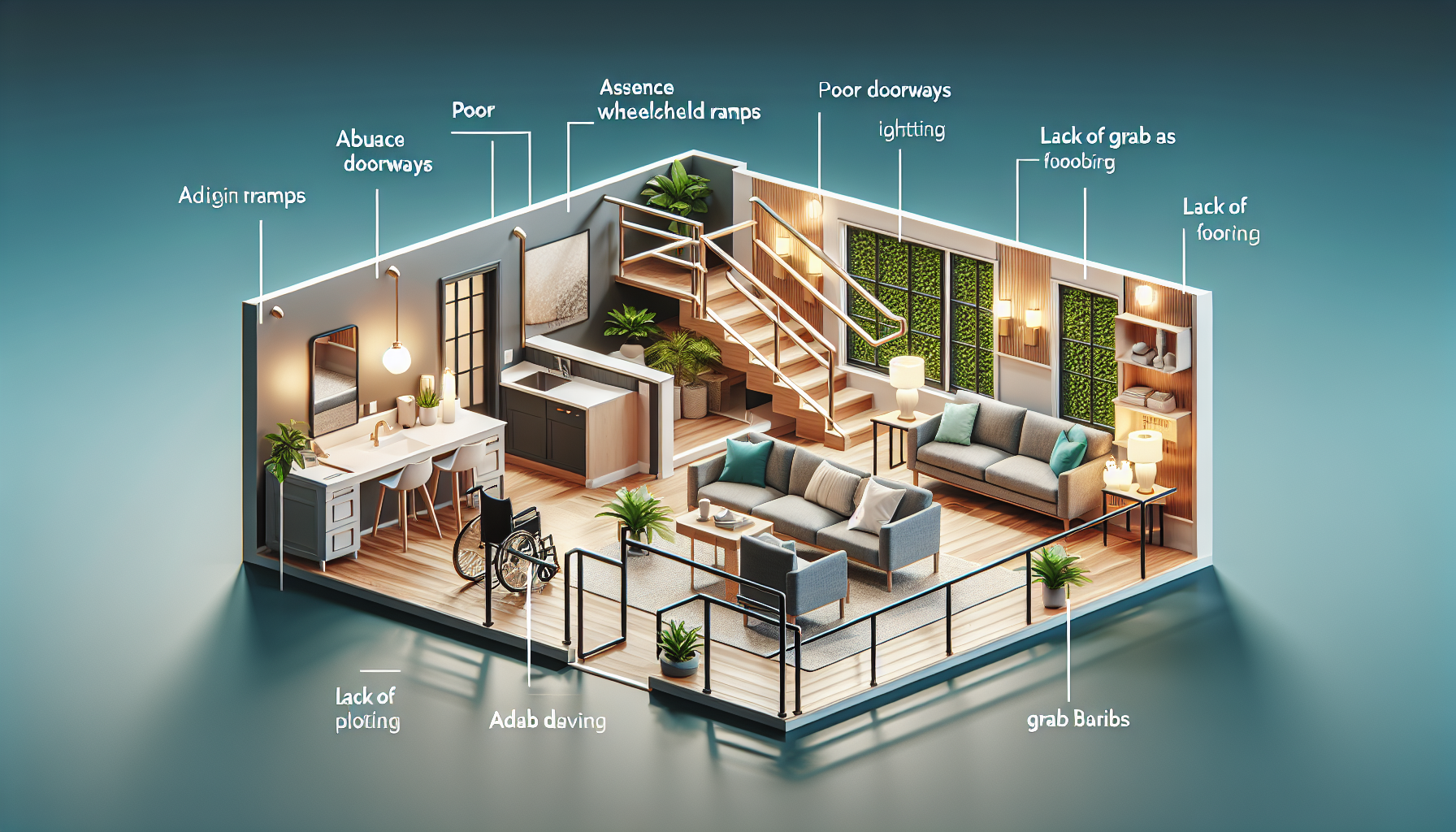
Combining smart tech with traditional mobility aids is reshaping how people move through their homes, conserve energy, and maintain independence. In practical terms, traditional mobility aids include wheelchairs, walkers, canes, scooters, transfer benches, and grab bars, while smart home integration refers to connected devices such as voice assistants, automated lighting, smart locks, video doorbells, occupancy sensors, and app-controlled thermostats. When these tools work together, the result is not a futuristic gimmick but a safer, more responsive living environment that reduces friction in everyday tasks. I have seen this shift firsthand in home accessibility planning: the best outcomes rarely come from replacing proven equipment with gadgets. They come from connecting reliable physical supports to simple automation that solves specific problems, such as reaching a switch, answering a door, or navigating a dark hallway. This matters because mobility challenges are often amplified by ordinary household barriers. A person may be able to transfer safely with a walker yet struggle to close blinds, unlock a door quickly, or adjust room temperature without pain. Smart home integration addresses these secondary obstacles, making the whole accessibility system more effective, more dignified, and easier to use.
What Smart Home Integration Means for Mobility Support
Smart home integration is the coordinated use of connected devices to support daily activities, safety, and access. For people using mobility aids, the goal is straightforward: reduce unnecessary movement, minimize fall risk, and make essential functions available without strain. In accessibility work, I define a successful setup as one that lets a resident control lights, entry points, temperature, communication, and emergency alerts from the place where they naturally spend time, whether that is a bed, recliner, wheelchair, or kitchen stool. Core components often include a voice platform such as Amazon Alexa, Google Home, or Apple Home paired with smart plugs, bulbs, locks, cameras, leak detectors, and motorized window coverings. The physical mobility aid remains central. A cane still provides balance. A rollator still supports gait. A wheelchair still manages seating and movement. Smart systems extend the user’s reach beyond arm’s length.
The most important design principle is task-based matching. If a person uses a manual wheelchair and has limited trunk rotation, smart lighting may provide more benefit than a robotic vacuum. If someone uses a walker and avoids carrying objects, a video doorbell and smart lock may be more impactful than automated shades. This is why smart home integration should be treated as an accessibility layer, not a technology shopping spree. The Occupational Therapy Practice Framework and universal design principles both support this approach: start with activities of daily living, identify barriers, then choose tools that improve performance with the least complexity. In the real world, simple scenes such as “good night,” which turns off lights, locks doors, and lowers the thermostat, often deliver more value than expensive systems with dozens of underused features.
High-Impact Smart Devices for People Using Traditional Mobility Aids
Some smart devices consistently provide strong benefits when combined with traditional mobility aids. Lighting automation is usually the first priority because poor lighting contributes directly to trips, slips, and delayed transfers. Motion-activated night lights in hallways, under-bed lighting, and app-controlled lamps reduce the need to navigate in darkness. Smart switches are often better than smart bulbs in main rooms because wall controls remain available for guests and caregivers. Door access is another high-impact category. A smart lock with keypad, voice support, and remote access allows a wheelchair user or walker user to unlock the door without rushing. Pairing that lock with a video doorbell lets the resident see who is outside and communicate before moving toward the entrance.
Climate control matters more than many families expect. Reaching a thermostat can be difficult for someone using crutches or managing fatigue, and temperature discomfort can worsen pain, spasticity, or cardiopulmonary strain. A smart thermostat with scheduling and voice control solves a frequent daily annoyance. Motorized blinds are helpful where windows are hard to reach from a seated position. Smart plugs can automate fans, air purifiers, coffee makers, and lamps, but they should be used selectively; each added device creates another dependency on Wi-Fi, apps, and account management. Cameras and sensors also have a place. Entry cameras support security without requiring fast movement. Contact sensors can confirm whether a garage door or exterior door was left open. Water leak sensors under sinks or near toilets are especially valuable for people who cannot easily inspect low spaces. None of these devices replace mobility aids, but together they make those aids more effective by removing avoidable demands.
Matching Smart Home Features to Specific Mobility Aids
The right combination depends on the user’s equipment, strength, endurance, and environment. A cane user may need only targeted support, such as entry lighting, a video doorbell, and bathroom occupancy sensors. Someone using a walker often benefits from hands-free controls because carrying objects while maintaining stability is risky. In that case, voice assistants, smart speakers in key rooms, and automations that activate lights by schedule or motion can reduce the need to reach, bend, or pivot. Wheelchair users often gain the most from controls designed for seated access: lower-mounted smart panels, door openers, motorized blinds, and voice-triggered routines that coordinate multiple devices at once. Scooter users may prioritize garage access, driveway lighting, and charging reminders.
Transfer equipment also fits into smart home planning. For example, a person using a transfer bench may benefit from humidity-triggered bathroom fans and waterproof smart buttons placed within reach after bathing. Bed rails and adjustable beds pair well with bedside smart speakers, lamp automation, and emergency communication tools. Even basic supports like grab bars become more useful when combined with better lighting and occupancy sensing. The principle is always the same: identify the moments when a person is unsupported, overreaching, or multitasking while moving. Then remove those moments through automation or remote control.
| Mobility aid | Common home barrier | Smart integration that helps most | Practical example |
|---|---|---|---|
| Cane | Nighttime navigation | Motion lighting and smart switches | Hall lights activate automatically during bathroom trips |
| Walker | Keeping both hands free | Voice assistant and smart lock | User unlocks door without releasing walker grip |
| Manual wheelchair | Reaching controls from seated height | Motorized blinds, thermostat, smart plugs | Resident adjusts light, shade, and room temperature by voice |
| Power wheelchair | Complex room setup | Scenes and multi-device routines | One command opens blinds, powers TV, and sets lighting |
| Scooter | Entry and charging management | Garage sensors and smart outlets | User receives alert if charger is off or garage remains open |
Building a Safe and Reliable Accessible Smart Home
Safety and reliability matter more than novelty. In every accessible smart home project I have advised on, the first questions are not about brands but about failure points. What happens if Wi-Fi drops? Can the user still turn on a light manually? Will the lock work during a power outage? A well-designed setup includes fallback methods for every critical function. Lights should have physical switches. Doors should have accessible mechanical override options. Voice assistants should not be the only way to call for help. Battery backup, local control options, and clear caregiver permissions are part of sound planning, not optional extras.
Network quality is another overlooked issue. Smart home integration fails when routers are placed poorly, signals do not reach garages or bedrooms, or too many low-cost devices compete on unstable networks. A mesh Wi-Fi system is often worth the investment in larger homes. Device compatibility should also be checked before purchase. Matter is improving interoperability across brands, and protocols such as Zigbee, Z-Wave, Wi-Fi, Bluetooth Low Energy, and Thread each have strengths. For accessibility, the practical question is whether devices respond quickly, support routines, and remain manageable for the user and caregivers. Privacy deserves equal attention. Cameras inside bedrooms or bathrooms are usually inappropriate unless there is a clear clinical reason and informed consent. Data-sharing settings, account recovery options, and user permissions should be documented just like medication lists and emergency contacts.
Room-by-Room Smart Home Integration Strategies
Smart home integration works best when planned room by room around real tasks. At the entry, prioritize a video doorbell, smart lock, bright pathway lighting, and a threshold that works with the mobility aid. In the living room, focus on seated control: lamps, thermostat access, shades, television control, and charging points placed where cords do not obstruct movement. In the bedroom, use bedside voice control, lamp automation, under-bed lighting, and routines that support nighttime transfers. For residents with edema, arthritis, or respiratory issues, scheduled temperature changes can improve sleep and morning comfort.
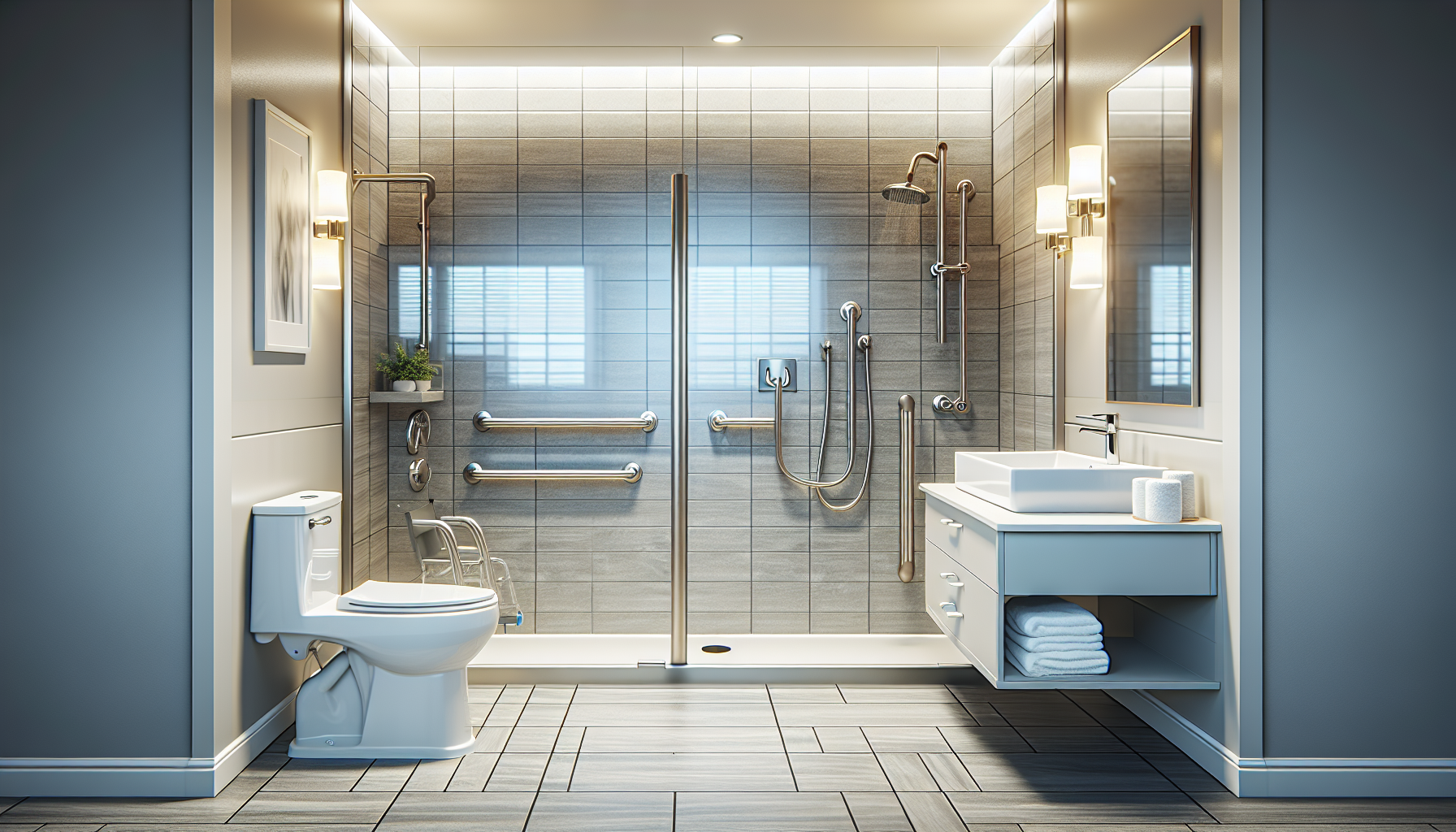
The bathroom deserves special care because it combines water, transfers, and fatigue. Smart exhaust fans, leak sensors, humidity control, and high-contrast smart lighting are useful, but they must be paired with proven physical supports such as grab bars, nonslip flooring, raised toilet seats, and shower seating. In the kitchen, smart plugs, induction safety features, voice timers, and occupancy lighting can reduce hazard exposure. Refrigerators and medication stations may benefit from door sensors or reminder automations. Hallways, stair approaches, and garages should have dependable lighting, strong connectivity, and clear routes with no cable clutter. This subtopic connects naturally to broader accessibility planning because every room can become easier to navigate when environmental controls meet users where they are.
Costs, Installation Choices, and Long-Term Maintenance
Smart home integration can be affordable, but only when purchases are tied to specific outcomes. Entry-level improvements such as smart bulbs, plugs, and speakers may cost less than a single premium mobility accessory, yet they can meaningfully reduce daily effort. More advanced features, including motorized blinds, automatic door openers, or professionally installed control systems from providers such as Control4 or Savant, require larger budgets and more planning. Medicare generally does not cover consumer smart home devices, though some Medicaid waiver programs, state assistive technology initiatives, veterans’ benefits, nonprofit grants, and local aging-in-place programs may help fund accessibility-related technology. Occupational therapists, certified aging-in-place specialists, and assistive technology centers can often identify practical funding pathways.
Installation should match the user’s tolerance for troubleshooting. DIY products are suitable when the home has strong connectivity and a family member can manage updates, passwords, and account recovery. Professional installation makes sense when multiple systems must work together reliably, especially for users with complex physical limitations. Long-term maintenance is where many setups decline. Batteries die, apps change, and routines break after firmware updates. The solution is simple documentation: keep a device list, login record, battery schedule, and basic troubleshooting guide. Review the system every six to twelve months, especially after changes in mobility, caregiving, or living arrangements. An accessible home is not a one-time project. It is an evolving support system that should adapt as needs change.
Combining smart tech with traditional mobility aids works because it respects a basic truth: independence is built from many small actions, not one dramatic device. A well-chosen walker, wheelchair, cane, or transfer aid remains the foundation of safe movement, but smart home integration removes the secondary obstacles that make home life tiring, risky, or frustrating. Lighting, locks, thermostats, sensors, and voice controls are most effective when they are selected around specific tasks, matched to the user’s mobility aid, and backed by reliable manual alternatives. The strongest setups are not the most complicated. They are the ones that help someone answer the door calmly, move to the bathroom safely at night, adjust comfort without pain, and manage the home from a realistic seated or standing position.
For anyone exploring accessibility and mobility solutions, smart home integration is the hub that connects physical access with daily usability. It links room layout, device selection, safety planning, caregiver support, and future adaptability into one practical strategy. Start with the highest-friction tasks in your home, choose one or two improvements with clear benefits, and build from there. Small, reliable changes often create the biggest gains in confidence, safety, and control.
Frequently Asked Questions
How do smart home devices improve the effectiveness of traditional mobility aids?
Smart home devices can make traditional mobility aids far more practical and energy-efficient in everyday life. A cane, walker, wheelchair, or scooter helps a person move from place to place, but connected technology can reduce how often that movement is required in the first place. For example, voice assistants can turn lights on and off, answer the door through a video doorbell, adjust the thermostat, or control televisions and appliances without requiring extra trips across the room. That matters because every unnecessary transfer, reach, or change in direction can increase fatigue and raise the risk of slips or falls.
Automated lighting is especially useful when paired with mobility aids. Motion-triggered or voice-activated lights can illuminate hallways, bedrooms, and bathrooms before someone begins moving, which is helpful for people using walkers, canes, or wheelchairs at night or in low-light conditions. Smart locks and video doorbells can also support independence by allowing a person to identify visitors and unlock the door without rushing to the entryway. For wheelchair users or people with limited balance, that can remove a major daily obstacle.
In a broader sense, smart technology helps create a more responsive environment around the person rather than forcing the person to constantly adapt to the environment. Traditional mobility aids still do the physical work of support, transfer, and movement, but smart tools can make the home safer, more convenient, and less physically demanding. When used together, they often help conserve energy, reduce stress, and support a higher level of day-to-day independence.
What are the best smart technologies to pair with wheelchairs, walkers, canes, or scooters at home?
The best smart technologies are usually the ones that solve the most common daily challenges: lighting, entry access, communication, temperature control, and safety monitoring. For many households, smart lighting is one of the most valuable starting points. App-controlled bulbs, motion sensors, and voice-activated lamps can reduce the need to navigate dark spaces or reach awkwardly for switches. This is especially beneficial for people using walkers or canes, since maintaining balance while reaching can be difficult.
Voice assistants are another strong option because they provide hands-free control over multiple devices from a single command. Someone using a wheelchair or scooter can ask for doors to be checked, music to be played, reminders to be set, or lights to be adjusted without needing to reposition themselves. Smart locks and video doorbells are also highly effective, particularly for individuals who take longer to get to the door or who want to screen visitors before opening it. These tools can reduce urgency and improve personal security.
Occupancy sensors, fall-alert systems, and smart cameras placed in common areas may also be useful, depending on the person’s needs and comfort level with monitoring technology. App-controlled thermostats can help maintain comfort without requiring trips to a wall control. In bathrooms, where transfer benches and grab bars are often used, waterproof smart speakers or voice controls may provide added convenience. The right mix depends on the user’s mobility level, home layout, and daily routines, but the most effective systems are typically the simplest ones to operate consistently.
Can combining smart tech with mobility aids make a home safer?
Yes, in many cases it can significantly improve safety when the technology is selected thoughtfully and installed correctly. Traditional mobility aids provide direct physical support, but safety at home also depends on visibility, access, timing, and reducing unnecessary movement. Smart technology can address each of those areas. For example, automated lighting can reduce the chance of tripping during nighttime bathroom trips. Occupancy sensors can trigger lights in hallways or stair-adjacent areas before a person arrives, which is particularly helpful for someone moving slowly with a walker or cane.
Smart locks and video doorbells can improve safety by reducing the need to approach the front door quickly or open it without knowing who is there. For someone with limited mobility, rushing is often when balance and judgment are compromised. Voice assistants can also be valuable in urgent moments, allowing a user to call a family member, trigger a routine, or access information without moving across the room. Some people also benefit from medical alert integrations or fall-detection systems, though these should be considered part of a larger safety strategy rather than a complete solution by themselves.
That said, smart technology is not automatically safer just because it is modern. Poor placement of devices, confusing app controls, unreliable Wi-Fi, or overly complicated automation can create new frustrations. Safety improves most when the setup is personalized, easy to use, and backed by practical home modifications such as grab bars, clear pathways, non-slip flooring, and properly fitted mobility aids. The goal is not to replace common-sense accessibility improvements, but to strengthen them with tools that make the home more responsive and predictable.
What should families consider before setting up a smart home for someone who uses mobility aids?
Families should begin by looking at daily routines rather than shopping for devices first. The most useful setup comes from identifying where the person loses energy, struggles with access, or faces avoidable safety risks. For one person, the biggest challenge may be getting to light switches at night. For another, it may be opening the door, adjusting the thermostat, or moving between the bathroom and bedroom. Understanding those friction points helps determine which smart tools will actually improve quality of life rather than simply adding more technology to manage.
Ease of use is another major consideration. A smart system should match the person’s physical abilities, comfort with technology, hearing and vision needs, and cognitive preferences. Voice control may work well for one user, while another may prefer large-button remotes, wall-mounted controls, or simple automation that runs in the background. It is also important to think about backup options. If the internet goes down or a phone battery dies, the person should still be able to use lights, locks, and essential devices safely.
Families should also pay attention to placement, privacy, and long-term maintenance. Devices need to be installed where they can be reached, seen, heard, or activated easily from seated or supported positions. If cameras or sensors are involved, the user should be comfortable with how data is collected and who can access it. Finally, every smart home setup should leave room for change. Mobility needs often evolve over time, so the best systems are flexible, scalable, and able to adapt as support needs increase or daily routines shift.
Is it expensive to combine smart home technology with traditional mobility aids?
It does not have to be expensive, and many people can start with a few high-impact upgrades rather than a full-home system. In fact, some of the most effective improvements are relatively affordable. Smart bulbs, plug-in voice assistants, motion-sensor lights, and video doorbells can often provide meaningful convenience and safety without major renovation. For someone who already uses a walker, wheelchair, cane, or scooter, these additions may reduce physical strain right away by cutting down on unnecessary trips and improving control over the home environment.
Costs tend to rise when households add multiple integrated systems such as smart locks, connected thermostats, camera networks, sensor-based automation, or professionally installed accessibility technology. Even so, the best approach is usually incremental. Start with the areas that create the most daily difficulty, such as nighttime lighting, front door access, or hands-free control in the bedroom and bathroom. Once those improvements are working well, additional devices can be added over time.
It is also helpful to think about value rather than price alone. If a modest smart setup helps a person conserve energy, avoid falls, reduce dependence on caregivers for small tasks, or remain comfortably at home longer, the practical benefit can be substantial. Traditional mobility aids remain essential, but when paired with carefully chosen smart tools, they often deliver a better return in comfort, safety, and independence than either approach could provide on its own.