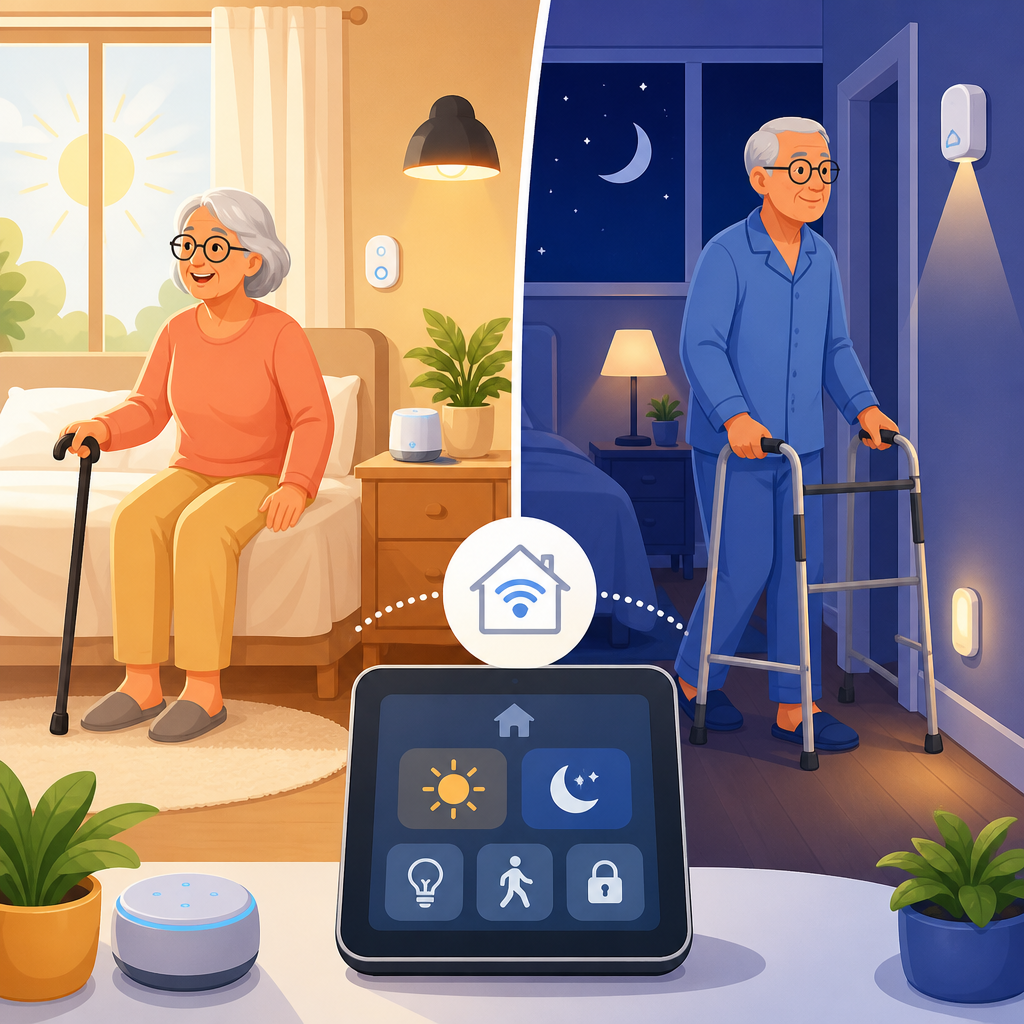
Smart home integration can make morning and night mobility safer, easier, and less tiring for people who live with limited balance, reduced strength, chronic pain, arthritis, neurological conditions, or age-related mobility changes. A simple smart home routine is a set of automated actions that happen at a scheduled time, after a voice command, or when a sensor detects movement. In practice, that might mean bedroom lights turning on at low brightness before you stand up, a hallway lamp guiding the path to the bathroom, a thermostat warming the room, and a door lock confirming that the house is secure before sleep.
I have helped families build these routines in apartments, single-family homes, and assisted living settings, and the most successful systems always start with mobility needs rather than gadgets. The goal is not to create a flashy connected house. The goal is to reduce transfers in the dark, cut down unnecessary reaching, prevent rushed walking, and make essential tasks predictable. For many households, a well-designed routine lowers fall risk, reduces caregiver workload, and supports independence without requiring expensive renovation.
Smart home integration matters because mobility challenges often show up most sharply during transitions: getting out of bed, navigating to the bathroom, finding medication, locking doors, or settling into sleep. Those moments combine poor lighting, stiffness, fatigue, and urgency. Automation helps by removing small physical barriers before they become safety hazards. It also creates consistency. When lights, climate, reminders, and security settings happen the same way every day, the home becomes easier to trust. This hub explains how to build a simple morning and night mobility routine, what devices are most useful, how to connect them, and where the real limits and tradeoffs are.
Start with a mobility-first routine map
The best smart home routine begins with a plain-language map of what happens from bed to bathroom, bedroom to kitchen, and living space to front door. Write down each step in sequence and note where movement is slow, painful, unstable, or repetitive. In real homes, the common friction points are bedside lighting, reaching for switches, navigating narrow hallways, adjusting thermostats, checking whether doors are locked, and remembering medications or assistive devices. This map tells you what should be automated first.
For a morning routine, identify the earliest safe cue. That may be a scheduled trigger at 6:30 a.m., a pressure change on a bed sensor, or a voice command such as “start my day.” Then define only the actions that directly improve mobility: lights rise gradually to 30 percent, bathroom path lights turn on, the smart speaker reads the weather, and the thermostat raises the temperature two degrees. For a night routine, the trigger might be “good night,” a bedside button, or motion inactivity after a certain hour. The routine should reduce last-minute walking and reaching by turning off nonessential lights, locking doors, lowering shades, and activating low-level night lights.
Keep the first version simple. I usually recommend no more than five actions in one routine. Complex automations fail more often, confuse users, and are harder for caregivers to troubleshoot. A dependable three-step sequence is more valuable than a ten-step routine that breaks twice a week. Simplicity is a safety feature.
Choose the right smart home devices for morning and night mobility
Not every connected device belongs in an accessibility-focused setup. The most useful products are the ones that reduce walking, bending, twisting, or fine motor strain. Smart bulbs and smart plugs are often the best starting point because they avoid rewiring and can be placed exactly where mobility support is needed. Voice assistants from Amazon Alexa, Google Home, or Apple Home provide hands-free control, which is especially helpful for users with limited grip strength or painful hand joints.
Motion sensors are valuable when placed carefully. A bedroom sensor aimed toward the bed can trigger low lighting before the first standing transfer. A hallway sensor can illuminate a path without forcing someone to search for a wall switch. Contact sensors on exterior doors can confirm closure status audibly, reducing unnecessary trips to check locks. Smart locks with keypad or app control help users who struggle with small keys or stiff deadbolts, but they must still allow reliable manual operation in an emergency.
Climate devices also matter more than people expect. Smart thermostats such as ecobee or Google Nest can warm a room before standing, which can ease morning stiffness for people with arthritis. Smart blinds or shades can add daylight without requiring overhead reaching. For medication support, a voice assistant reminder may be enough, but some households pair routines with a connected pill dispenser or a clearly illuminated medication station. The strongest setups combine lighting, access, comfort, and reminders instead of relying on a single category of device.
Build routines around triggers, scenes, and fallback controls
A reliable smart home routine depends on understanding three concepts: triggers, scenes, and fallback controls. A trigger is what starts the routine, such as time of day, a motion event, a door opening, or a spoken phrase. A scene is the group of actions that happen together, such as bedroom lamp on, hallway light on, thermostat adjusted, and lock status announced. Fallback controls are the manual or alternate methods that still work if voice recognition fails, Wi-Fi drops, or a device goes offline.
In homes where mobility is the priority, redundancy is essential. Every automated action should have a backup that does not require fine motor precision. That might be a large-button bedside remote, a smart button mounted at wheelchair height, or a wall switch that still controls the fixture normally. I avoid systems that force people into one control method. Someone who uses voice commands in the morning may prefer a physical button at night when fatigue, dry mouth, or speech changes make voice recognition less reliable.
Scenes should also match human behavior. A “morning mobility” scene should not flood the room with bright light instantly if the user has visual sensitivity or wakes slowly. A “night mobility” scene should not shut off all lights at once if the bathroom trip has not happened yet. The most practical design is layered: low bedside light first, path lighting second, task lighting only where needed. This kind of sequencing feels minor, but it directly affects stability and confidence.
Recommended device roles for a simple routine
| Need | Best device type | Why it helps mobility | Example routine use |
|---|---|---|---|
| Safe transfers | Smart bulb or plug-in lamp | Improves visibility before standing | Bedroom light fades on at 20 to 30 percent |
| Hands-free control | Voice assistant or smart button | Reduces reaching and grip strain | “Start morning” turns on lights and reads reminders |
| Pathway guidance | Motion sensor with hallway lights | Supports bathroom trips in low light | Hall lights turn on for five minutes after motion |
| Entry security | Smart lock and door sensor | Avoids repeated checks at night | Bedtime routine locks door and confirms status aloud |
| Comfort management | Smart thermostat | Reduces stiffness from cold rooms | Temperature rises before wake time |
Design a morning routine that supports safe movement
A good morning routine starts before the person moves. Set lights to come on gradually five to ten minutes before the normal wake time. Brightness should usually begin between 15 and 30 percent, enough to define the room without glare. If the route to the bathroom includes a hallway, add one lamp or light strip that activates at the same time or with motion. The objective is continuous visibility from bed to destination.
Next, automate environmental comfort. In colder climates, a thermostat increase timed before waking can reduce the shock of leaving bed and may ease joint stiffness. If natural light helps with orientation, open motorized shades gradually. Then add practical prompts. A voice assistant can deliver a short briefing: time, weather, first calendar item, medication reminder, or a cue to put on footwear before standing. Keep spoken information brief. Long announcements become noise and are often ignored.
One effective example is a three-room sequence I installed for a client with Parkinsonian gait changes. At 6:45 a.m., bedside lamps rose to 25 percent, the hallway light switched on, and the bathroom heater plug activated. When she said, “good morning,” the kitchen light came on and a reminder played to use her walker before leaving the bedroom. That routine mattered because it addressed freezing risk, nighttime stiffness, and memory load at the exact points where each issue occurred.
Design a night routine that reduces trips, strain, and uncertainty
Night routines should focus on closure and low-risk movement. Begin with tasks that eliminate extra walking: turn off living room lights, lock exterior doors, check that the garage door is closed if applicable, and set the thermostat to a comfortable sleep range. Deliver those confirmations through a smart speaker or phone notification so the user does not need to walk back across the house to verify each item.
Then create a safe overnight lighting strategy. Bedrooms should not be completely dark if the person is likely to get up for the bathroom. Instead, use low-level warm lighting, usually in the 5 to 15 percent range, triggered by motion near the bed or by a spoken command. Warm color temperatures around 2200K to 2700K are usually more comfortable at night than bright cool white light. In bathrooms, prioritize task visibility around the toilet and sink while avoiding glare on shiny surfaces.
A strong bedtime routine also includes charging and placement habits. Park a mobility scooter, place a cane or walker within reach, charge a phone or emergency alert device, and confirm that wearable hearing or vision aids are where they will be needed in the morning. Automation can support these behaviors with reminders, but it cannot replace them. The routine works best when the environment and the person’s habits reinforce each other.
Set up your smart home platform, privacy, and reliability basics
Most households can build a simple routine with Alexa, Google Home, Apple Home, or Samsung SmartThings. The right platform is the one that supports your preferred voice assistant, includes the devices you need, and is easiest for everyone in the home to manage. Matter has improved cross-brand compatibility, but it has not eliminated setup differences, so check device support before buying. If possible, keep core devices such as lights, locks, and speakers within one ecosystem to reduce friction.
Reliable connectivity is not optional in mobility-focused automation. Place the Wi-Fi router centrally, update firmware regularly, label devices clearly in the app, and use consistent names such as “bedroom lamp left” instead of generic labels. If the home is large or has dead spots, add a mesh Wi-Fi system. For battery-powered sensors, put replacement dates on a shared calendar. Small maintenance failures are a common reason routines stop working.
Privacy deserves equal attention. Smart speakers, cameras, and locks collect sensitive household data. Use strong unique passwords, enable multifactor authentication, review microphone settings, and limit camera use in private spaces. For many mobility routines, cameras are unnecessary; motion sensors and contact sensors usually provide enough automation with less privacy exposure. Good smart home integration balances independence, convenience, safety, and data protection instead of treating every connected feature as an automatic upgrade.
Common mistakes and how to avoid them
The biggest mistake is buying devices before defining the routine. People end up with isolated gadgets that do not solve the real mobility problem. Another common error is over-automation. If lights turn on too often, voice announcements are too long, or sensors misfire when someone changes position in bed, the system becomes irritating and gets disabled. Accessibility technology must be calm, predictable, and easy to override.
I also see poor placement decisions. A motion sensor mounted too high may miss wheelchair movement. A smart speaker placed across the room is useless during a painful transfer. A button installed near a doorway does not help someone who needs support at the bedside. Test every control point from the user’s actual position: lying down, sitting, standing with a walker, or approaching from a wheelchair. That field testing reveals issues no product page will mention.
Finally, do not ignore power outages or internet failures. Keep manual switches accessible, choose locks with physical key backup, and use battery-powered night lights in critical paths. Smart routines improve mobility, but resilience comes from planning for the moments when automation is unavailable.
A simple smart home routine for morning and night mobility works because it supports the hardest parts of the day: transitions, low light, stiffness, fatigue, and repeated checking. The most effective approach is straightforward. Map the mobility challenges first, choose devices that reduce reaching and unnecessary walking, build short routines around lights, climate, reminders, and security, and make sure every automated step has a manual backup. When the setup is done well, the home feels easier to navigate and more dependable to live in.
As a hub for smart home integration within accessibility and mobility solutions, this topic connects naturally to deeper decisions about lighting placement, voice control, fall prevention, bathroom safety, home entry, medication reminders, and caregiver coordination. Those related articles should expand on individual device categories and room-by-room planning, but the foundation stays the same: automation should serve mobility, not the other way around. Better routines come from understanding daily movement patterns and removing the barriers that repeatedly slow, strain, or unsettle them.
If you are building your first accessibility-focused routine, start tonight with one bedside light, one hallway light, and one simple command or schedule. Test it for a week, note what actually helps, and then add the next layer with intention.
Frequently Asked Questions
What is a simple smart home routine for morning and night mobility?
A simple smart home routine for morning and night mobility is an automated sequence of small actions designed to make getting up, moving through the home, and settling in for bed safer and easier. Instead of relying on one device, the routine connects a few practical tools such as smart bulbs, plugs, motion sensors, voice assistants, and possibly a smart thermostat. The goal is to reduce strain, improve visibility, and limit the number of physical tasks required during times of day when stiffness, fatigue, pain, or balance issues may be worse.
For example, a morning routine might slowly turn on bedroom lights at a low brightness before you stand up, switch on a hallway lamp, raise the thermostat slightly, and start a coffee maker connected to a smart plug. A nighttime routine might dim lights gradually, turn on a bathroom night light, shut off unnecessary devices, and make sure the path from the bed to the bathroom is softly illuminated. These routines can be triggered by a schedule, a voice command such as “good morning,” or motion detection when someone gets out of bed.
The most important feature of a good mobility-focused routine is that it supports safe movement without creating extra confusion or complexity. It should be predictable, easy to use, and based on real movement patterns inside the home. A well-designed routine is not about adding technology for its own sake. It is about using automation to reduce reaching, bending, walking in the dark, and rushing through uncomfortable transitions at the start and end of the day.
Which smart home devices are most useful for building a morning and night mobility routine?
The most useful devices are usually the simplest ones: smart lights, motion sensors, smart plugs, and a voice assistant. Smart lighting is often the best place to start because lighting directly affects fall risk and confidence during movement. Bulbs, light strips, plug-in lamps, and smart switches can be programmed to turn on automatically at certain times or at certain brightness levels. For someone with limited balance or joint pain, even a small improvement in visibility can make moving from bed to bathroom or bedroom to hallway much easier.
Motion sensors are also extremely helpful because they can trigger lights without requiring someone to find a switch or issue a voice command. This is especially useful at night, when standing up quickly or walking in the dark can increase the risk of tripping. A motion sensor placed near the bed, in the hallway, or by the bathroom door can activate a low, gentle light that guides movement without being harsh on the eyes.
Smart plugs can automate everyday items that otherwise require extra effort. A bedside lamp, fan, heating pad, coffee maker, or small space heater may be easier to control through a plug than by using the device’s built-in switch. Voice assistants can tie everything together by allowing routines to be started with a simple phrase instead of multiple physical actions. Some people also benefit from smart thermostats, video doorbells, or contact sensors, but for most morning and nighttime mobility needs, a basic system built around lights, sensors, plugs, and voice control is more than enough to create meaningful improvements.
How do I set up a smart home routine that is safe and easy to use?
The safest approach is to begin with one specific problem and solve that first. For many people, that problem is getting out of bed safely in low light or walking to the bathroom at night. Start by identifying where movement feels most difficult, tiring, or risky. Then create a routine around that moment. A simple first setup might include a bedside lamp that turns on at 20 percent brightness a few minutes before wake-up time, plus a hallway light triggered by motion. Keeping the routine narrow at first makes it easier to test and adjust.
Choose devices that are reliable and simple to manage from one app or platform whenever possible. Complicated systems can be frustrating, especially for households with multiple users or changing care needs. Use plain routine names such as “Morning Path Lights” or “Night Bathroom Lights” so they are easy to remember. Make sure voice commands are short and natural. It is also wise to keep manual control available. Smart routines should support independence, not remove backup options if Wi-Fi fails or someone prefers to use a switch.
Safety also depends on how the routine behaves in real life. Lights should turn on to a comfortable brightness, not so dim that they are ineffective and not so bright that they create glare or disorientation. Pathways should remain free of clutter, cords, rugs, or furniture edges that lighting alone cannot fix. Test the timing, brightness, and sensor placement over several days. If a light turns off too quickly, causes shadows, or misses movement, adjust it until the routine feels smooth and dependable. The best smart home routine is one that fades into the background because it works consistently when it is needed most.
Can smart home routines really help people with arthritis, chronic pain, balance issues, or neurological conditions?
Yes, they can be very helpful, especially when they are built around specific mobility challenges rather than broad convenience features. For someone with arthritis or reduced hand strength, voice control and automation can reduce the need to grip switches, twist knobs, or reach awkwardly. For someone with chronic pain, minimizing unnecessary steps in the morning or at bedtime can conserve energy and reduce flare-ups. For people with poor balance, visual impairment, neuropathy, Parkinson’s disease, multiple sclerosis, or other neurological conditions, consistent lighting and predictable automation can make movement feel more secure and less physically demanding.
The key benefit is that routines remove friction from daily transitions. Morning and nighttime are often when stiffness, fatigue, dizziness, medication effects, or slower reaction times are most noticeable. A routine that gently lights the room, warms the space, and illuminates a safe walking path can reduce the need to hurry or move in poor conditions. That may not solve every mobility issue, but it can lower environmental barriers that make movement harder than it needs to be.
That said, smart home routines are supportive tools, not medical treatment or a substitute for professional home safety guidance. They work best when paired with good lighting design, stable flooring, accessible furniture placement, grab bars where appropriate, and input from an occupational therapist, physical therapist, or healthcare provider if mobility challenges are significant. Technology is most effective when it complements a broader plan for safe movement and independent living.
What are the best tips for creating a smart morning and night routine without overspending or making it too complicated?
The best strategy is to start small and focus on high-impact areas. You do not need a fully connected home to build an effective mobility routine. In many cases, one or two smart bulbs, a motion sensor, and a smart plug are enough to create noticeable improvement. Begin with the path that matters most, such as bed to bathroom or bedroom to kitchen. If that setup works well, you can expand later. This step-by-step approach helps you avoid buying devices that do not match your actual needs.
Stick to practical features instead of novelty. Prioritize reliable lighting, clear automation, and ease of use over advanced functions you may never use. Low-cost smart bulbs and plugs can handle many essential tasks. If budget is a concern, use smart plugs with existing lamps instead of replacing every light fixture. Choose products that work with the same ecosystem so setup is easier and routines stay organized in one place. Reading reviews specifically focused on reliability, app usability, and accessibility is often more useful than comparing long lists of technical features.
Finally, keep the routine simple enough that everyone in the home understands it. A good morning and night mobility routine should save effort, not add mental load. Limit the number of triggers, avoid overly complex automations, and give each device a clear purpose. Review the routine after a week or two and ask practical questions: Did the lights come on when needed? Was the brightness comfortable? Did any step feel unnecessary? Small adjustments often make a bigger difference than buying more equipment. The most effective routine is usually the one that is affordable, dependable, and easy to live with every day.