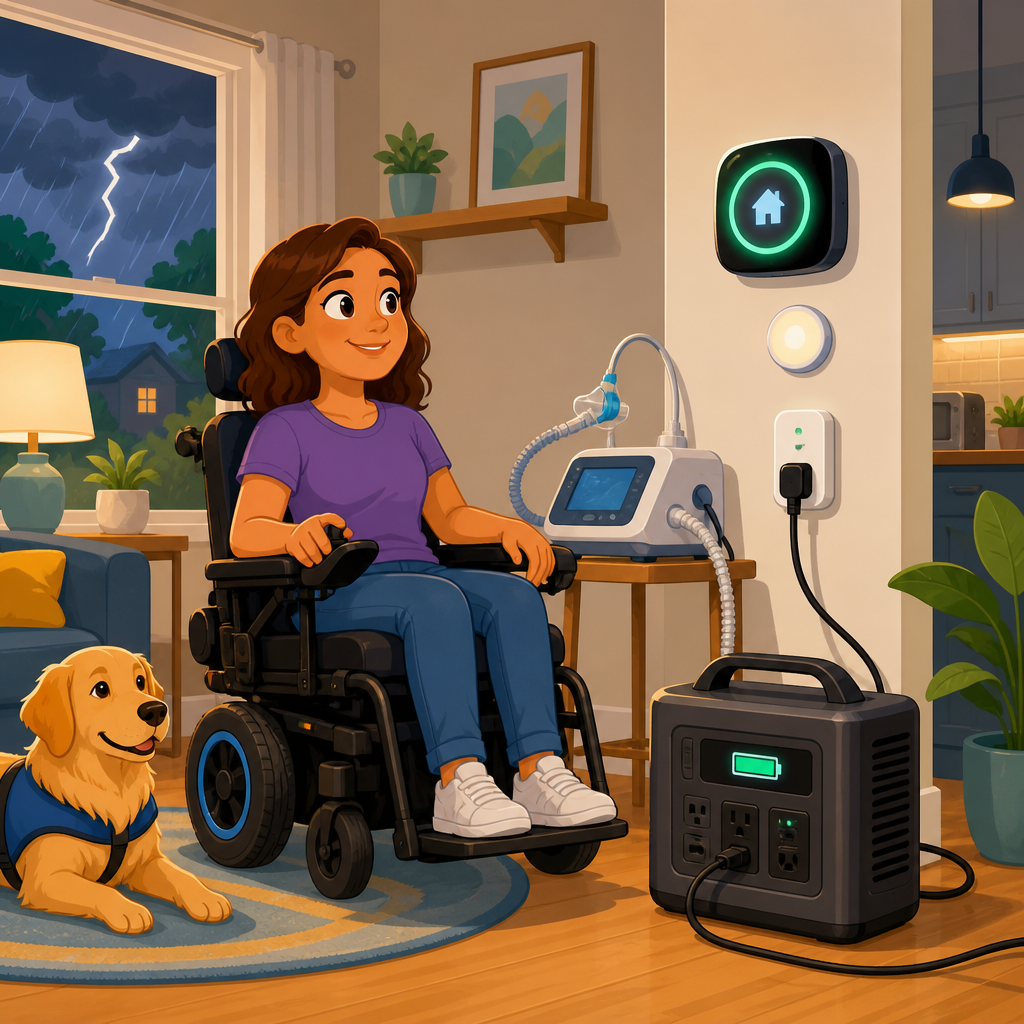
Smart home backup power for accessibility devices is not just a convenience upgrade; it is a safety, independence, and continuity plan for people who rely on powered equipment every day. In practical terms, backup power means any system that keeps essential devices operating when utility electricity fails, whether for a few minutes, several hours, or multiple days. Accessibility devices include powered wheelchairs and scooters, stair lifts, adjustable beds, patient lifts, communication tablets, hearing support equipment, environmental control units, automatic door openers, and medical-adjacent tools such as oxygen concentrators or suction devices used in the home. Smart home integration is the layer that connects these devices, sensors, batteries, plugs, transfer systems, and alerts so the home responds automatically instead of forcing a person to manage an outage manually.
I have worked with homeowners who assumed a portable power station would cover everything, only to learn that a stair lift’s startup load or an adjustable bed’s motor profile changed the sizing completely. I have also seen well-designed systems preserve routine and dignity during storms because lighting scenes, backup Wi-Fi, voice control, and battery-backed access devices stayed online without anyone scrambling in the dark. That gap between assumption and reality is why planning matters. The right setup starts with understanding critical loads, runtime expectations, transfer methods, circuit priorities, charging requirements, and device compatibility. It also requires a clear view of what can be automated and what still needs a human override.
For households under the broader Accessibility & Mobility Solutions umbrella, this topic functions as the hub for smart home integration. It connects to related planning areas such as home emergency preparedness, wheelchair-friendly remodeling, connected lighting, accessible security systems, resilient internet service, and whole-home energy management. If a home uses automation to support mobility, hearing, vision, speech, or daily living tasks, backup power must be part of that architecture from the start. A smart home that fails during an outage is not truly accessible. A resilient smart home keeps core functions available, alerts caregivers, and reduces the risk that a short utility interruption turns into a mobility or communication crisis.
The most useful way to approach this article is to treat it like a planning framework. First, identify which accessibility devices are truly mission critical. Second, calculate power, surge, and runtime needs accurately. Third, choose the right backup approach, from uninterruptible power supplies to battery systems or generators. Fourth, make the smart home layer reliable by protecting hubs, routers, automations, and manual controls. Finally, test the system and document it so everyone in the household, plus caregivers and installers, knows what happens when power goes out. Done properly, smart home backup power becomes an accessibility feature in its own right.
Start with a critical device inventory and realistic outage scenarios
The first planning step is a written inventory of every device that supports mobility, communication, personal care, access, and safety. Do not rely on memory. Walk room by room and note the device name, model number, input voltage, running wattage, charging method, battery type if any, and whether it must work continuously or only occasionally. In real homes, this list often includes items people forget: lift-chair recliners, pressure-relief mattress pumps, bidet seats, smart locks, powered shades used for glare control, medication refrigeration, and gateway devices that make alternative communication systems work. A clear inventory prevents undersizing and helps determine what belongs on battery backup, a dedicated circuit, or a whole-home source.
Next, define outage scenarios. A five-minute grid drop requires a different strategy than an eight-hour storm outage or a three-day wildfire shutoff. For most accessibility planning, I separate loads into three tiers. Tier one is immediate life-safety and core independence: communication devices, critical lighting, Wi-Fi, charging for mobility equipment, and any medically necessary powered device. Tier two is mobility and transfer support such as stair lifts, adjustable beds, and door operators. Tier three is convenience and comfort, including entertainment, nonessential automations, and general receptacles. This tiering makes load shedding possible and keeps the most important functions online longer.
Accessibility planning also has to account for occupancy and caregiver patterns. If a person is alone for much of the day, automations and remote alerts matter more because there may be nobody available to reset tripped devices, move extension cords, or start a generator. If the home is in a region with frequent thunderstorms, winter ice, heat waves, or public safety power shutoffs, battery storage and clean indoor power usually deserve priority over fuel-dependent solutions alone. Utility reliability, climate risk, mobility needs, and the age of the home all shape the final design. There is no universal kit that fits every household.
Understand watts, surge, battery runtime, and charger behavior
Most backup power mistakes happen because people plan around labels without understanding how devices actually behave. Running watts describe continuous power draw, while surge or startup watts describe the brief spike some motors and compressors need when they begin operating. A stair lift, lift recliner, bed motor, or door opener may idle at almost nothing but demand a sharp burst at activation. Inverters and battery systems must be sized for that surge, not only the average load. Nameplate ratings are a starting point, but clamp meter testing or manufacturer specifications are better, especially for older equipment whose motors are less efficient than current models.
Battery runtime is equally misunderstood. A 1,000-watt-hour battery does not provide 1,000 usable watt-hours in practice because inverter losses and reserve margins reduce delivered energy. If a communication tablet charger uses 20 watts, a router and modem use 25 watts, and task lighting uses 30 watts, a 1,000-watt-hour system may support that roughly 75-watt load for around 10 to 12 hours depending on inverter efficiency and battery management limits. Add an adjustable bed or occasional charging of a power wheelchair, and runtime drops quickly. This is why every serious plan includes both continuous loads and intermittent high-draw events.
Charging behavior adds another layer. Mobility devices often use specialized chargers and long charge windows. A power wheelchair charger may draw a few hundred watts for several hours and perform best when connected directly to a stable sine-wave source. Some older chargers and certain medical-adjacent devices are sensitive to modified sine wave output, so pure sine wave inverters are the safer standard. Lithium iron phosphate batteries are now common in premium backup systems because they offer long cycle life and improved thermal stability, but the chemistry in the mobility device itself may be sealed lead-acid or another type with different charging expectations. Compatibility is not optional; it is central to reliability.
| Device type | Typical power profile | Planning concern | Best backup approach |
|---|---|---|---|
| Router, modem, smart hub | Low continuous load | Needs uninterrupted operation for automations and alerts | UPS or small battery circuit |
| Communication tablet or AAC device | Low load, battery charging | Must remain chargeable and connected | UPS plus protected charging station |
| Adjustable bed or lift chair | Intermittent motor surge | Startup current can exceed assumptions | Pure sine inverter with surge headroom |
| Stair lift or door opener | Brief high surge, low standby | Critical during evacuation or transfer | Dedicated battery-backed circuit |
| Wheelchair or scooter charger | Moderate sustained charging load | Long runtime demand during outages | Larger battery bank or generator support |
Choose the right backup architecture for the home
There are four main architectures for smart home backup power, and many homes use a combination. The first is point-of-use backup, typically a UPS or small battery unit supporting networking gear, voice assistants, or a single communication device. This is inexpensive and effective for short outages, but it does not scale well to mobility equipment. The second is a portable power station, which can run chargers, lamps, and selected devices through outlets on the unit. These systems are flexible and increasingly capable, but they still require thoughtful cable management, safe placement, and enough battery capacity for long events.
The third architecture is a fixed home battery system with an inverter and essential loads panel. This is often the best option when multiple accessibility devices, smart locks, internet gear, lighting circuits, and charging points must remain available automatically. Systems from manufacturers such as Tesla, Enphase, FranklinWH, and EcoFlow’s home offerings can support selected circuits and transition quickly during utility loss. The fourth architecture is generator-backed power, either portable or standby. Generators can deliver long runtime if fuel is available, but they add noise, maintenance, exhaust concerns, and startup delays unless paired with automatic transfer equipment. For many accessibility-focused homes, a battery-first design with generator support for extended outages is the most balanced solution.
Transfer method is critical. If a person cannot safely reset breakers or move plugs during an outage, automatic transfer is worth the investment. Manual transfer switches can work in some households, but they assume a capable user is present. I strongly recommend keeping networking equipment, core lighting, and essential receptacles on circuits that transfer without user intervention. Also pay attention to neutral handling, inverter output limits, and whether multi-wire branch circuits exist in older panels. This is licensed electrical work, and code compliance matters. The National Electrical Code, local amendments, and manufacturer installation instructions govern what is safe and legal.
Make the smart home layer resilient, not just powered
Powering a device is only half the job; the automation stack has to survive the outage too. In many homes, the weak points are the modem, router, mesh nodes, Zigbee or Z-Wave hub, and cloud dependence. If the router loses power, voice control, caregiver alerts, camera notifications, and app-based routines may all fail at once even when the accessibility device itself still has power. That is why I prioritize a small protected network core: modem or fiber terminal, primary router, one access point if needed, and the local automation controller. This load is usually modest, making it ideal for dedicated UPS support.
Local control matters more than people expect. Cloud-only automations may stop functioning if the internet goes down, even when backup power is present. Platforms such as Home Assistant, Hubitat, and some Apple Home configurations can preserve more local functionality than cloud-dependent routines alone. Smart locks should still permit physical key entry. Motorized shades should have manual or battery options if they are needed for thermal control or visual comfort. Voice assistants are helpful, but wall controls, tactile switches, and accessible remotes remain essential because speech, internet connectivity, or platform availability can all fail at the wrong moment.
Alerts are another cornerstone of resilience. A well-integrated setup can send outage notifications, battery state-of-charge warnings, temperature alerts, and connectivity changes to caregivers or family members. Some systems can trigger lighting scenes automatically when utility power drops, reducing confusion during a nighttime event. Others can shut down nonessential plugs to preserve battery reserve for communication and mobility tasks. These automations should be simple, documented, and tested. Complexity is the enemy of reliability in an emergency. The smartest routine is often the one that does only three things well: notify, prioritize, and conserve.
Plan for installation, maintenance, testing, and future expansion
Accessibility-centered backup power should be treated as infrastructure, not a gadget purchase. Start with a licensed electrician and, when applicable, the accessibility equipment manufacturer or dealer. Ask for circuit mapping, panel capacity review, transfer options, and a written load schedule. Confirm whether any device warranties limit the use of extension cords, third-party batteries, or certain inverter types. If solar is part of the plan, verify that the inverter can island properly during outages; many grid-tied systems shut off without battery support because anti-islanding protection is required. Homeowners are often surprised to learn that having solar panels alone does not guarantee power when the grid is down.
Maintenance determines whether the plan works under stress. UPS batteries degrade, generator fuel goes stale, firmware updates change automation behavior, and mobility needs evolve. I recommend a quarterly test that simulates an outage during daylight hours. Confirm that transfer occurs as expected, Wi-Fi remains available, charging stations stay live, and essential devices can operate from backup without nuisance trips or error messages. Label backed-up outlets and circuits clearly. Keep printed instructions near the panel and in an accessible digital note shared with caregivers. If the household includes paid support staff, train them explicitly rather than assuming they will understand the system in a crisis.
Future expansion should be considered early, especially in aging-in-place homes. Today’s priority may be internet, lights, and a lift chair. Next year it might include a stair lift, air filtration, a powered door operator, or refrigerated medication storage. Choose a platform with headroom in inverter capacity, battery expansion, and circuit allocation if the budget allows. Smart home integration works best when it is modular: a robust electrical backbone, a protected network core, local-first automations where possible, and clear operational rules. That structure supports both current accessibility devices and future needs without forcing a complete redesign.
Conclusion
Smart home backup power for accessibility devices is ultimately about preserving autonomy when the grid fails. The core planning steps are straightforward: inventory every critical device, rank loads by urgency, calculate wattage and runtime honestly, choose an architecture that fits the home, protect the networking and automation layer, and test the system regularly. When those pieces are aligned, the home can continue supporting mobility, communication, access, and daily routines instead of creating new barriers during an outage. That is the difference between a house with gadgets and a resilient accessible home.
The main benefit of planning ahead is not merely electrical continuity. It is reduced risk, less caregiver stress, safer transfers, reliable communication, and greater confidence for the person living in the home. A battery-backed router can keep a speech device online. A dedicated circuit can make sure an adjustable bed still works. An automatic transfer setup can prevent a nighttime fall by keeping pathway lighting and door access active. These are practical outcomes with direct quality-of-life value, and they are achievable when smart home integration is designed around real accessibility needs rather than generic consumer convenience.
If you are building out the Smart Home Integration side of your Accessibility & Mobility Solutions plan, start with a device inventory and outage worksheet this week, then review it with a qualified electrician and any relevant equipment providers. That single step will show you what must stay powered, what can wait, and which backup strategy makes sense for your household. From there, you can connect this hub topic to related decisions about accessible lighting, security, communications, and emergency preparedness with a far stronger foundation.
Frequently Asked Questions
What accessibility devices should be included in a home backup power plan?
Start with any device that directly affects safety, mobility, communication, or medical support during an outage. For many households, that includes powered wheelchairs and scooters, stair lifts, adjustable beds, patient lifts, communication tablets, charging docks, and essential smart home controls that make the home usable for the person relying on them. It can also include automatic door openers, transfer equipment, pressure-relief mattresses, voice-assistant hubs, Wi-Fi routers needed for remote monitoring, and any lighting or environmental controls that support independent living.
A practical way to prioritize is to sort devices into three levels: life-sustaining, safety-critical, and convenience-supporting. Life-sustaining or care-critical equipment should always be the first category protected. Safety-critical devices are the ones that prevent falls, preserve mobility, or allow someone to call for help. Convenience-supporting devices may still matter greatly, but they usually come after the most urgent loads are covered. This ranking helps when budget, battery size, or generator capacity is limited.
It is also important to think beyond the device itself. Many accessibility devices depend on supporting equipment to remain useful. A communication tablet may need internet access, charging cables, and a powered modem or router. A stair lift may only require power occasionally, but if the person cannot safely remain on one level of the home, its operation becomes essential. An adjustable bed may be especially important for positioning, pain management, transfers, and overnight care. A good backup plan accounts for how each device is actually used in daily routines, not just whether it plugs into the wall.
How do you calculate the right backup power capacity for accessibility equipment?
The most reliable approach is to build a device-by-device power list. For each essential item, note the running wattage, startup or surge wattage if applicable, voltage requirements, and how many hours per day the device may need to operate during an outage. Some devices draw power continuously, while others only need intermittent use or periodic charging. This distinction matters because a backup system must be sized for both peak demand and total energy use over time.
In simple terms, you are planning for two numbers: how much power is needed at one moment, and how much energy is needed across the full outage. A stair lift or lift motor may have a higher short-term starting load, while a communications setup may use a smaller but steady amount of power for many hours. A powered wheelchair charger may not run constantly, but if the chair is essential for movement and emergency evacuation, charging access needs to be built into the plan. If an outage could last overnight or several days, total battery storage becomes just as important as wattage capacity.
It is wise to add a margin of safety rather than sizing the system to the bare minimum. Real-world use changes, equipment ages, and outages rarely happen under ideal conditions. Many homeowners also forget to include battery chargers, adapters, extension limitations, and the energy needed to support internet, smart home controls, or basic room lighting. If possible, review manufacturer labels, user manuals, or specifications from installers, and consider working with an electrician or backup power professional who understands critical-load planning. For accessibility-related backup power, conservative sizing is usually the smarter choice because the consequence of running short is not just inconvenience; it can directly affect independence and personal safety.
Is a battery backup system enough, or should you consider a generator as well?
That depends on the devices involved, the expected outage length, noise and fuel constraints, and how quickly power must be restored. Battery backup systems are often an excellent fit for accessibility planning because they provide instant power with no startup delay, no exhaust fumes, and much quieter operation than portable generators. They can be especially helpful indoors for communication devices, chargers, routers, bed controls, and other essential low-to-moderate loads. For brief outages or overnight coverage, a properly sized battery system may be all that is needed.
However, batteries have finite storage. If your household needs to support multiple high-demand devices, frequent wheelchair charging, transfer equipment, or multi-day resilience, a generator may provide the longer-duration coverage that batteries alone cannot. Whole-home standby generators can automatically restore power to selected circuits, which may be valuable if stair lifts, bedroom outlets, accessibility lighting, and climate control all need dependable backup. Portable generators can help in some situations, but they require manual setup, proper refueling, safe outdoor placement, and careful load management, which may not be ideal during a stressful emergency.
For many households, the strongest plan is a layered one: battery backup for immediate, silent continuity and a generator for extended outages. That combination can keep critical devices running without interruption while preserving power over longer emergencies. The best solution is the one that matches the user’s actual daily reliance on powered equipment, the home’s electrical layout, and the level of support available from caregivers or family members. Backup power for accessibility devices should be planned as a resilience system, not just a product purchase.
What home setup and safety issues should be considered before connecting accessibility devices to backup power?
Compatibility and safe electrical design come first. Not every accessibility device should be connected through the same kind of backup source, power strip, or extension cord. Some devices have manufacturer instructions about charging method, grounding, surge protection, or battery handling, and those directions should always be followed. A licensed electrician can identify which outlets or circuits should be backed up, whether a transfer switch or critical-load panel is needed, and how to avoid overloads when several essential devices operate at once.
Placement and access are just as important as electrical capacity. Backup outlets, battery stations, and charging points should be easy to reach from a seated position if the user has limited mobility. Cords should not create trip hazards or block wheelchair routes, transfer paths, or door clearances. If a generator is part of the plan, it must be operated outdoors and far from windows, vents, and doors to prevent carbon monoxide danger. Fuel storage, weather protection, startup procedures, and maintenance schedules also need to be realistic for the household. A system that is technically adequate but physically difficult to use in an emergency may fail when it is needed most.
It is also smart to plan for usability during nighttime outages or chaotic conditions. Label essential circuits clearly. Keep charging cables organized and accessible. Test whether key devices can actually be plugged in and used as intended when utility power is unavailable. If caregivers assist with transfers or communication equipment, make sure they understand the power plan too. The goal is not only to have backup electricity available, but to make sure the person relying on accessibility devices can continue daily functions safely, calmly, and with as little disruption as possible.
How often should you test and update a backup power plan for accessibility devices?
A backup power plan should be tested regularly, not just installed and forgotten. At minimum, review the plan every few months and do a full functional test on a schedule that matches the importance of the equipment. That means confirming batteries hold charge, backup outlets energize correctly, chargers are available, and critical devices can run for the expected time. If the system includes a generator, routine exercise, fuel checks, and maintenance should follow the manufacturer’s schedule closely. An untested backup system can create false confidence, which is especially risky when powered mobility or communication is involved.
Updates are also necessary whenever daily living needs change. A new wheelchair, revised bed system, added lift, different charging routine, or new smart home accessibility feature can change the power profile significantly. The same is true if a person’s condition changes and they become more dependent on electrical equipment for positioning, transfers, or communication. Even a home renovation or moving a bedroom to another floor can alter which circuits need backup and how equipment should be prioritized.
Think of the backup power plan as a living part of the household emergency plan. Keep a written list of essential devices, wattages if known, expected runtime, contact numbers, serial information, and instructions for caregivers or family members. Store manuals where they are easy to access. Practice what happens if an outage starts at night, during severe weather, or when the primary caregiver is away. The more familiar everyone is with the process, the more likely the plan will protect safety, independence, and continuity when the grid goes down.