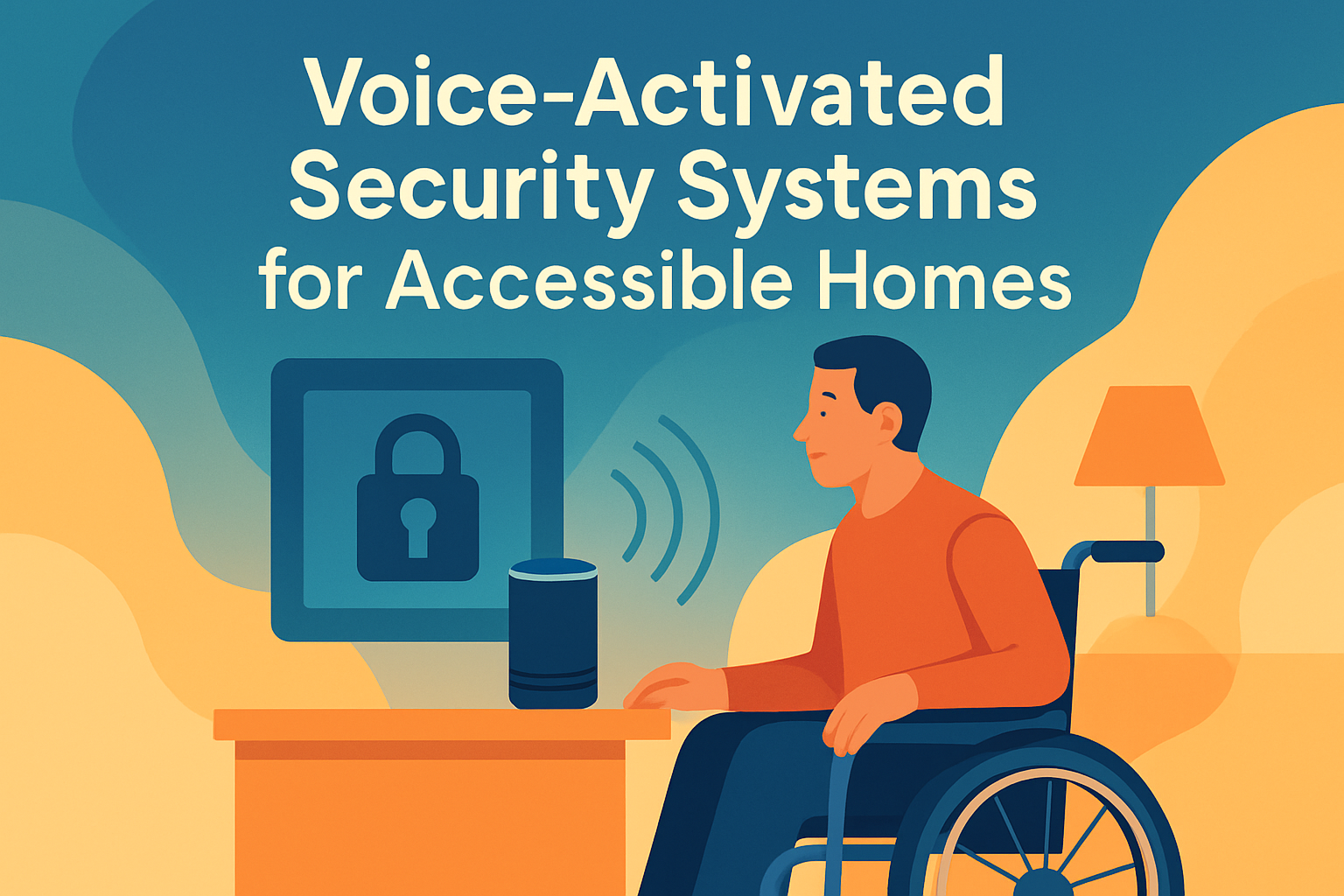
Voice-activated security systems for accessible homes combine smart locks, cameras, alarms, sensors, and voice assistants so residents can monitor, control, and automate home protection without relying on fine motor skills, fast movement, or complex wall panels. In practical terms, this means a person can lock a front door, check whether a window is open, review camera activity, trigger emergency routines, or arm the system using spoken commands and accessible mobile controls. As more households adopt aging-in-place strategies and inclusive design, this category has become central to smart home integration because security is no longer separate from accessibility, mobility, convenience, or independence.
I have worked on accessible smart home setups where the breakthrough was not a new camera or louder siren, but a system design that reduced physical effort. A resident with arthritis may struggle with small buttons on a keypad. A wheelchair user may not reach a wall-mounted alarm panel comfortably. A person with low vision may need spoken confirmations instead of tiny status lights. Voice activation addresses those friction points, but only when it is paired with reliable devices, clear automations, backup controls, and careful privacy settings. The goal is not novelty. The goal is safer daily living with fewer barriers.
For this subtopic hub, smart home integration refers to the way security devices connect with lighting, locks, thermostats, door operators, video doorbells, communication tools, and emergency alerts in one coordinated system. A strong setup lets the home respond to routines and risks: turning on pathway lights when motion is detected, unlocking a door for a caregiver with an approved code, announcing that a smoke alarm has triggered, or sending a family member a live video link when the resident asks for help. These integrated actions matter because many accessible homes depend on predictability, low-friction control, and rapid communication during stressful moments.
Voice-activated security systems matter now for three reasons. First, the underlying technology has matured. Platforms such as Amazon Alexa, Google Home, Apple Home, and professionally monitored systems from ADT, Vivint, and SimpliSafe support broader device compatibility than they did a few years ago. Second, the standards conversation has improved. Matter has increased interoperability for many smart home categories, while established wireless protocols such as Z-Wave, Zigbee, Wi-Fi, and Thread shape how devices connect and perform. Third, demand is rising among older adults, disabled homeowners, and multigenerational families who want both independence and reassurance. A well-integrated system reduces avoidable effort, shortens response time, and helps residents stay in control of their environment.
What Makes a Voice-Activated Security System Accessible
An accessible security system is not simply a standard alarm with a voice assistant added at the end. It is designed around multiple input and output methods. Residents should be able to use speech, mobile apps, large-button remotes, wearable triggers, automations, and traditional switches. The system should also communicate status through spoken prompts, push notifications, visual indicators, and, where needed, professional monitoring calls or text alerts. Redundancy matters because speech recognition can fail during background noise, hoarseness, internet outages, or high-stress situations.
In real homes, accessibility depends on details. Voice commands should be short and memorable. Device names must be distinct; for example, “front door lock” and “front porch light” are better than two devices both labeled “entry.” Cameras should support clear live view access from phones, tablets, and smart displays. Door and window sensors should announce open or closed status audibly when asked. Two-way audio at a video doorbell can help residents communicate with visitors without rushing to the door. For people with cognitive changes, routine-based automations are often more effective than expecting a long sequence of manual actions every evening.
Physical installation also shapes usability. Mounting heights for tablets, panels, and intercoms should support seated access. Battery-powered contact sensors can avoid difficult wiring work, but batteries need scheduled maintenance. Smart locks should still permit key access and indoor thumb-turn operation that complies with fire safety requirements. Indoor sirens must be loud enough to alert, yet notifications should also reach hearing aids, phones, smartwatches, or bed shakers when hearing loss is part of the access profile. A system is accessible only if it works with the resident’s real abilities, not an idealized user profile.
Core Components of Smart Home Integration
Most voice-activated security systems for accessible homes rely on the same core components, but the quality of integration varies significantly by platform. At minimum, the hub includes entry sensors, motion detection, smart locks, cameras, a voice assistant, and a notification pathway to caregivers or a monitoring center. More advanced systems add smart lighting, garage control, leak sensors, smoke and carbon monoxide integration, geofencing, and scene automation. The strongest setups unify these elements under one dashboard so the resident does not need five separate apps to understand what is happening.
Locks and entry controls are often the first priority. A smart lock can eliminate the need to manipulate a key, which is valuable for users with tremors, limited dexterity, or low grip strength. Models from Schlage, Yale, and August commonly support app control, PIN codes, auto-lock schedules, and voice assistant integration. When evaluating a lock, I look for BHMA grading, battery reporting, jam detection, temporary access codes, and a clear local override. For accessible homes, pairing the lock with a video doorbell and spoken notifications creates a safer arrival and visitor-management workflow.
Cameras and sensors extend situational awareness. Video doorbells from Ring, Google Nest, and Arlo can announce motion or doorbell presses across smart speakers. Indoor cameras may help residents check whether a caregiver arrived or whether a stove area appears occupied, though privacy boundaries must be explicit. Contact sensors on doors and windows, glass-break sensors, and motion sensors provide layered detection. Environmental sensors are equally important in accessible housing. Water leak sensors near bathrooms or laundry areas can prevent falls and property damage, while smoke and carbon monoxide alerts should trigger whole-home announcements and emergency contacts.
| Component | Accessibility Benefit | Key Integration Consideration |
|---|---|---|
| Smart lock | Reduces need for keys and fine motor control | Supports voice routines, PINs, and manual override |
| Video doorbell | Allows remote visitor screening | Works with smart displays and two-way audio |
| Entry sensors | Confirms door or window status by voice | Reliable battery reporting and instant alerts |
| Smart lighting | Improves safe navigation during alerts | Automations tied to motion, alarms, and schedules |
| Emergency alerts | Speeds contact with caregivers or responders | Multiple channels: call, text, app, monitoring center |
Platform selection determines how smoothly these components work together. Apple Home tends to appeal to users invested in iPhone and Apple Watch accessibility features, including Voice Control and strong privacy defaults. Amazon Alexa supports broad device compatibility and practical routine building. Google Home excels at natural language and smart display interactions. Professionally installed ecosystems may offer tighter monitoring workflows and clearer accountability, but they can limit device choice. In hub planning, compatibility is not a side issue; it is the backbone of long-term usability.
Automation, Routines, and Everyday Independence
The most valuable accessible security features are often automations that prevent a task from being forgotten or becoming physically demanding. Instead of asking a resident to remember six evening steps, a single spoken phrase such as “good night” can lock doors, arm perimeter sensors, dim lights, close connected shades, and lower the thermostat. A “leaving home” routine can confirm that the back door is locked, switch off nonessential devices, and notify a caregiver if the system was not armed by a scheduled time. These routine layers reduce cognitive load as much as physical effort.
Automations also improve response to real-world risk. If a front door opens after midnight, the system can turn on hallway lights at a low level, announce the event on bedroom speakers, and begin camera recording. If a smoke detector activates, the system can unlock a smart lock for first responders, illuminate exit paths, and send alerts to designated family members. If a person says a predetermined help phrase, the home can call a contact, flash exterior lights, and open a live camera feed on a smart display. These scenarios are not theoretical. They are exactly how integrated systems translate accessibility into safety.
Reliability requires thoughtful rule design. Avoid stacking too many triggers that create false alarms or confusing announcements. Keep naming conventions simple. Test routines at different times of day and with different voices, especially if the resident has a speech difference or accent that may affect recognition. Where possible, include confirmation prompts for sensitive actions. Many platforms restrict arming or unlocking by voice alone for security reasons, which is a reasonable tradeoff. In those cases, use voice to start a secure workflow that still requires a PIN, phone proximity, or trusted device confirmation.
Privacy, Security, and Failure Planning
Any article about voice-activated security systems for accessible homes must address privacy and cybersecurity directly. Smart devices collect audio, video, location, and event data. Residents need to know what is stored, where it is stored, who can access it, and how long it is retained. Use unique passwords, a password manager, and multi-factor authentication on all related accounts. Segment smart home devices on a separate guest or IoT network if the router supports it. Apply firmware updates promptly, because many consumer devices are secured more by ongoing patching than by perfect default settings.
Voice assistant privacy settings deserve special attention. Review saved recordings, disable unnecessary data sharing, and limit household access to account-level controls. Camera placement should respect private spaces; bathrooms and bedrooms usually require stricter boundaries or no camera use at all. Shared households need written expectations about who may view recordings, create automations, or issue access codes. When caregivers change, revoke permissions immediately. Trust in the system depends on technical security and social clarity working together.
Failure planning is equally important. Internet outages, dead batteries, cloud service disruptions, and misunderstood commands will happen. Every critical function needs a backup path. That includes physical keys, local lock codes, battery backups for hubs, cellular backup for monitored alarms, and manual lighting options. I advise clients to rehearse three scenarios: internet down, power out, and resident unable to speak clearly. If the system still supports entry, exit, communication, and emergency response under those conditions, it is robust enough for daily life.
Choosing the Right System for Different Households
No single platform is best for every accessible home. A solo older adult aging in place may prioritize professional monitoring, fall-adjacent emergency routines, and simple voice commands over deep customization. A wheelchair user may need automatic door operators, reachable charging stations for tablets, and reliable remote unlocking for deliveries or aides. A Deaf or hard-of-hearing resident may emphasize strobe alerts, smartwatch notifications, and text-based monitoring workflows. A blind or low-vision user may prefer systems with strong screen reader support, spoken state feedback, and consistent app navigation. The right system is the one that reduces friction for the resident, not the one with the longest feature sheet.
Budget should be evaluated across hardware, installation, subscriptions, and maintenance. DIY systems can cost less upfront and give households more flexibility with devices from Aqara, Eufy, Ring, or SwitchBot, but they may require more troubleshooting and compatibility research. Professionally installed systems often include setup, monitoring, and service support, which can be worth the recurring fee for households that want one accountable vendor. Before buying, map the essential use cases: entering the home, screening visitors, locking up at night, handling alarms, and contacting help. If a system cannot perform those tasks simply and reliably, additional features will not compensate.
As the smart home integration hub within Accessibility & Mobility Solutions, this topic connects naturally to related planning areas such as adaptive lighting, accessible door hardware, home monitoring for caregivers, smart speakers for disability support, and emergency preparedness technology. Treat this page as the strategic starting point. From here, households can evaluate platform compatibility, choose device categories, define automations, and build a home that supports both independence and protection. Start with one entry point and one routine, test it thoroughly, then expand the system in stages with accessibility as the nonnegotiable standard.
Frequently Asked Questions
1. What is a voice-activated security system for an accessible home?
A voice-activated security system for an accessible home is a smart home security setup that lets residents control key safety features using spoken commands, simplified mobile apps, and automation routines instead of relying only on physical keypads, switches, or fast manual responses. These systems typically connect smart locks, door and window sensors, cameras, alarms, motion detectors, lights, and a voice assistant such as Alexa, Google Assistant, or another compatible platform. The goal is to make everyday security tasks easier, faster, and more inclusive for people with mobility limitations, dexterity challenges, low vision, chronic pain, cognitive fatigue, or anyone who benefits from hands-free control.
In practice, that means a resident can say things like “lock the front door,” “arm the system,” “show me the front porch camera,” or “is the back window open?” without having to cross the room, use a small touchscreen, or manipulate a hard-to-reach wall panel. Many systems also support accessible backup controls, including large-button apps, alerts sent to a smartphone or tablet, caregiver access, and custom routines that automate tasks at certain times of day. For example, a nighttime routine might lock all doors, turn on exterior lights, arm perimeter sensors, and lower the thermostat with a single command. That combination of convenience, visibility, and reduced physical effort is what makes voice-activated security especially valuable in accessible homes.
2. How do voice controls improve home security accessibility for people with disabilities or limited mobility?
Voice controls improve accessibility by reducing the physical and cognitive barriers that often come with traditional home security systems. Standard systems may require entering codes on small keypads, reaching mounted control panels, handling keys, reacting quickly to alerts, or moving from room to room to check doors and windows. For someone who uses a wheelchair, has arthritis, limited grip strength, tremors, visual impairments, fatigue, or slower reaction times, those requirements can make home security harder to manage consistently. Voice control removes many of those obstacles by allowing residents to perform security tasks from wherever they are, using simple spoken instructions.
This can have a major impact on independence. A resident does not need to rush to the front door to lock it, struggle with a deadbolt, or navigate multiple app menus just to confirm whether the system is armed. They can ask the system for status updates, receive spoken confirmations, and activate pre-set routines that bundle several actions together. That matters not just for convenience, but for safety. During stressful situations, such as hearing unexpected movement outside or needing to secure the house quickly at night, fewer steps can mean faster protection. Accessibility also improves when systems include multiple ways to interact, such as voice commands, visual notifications, audible alerts, and caregiver sharing options. The strongest accessible setups are designed with redundancy, so residents are not forced to depend on a single method of control.
3. What features should I look for in a voice-activated security system for an accessible home?
The best system will combine strong security performance with practical accessibility features. Start with the essentials: smart locks, entry sensors, motion detection, indoor or outdoor cameras, sirens, and reliable mobile access. Then evaluate how well the system supports hands-free use. Look for voice assistant compatibility, customizable routines, clear spoken confirmations, and the ability to check system status by voice. A useful system should let you arm and disarm modes, lock doors, review camera feeds, turn lights on, and verify whether doors or windows are open without making the process confusing or physically demanding.
Accessibility-specific considerations are just as important. Choose apps with clean layouts, readable text, high-contrast design, and easy navigation. If the resident has low vision or dexterity limitations, large controls and screen reader support can make a significant difference. Smart locks should be easy to install and should still offer dependable manual access when needed. Cameras should provide clear video, motion alerts, and simple playback tools. Sensors should be dependable and easy to monitor. It is also wise to look for automation features such as scheduled arming, geofencing, emergency routines, and caregiver or family member permissions. Finally, pay attention to backup options: battery backup, cellular monitoring, alternative disarming methods, and fail-safe access in the event of internet outages. A truly accessible security system is not just voice-enabled; it is reliable, flexible, and designed to work well under real-life conditions.
4. Are voice-activated security systems safe and private to use?
They can be very safe and practical, but privacy and account security should be taken seriously from the start. Because these systems connect locks, cameras, microphones, and cloud-based services, they need proper setup and ongoing management. A reputable brand should offer encrypted data transmission, secure login tools, device management controls, and regular software updates. On the user side, strong passwords, unique credentials for every account, and multi-factor authentication are essential. If the system allows multiple users, make sure permissions are assigned carefully so family members, caregivers, or service providers only have the access they truly need.
Privacy also depends on how voice recordings, video footage, and activity logs are stored and reviewed. Before buying, check whether recordings are kept locally, in the cloud, or both, and whether you can delete voice history or camera clips easily. Review microphone and camera placement in the home so the system supports safety without feeling invasive. Many households prefer to place cameras at entrances, driveways, or common areas rather than in private spaces. It is also smart to create backup methods for critical tasks such as unlocking doors or silencing alarms, since internet outages, account issues, or voice recognition errors can happen. In short, voice-activated systems are not inherently unsafe, but they should be chosen carefully and configured thoughtfully. Security, privacy, and accessibility work best together when the system is built around trusted hardware, clear policies, and practical everyday use.
5. Can a voice-activated security system help during emergencies?
Yes, and this is one of the strongest reasons many households choose one. In an emergency, voice control can reduce the number of physical actions required to get help or secure the home. A resident may be able to trigger a panic routine, lock doors, turn on lights, sound an alarm, or contact a family member using a spoken command instead of needing to reach a panel or phone immediately. For people with limited mobility, chronic health conditions, or reduced dexterity, that hands-free capability can be more than convenient; it can be critical.
The most effective setups use emergency automation rather than relying on a single command alone. For example, a custom routine could turn on all interior lights, begin camera recording, send alerts to caregivers, lock the doors, and activate a siren when a resident says a designated emergency phrase. Some systems can also integrate with monitored security services, medical alert tools, smoke and carbon monoxide detectors, or smart lighting for safer nighttime movement. That said, no voice-controlled system should be treated as a complete replacement for emergency planning. Residents should still have backup communication options, clear household procedures, and alternative ways to unlock doors or call for help if power, Wi-Fi, or voice recognition fails. When combined with those safeguards, a voice-activated security system can play a powerful role in making accessible homes safer, more responsive, and easier to manage under stress.